
Participating Frequently
October 25, 2024
Question

LOG footage not displaying correctly in 2025

  • October 25, 2024
  • 1 reply
  • 3278 views

I tried updating to 2025 this morning and opened a project I had been working on the day before. All of my c-log3 footage from my C70 looks washed out. I use LUTs to convert from clog to rec709 not premiere's color management. I double checked to make sure my clips, timeline and program were all set to rec709 and they were. This is the worklow I have used daily for many years and have never encountered this problem. I tried making new sequences, new projects, importing new footage, reapplying LUTs and always got the same result. I cleared the cache, reset preferences, all the ususal troubleshooting tips and rolling back to 2024 was the only thing that worked. 


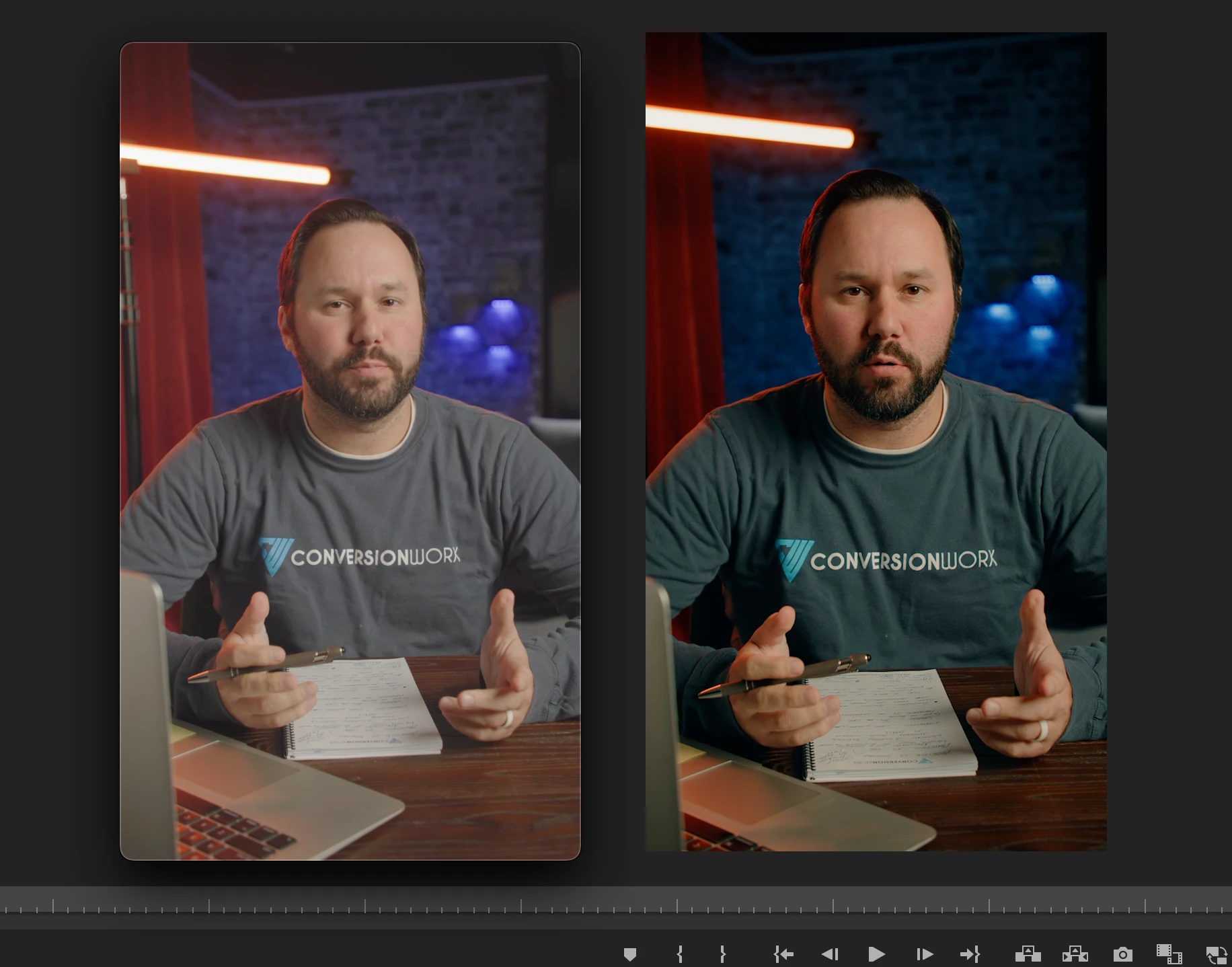
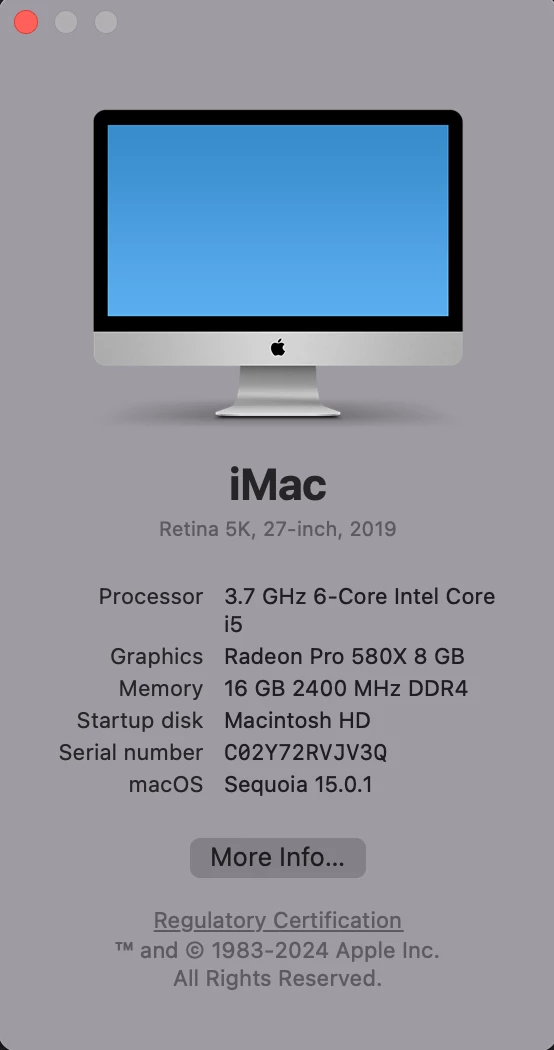
The issue is only affecting my raw camera footage. Stock asstets and previously exported footage all look like they should. Here is a screenshot of an exported test clip from 2025 next to the program view in 2024 showing what the footage is suppoed to look like along with my computer specs:
1 reply

Kevin-Monahan
Community Manager
Community Manager
October 25, 2024

Hi,

Please provide the developers with more information. See, How do I write a bug report?


See if the issue is resolved in 25.1 Beta.


Thanks,
Kevin

Kevin Monahan - Sr. Community and Engagement Strategist – Adobe Pro Video and Audio
Participating Frequently
December 6, 2024

I tried using 25.1 today and had the same issue. I have since tried going through other versions from last year and discovered that this issue first began with 24.4.1. Any version 24.3 or older works just fine, but 24.4.1 onwards I am seeing the same result.


I also tried opening it in Davinci Resolve and it looks just fine over there…


2019 Retina 5k iMac 27-inch

macOS Sequoia v15.1.1


CPU: 3.7 GHz 6-Core Intel Core i5

GPU: Radeon Pro 580X 8 GB

RAM: 16 GB 2400 MHz DDR4

Hard Drive: Macintosh HD


The videos I’m using are 1080 XF-AVC YCC422 10-bit .MXF files recorded in Canon Log 3 / C.Gamut on a Canon C70

Participating Frequently
December 9, 2024

First, you may be misunderstanding color in all of this. It isn't "rock solid" or even close screen to screen. 


No two screens ever show the same image. Color specialists and colorists have demonstrated repeatedly that you can have two identical monitors, side by side, calibrated with the same high-end spectro, fed the identical signal from an AJA or BlackMagic breakout box ... and there will be visisble differences in the image.


And then you add in Macs ... are you talking a Mac without Reference modes, using gamma 1.96 in Qt player? Or a Mac with reference modes, using HDTV and therefore the normal Rec.709 display transform of gamma 2.4?


Then how bright is your surround? Even the same screen will have (visually) two different images when in a bright room or a dark room.


The differences between the LUT image and the algo image above is very slight. If you do any post-normalization mod of color/tonality, then it's just a slightly different starting point.


Personally, I've never used an image straight from a normalization LUT or more recently algo tonemapping, whether in Resolve or Premiere. But we all work differently.


I think you are misunderstanding the issue I'm having. If you look at my original post, I am not I am not talking about a difference between two displays or two IO devices or two screen brightness settings. I am talking about a difference between the way my video files appear in one version of Premiere Pro vs another on the same system, on the same screen with all the same color management settings.

It is not even the LUT that is the problem, it is the way LOG footage looks even with no efffects applied.  These differences are consistent after export as you can see by this comparison made with frames exported directly from the timeline in Premiere. The conversion LUT makes the differences easier to see but the issue is visable even without it.