
Participating Frequently
October 25, 2024
Question

LOG footage not displaying correctly in 2025

  • October 25, 2024
  • 1 reply
  • 3288 views

I tried updating to 2025 this morning and opened a project I had been working on the day before. All of my c-log3 footage from my C70 looks washed out. I use LUTs to convert from clog to rec709 not premiere's color management. I double checked to make sure my clips, timeline and program were all set to rec709 and they were. This is the worklow I have used daily for many years and have never encountered this problem. I tried making new sequences, new projects, importing new footage, reapplying LUTs and always got the same result. I cleared the cache, reset preferences, all the ususal troubleshooting tips and rolling back to 2024 was the only thing that worked. 


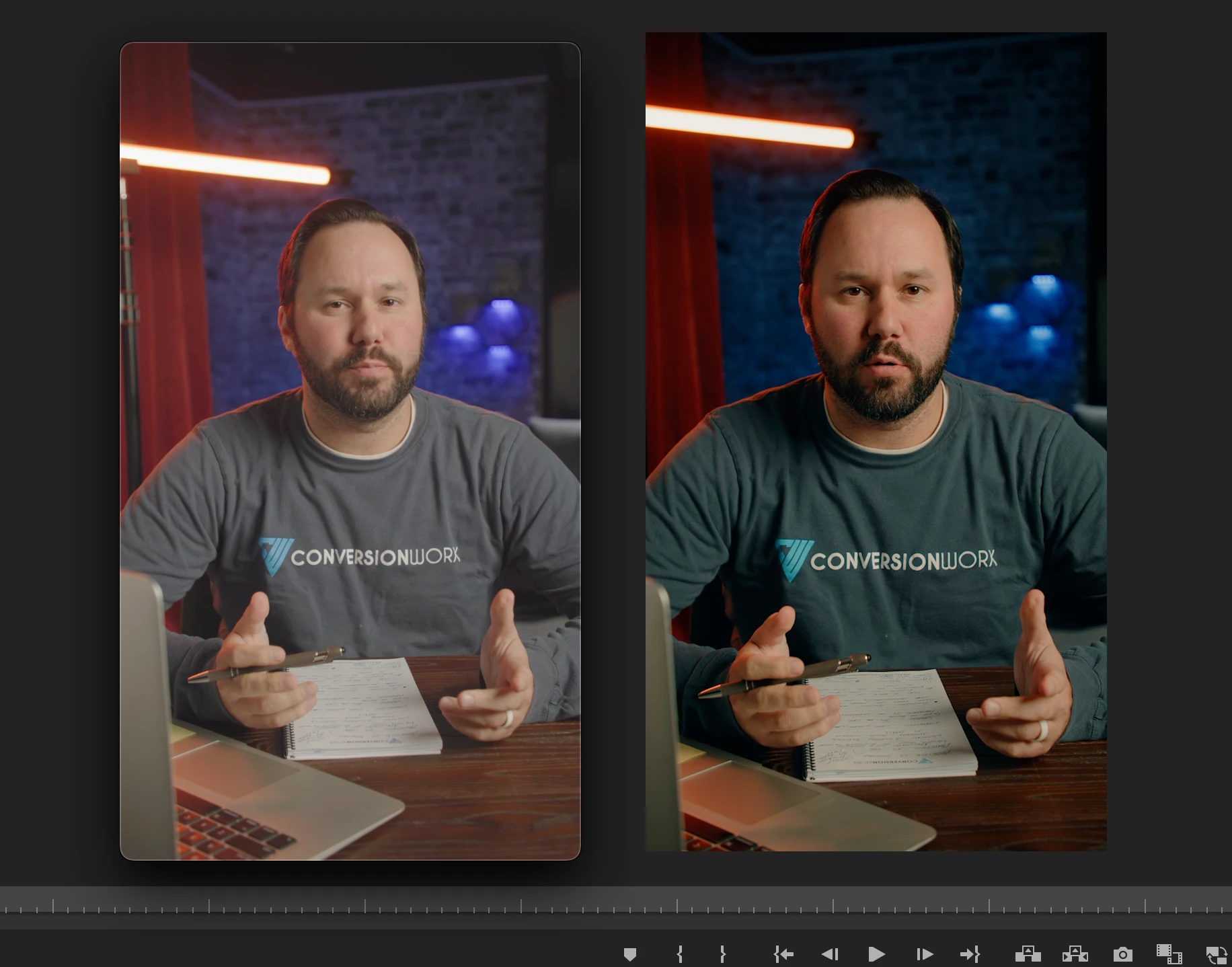
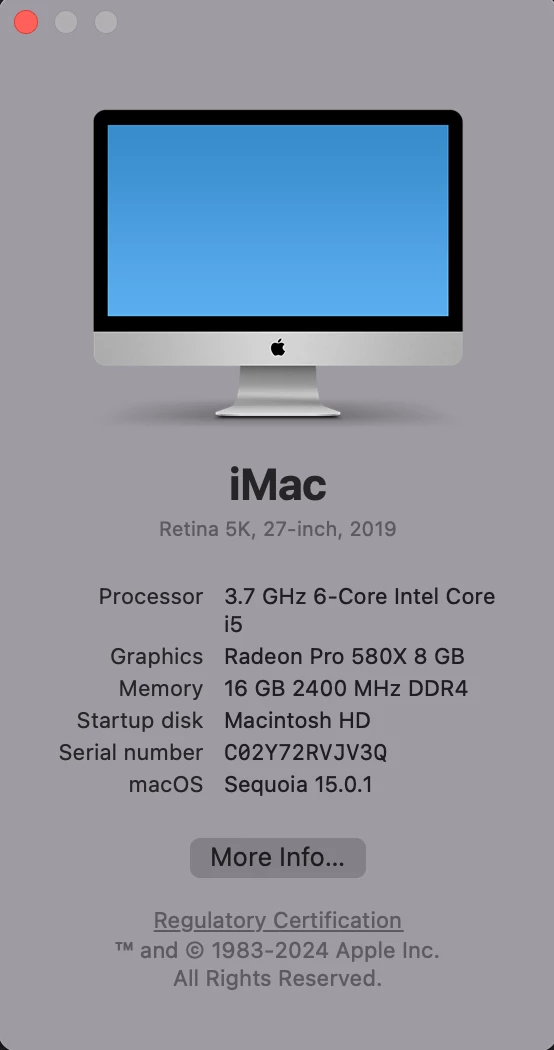
The issue is only affecting my raw camera footage. Stock asstets and previously exported footage all look like they should. Here is a screenshot of an exported test clip from 2025 next to the program view in 2024 showing what the footage is suppoed to look like along with my computer specs:
1 reply

Kevin-Monahan
Community Manager
Community Manager
October 25, 2024

Hi,

Please provide the developers with more information. See, How do I write a bug report?


See if the issue is resolved in 25.1 Beta.


Thanks,
Kevin

Kevin Monahan - Sr. Community and Engagement Strategist – Adobe Pro Video and Audio
Participating Frequently
December 9, 2024

I did some further experimenting this morning and found that video recorded in rec709 still displays correctly and looks identical across all versions of Premiere. Here are some comparisons of the rec709 screengrabs along with LOG screengrabs from the same recording session both with and without a coversion LUT applied. 


R Neil Haugen
Legend
January 29, 2025

Unfortunately I rarely record in RAW so this workaround did not work for me. I don't have RAW settings to disable and overriding the color space in Lumetri settings only reproduces the same washed out look. I appreciate the info though.


I would love to get full screengrabs of your entire Lumetri Settings tab, all sections twirled down, to see your full color management settings in use. There's so many things, some of which are interactive with others, that it's easy to miss something.


A MediaInfo Tree View screengrab of a clip would also be very useful. One possibility is the use of "full" data levels in camera with some Sony, Canon, and Fuji cameras.


Also, I'd love to test a clip of this on my system. So if you could provide a link to a file, I could test it today in the shop here.


We need to get this figured out.

Everyone's mileage always varies ...