


Participant
January 23, 2019
Answered

LogiOptions Panel appears in Premiere Pro

  • January 23, 2019
  • 4 replies
  • 21373 views

I have a Logitech MX Master mouse that I use on a Windows 10 computer.

The problem I'm having is that Logitech's mouse software has appeared to have installed some sort of panel within Premiere that opens up with any project I'm working on. If you close the panel, it pops back open after a certain time. The panel has no obvious function, and it bugs out when resizing. I have seen suggestions of uninstalling Logitech's "Options" software, but I use this software to control the buttons on the mouse.
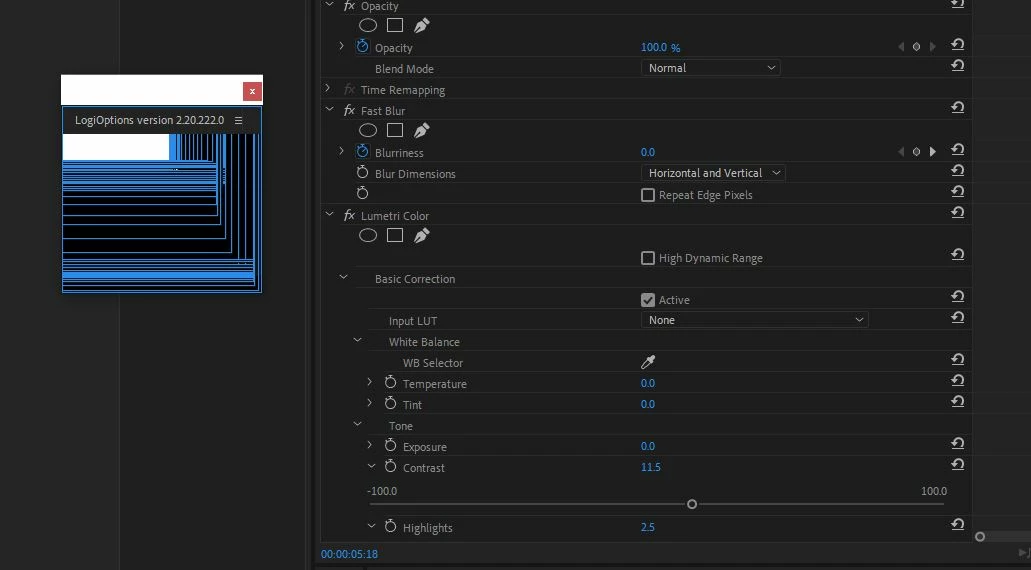
It's extremely annoying and gets in the way of Premiere's functions.

Any tips?

Premiere Pro Version 13.0.2 (Though it's been happening through several versions)

    This topic has been closed for replies.
    Correct answer mooretho

    LogiOptions extension exists in the following path.

    C:\Program Files\Common Files\Adobe\CEP\extensions\LogiOptionsAdobe

    You can move the LogiOptionAdobe folder from this folder to another folder.

    Then, the LogiOptions panel has disappeared from Adobe application in my case.

    You need not uninstall.

    4 replies

    Participant
    February 15, 2022

    THX! 

    WIn11 + g300s 

    The problem is solved, thanks to you

    RC Ducantlin
    Known Participant
    March 14, 2022

    Are you kidding me?  We should accept the answer is to move a folder to stop an erroneous pop-up from occuring? 


    What is the correct answer to this problem?


    Roger 

    Peru Bob
    Community Expert
    Community Expert
    March 14, 2022
    quote

    What is the correct answer to this problem?


    By @RC Ducantlin


    You may want to ask Logitech.

    howardt51961349
    Participant
    January 29, 2020

    how do i do this for mac? we dont have the same extensions????

    benoith54182239
    Participant
    June 8, 2020

    Hello! Same issue here, resolved it!

    Macintosh HD⁩ ▸ ⁨Bibliothèque⁩ ▸ ⁨Application Support⁩ ▸ ⁨Adobe⁩ ▸ ⁨CEP⁩ ▸ ⁨extensions⁩

    Sorry it is in french, but I guess it wont be difficult to find your way with this info.

    I've just move the LogiOption folder to another folder (below extension worked for me).

    Hope it will work for you 😉

    mooretho
    moorethoCorrect answer
    Participant
    March 25, 2019

    LogiOptions extension exists in the following path.

    C:\Program Files\Common Files\Adobe\CEP\extensions\LogiOptionsAdobe

    You can move the LogiOptionAdobe folder from this folder to another folder.

    Then, the LogiOptions panel has disappeared from Adobe application in my case.

    You need not uninstall.

    mikec16898856
    Participant
    October 1, 2019
    Thank you!!
    Peru Bob
    Community Expert
    Community Expert
    January 23, 2019

    Try installing an older version of Options.