


Inspiring
September 28, 2021
Answered

Lots of errors trying to load Insta360 pro 2 post-sticker files into premiere pro 2021

  • September 28, 2021
  • 4 replies
  • 4089 views

I have had nothing but problem trying to get this to work, every time I solve an issue I immediately get another one. Let me start by saying that I am on:


Rig:

Windows 10

AMD Ryzen ThreadRipper 3970x 32-core Processor (64 CPUs)

Nvidia GeForce RTX 3080 Ti

125 GB Ram


The first issue I encounter was that the files simply didn't load. I solved this by downloading the files here and replacing their respective counterparts as explained in this thread.


Once that was solved and I managed to import the files I now keep getting the following errors:
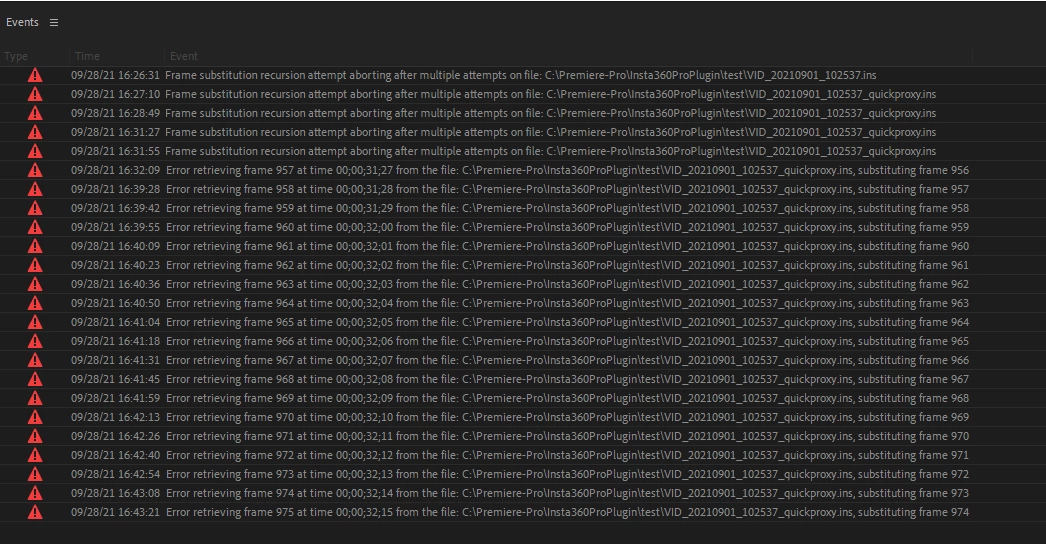
I first saw that there were other people complaining about a similar issue here, but after trying that it didn't solve my issue.


There are also other posts stating that this is a common issue with the video files that are of Variable framerate, which I didnt believe mine where. Sure enough after checking it, I can see that the files I am working with are not VFR. So that is also not the issue.


I would really appreciate some help in solving this issue.
 

This topic has been closed for replies.
Correct answer Steen Petersen

I finally got this fixed, it turns out it was the plugin that came with 3.0.0 version of insta360 stitcher + updates.

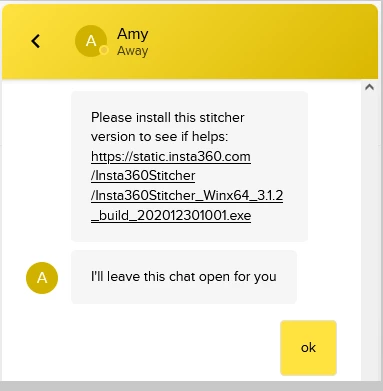
Insta360 sent me their updated Stitcher 3.1.2 which comes with a brand new plugin but is not yet listed on their website. They have given me permission to post the file here for anyone who wishes to download it.


https://static.insta360.com/Insta360Stitcher/Insta360Stitcher_Winx64_3.1.2_build_202012301001.exe


4 replies

Steen PetersenAuthorCorrect answer
Inspiring
October 2, 2021

I finally got this fixed, it turns out it was the plugin that came with 3.0.0 version of insta360 stitcher + updates.

Insta360 sent me their updated Stitcher 3.1.2 which comes with a brand new plugin but is not yet listed on their website. They have given me permission to post the file here for anyone who wishes to download it.


https://static.insta360.com/Insta360Stitcher/Insta360Stitcher_Winx64_3.1.2_build_202012301001.exe


Participant
October 23, 2021

Unfortunately this fix didn't work for me either.
I previously had the old 2019 installation and this new update removed the old version before new install. I verified the old Insta360Importer.prm plugin file deleted then replaced with new install.
Still get errors in Premiere. The weird thing is it shows the video in the import preview window. It pops up when I change the settings. It just won't import into the project.

Inspiring
September 29, 2021

I have also tried installing the Nvidia Studio Driver


This did not work either.

Inspiring
September 29, 2021

This video states that all I have to do is Set video rendering and playback to "Software only"


That didn't work either.

Inspiring
September 28, 2021

The file that I am importing looks like this:

And these are its contents:


Inspiring
September 29, 2021

It's also a brand new installation of Premiere pro. I have read through this entire thread and none of it has helped.