
Participating Frequently
December 7, 2016
Answered

Lumetri Color Panel Not Switching 2017.0.1 V11.0

  • December 7, 2016
  • 1 reply
  • 797 views

Hello,

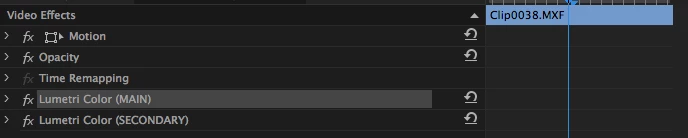
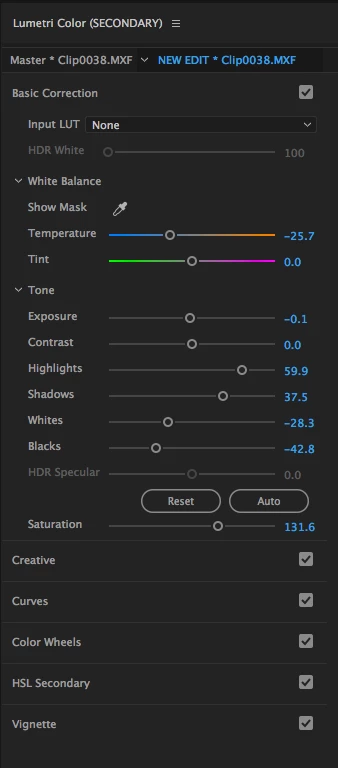
I'm having an issue when using 2 or more Lumetri Color Effects on the same clip. The Lumetri panel will only show the effect that is on the bottom of the effects rack (see attached screenshots). When I delete the bottom effect, or move them around, then the color panel automatically switches.

I'm using a mid-2011 iMac running El Capitan (10.11.2).

I'm a huge fan of the adobe suite, use it professionally and have made my living off of it for the last 5 years. These issues are to be expected, but this is kind of "salt on an open wound", because I am still yearning for a more robust color grading application. But! This isn't the platform to complain, rather I'm hoping someone may have a workaround for this, or can at least duplicate the issue.
This topic has been closed for replies.
Correct answer excited_Genie16B8

This is normal behavior.  To adjust higher effects, you'll need to do that from the Effect Controls panel.

1 reply

AKChannelAuthor
Participating Frequently
December 7, 2016

Kevin-Monahan​ You've been a champ with communication for me before, so I'm hoping you may be able to help me out on this. Are you able to replicate this?

excited_Genie16B8Correct answer
Legend
December 7, 2016

This is normal behavior.  To adjust higher effects, you'll need to do that from the Effect Controls panel.

AKChannelAuthor
Participating Frequently
December 7, 2016

Okay thanks. Would be nice to see that adjusted (had me scratching my head for the last hour). However your workaround is about as ideal as I could ask for. Thanks! I'll mark your response correct. 10 points for you sir!