


Luts not being applied via Export > Media (Not Using Queue)
Hi,
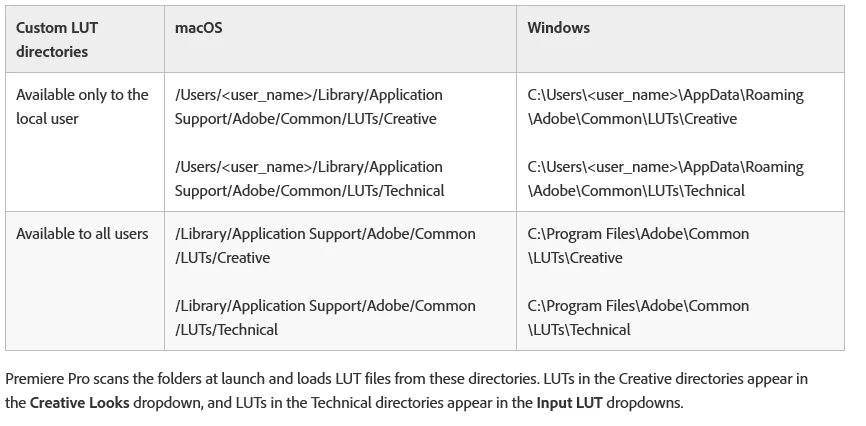
I want to preface by saying that I never encountered this issue before until last night. I had downloaded a couple of luts, placed them in the technical folder, and applied them to an adjustment layer in my video. After, I exported the video and I opened the exported file. I noticed that it was missing the applied Lut. I tried reinstalling Premiere multiple times and deleted the luts from the technical folder based on some solutions I came across here. However, that did not resolve the issue. I tried using other luts and those did not get applied after export as well. When I export I do not use the Queue. I simply click on Export. I'm new to Premiere and video editing so please forgive me if I don't know all of the proper technical terms or steps to editing and exporting.
I am using a:
27 inch iMac (2019)
3.6GHz 8-core 9th-generation Intel Core I9 Processor
32gb of Ram
2TB Fusion Drive
 AdChoices