Participant
November 5, 2024
Answered

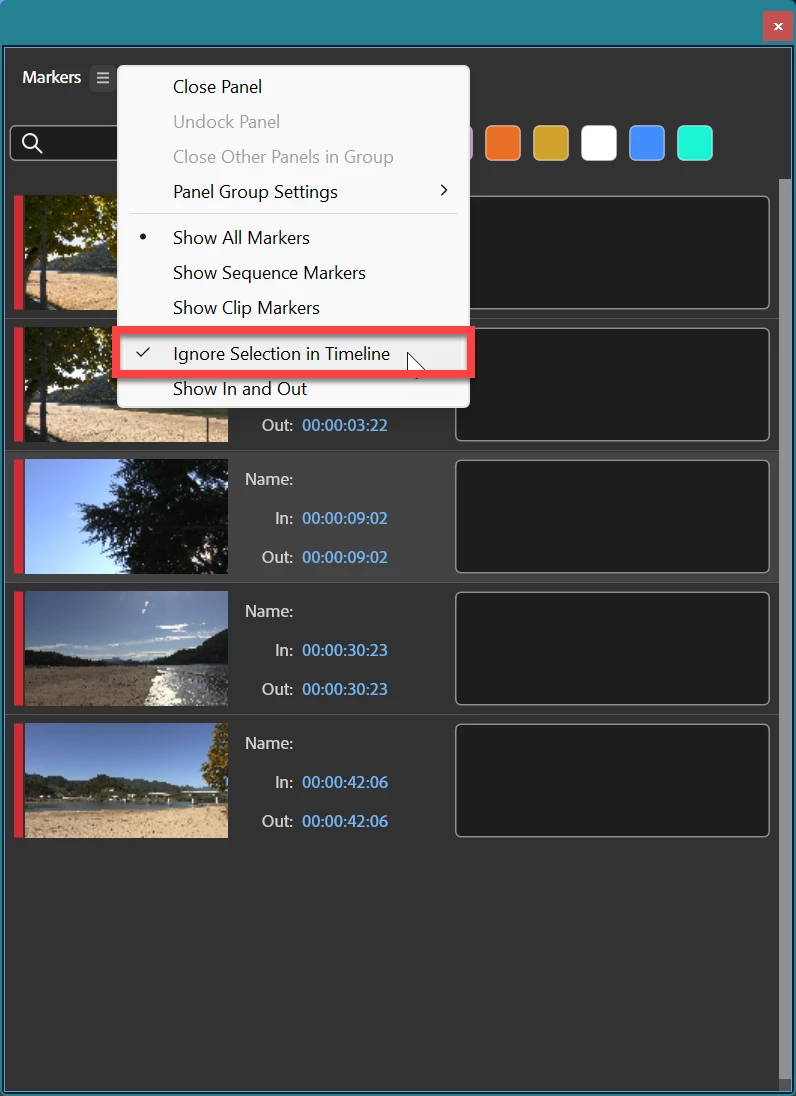
Markers should be visible when the Timeline Panel is active.

  • November 5, 2024
  • 3 replies
  • 509 views

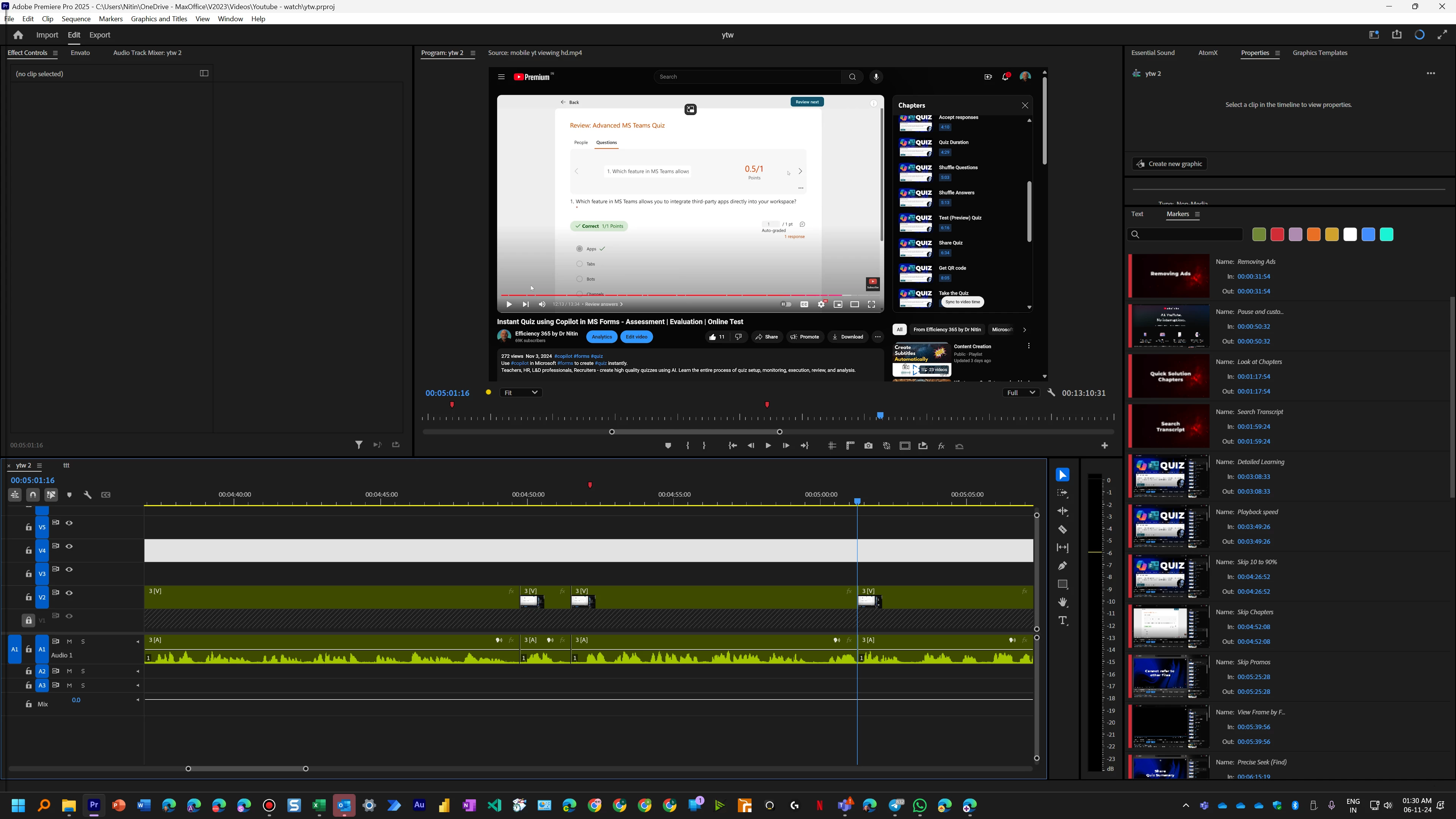
Currently, even if a Timeline panel is active, Markers are not visible. Markers become visible when I select one of the tracks. That is not correct. Markers are for a timeline. So they should be visible when Timeline is the active pane. 

Now markers are not visible. Although Timeline is the active pane.
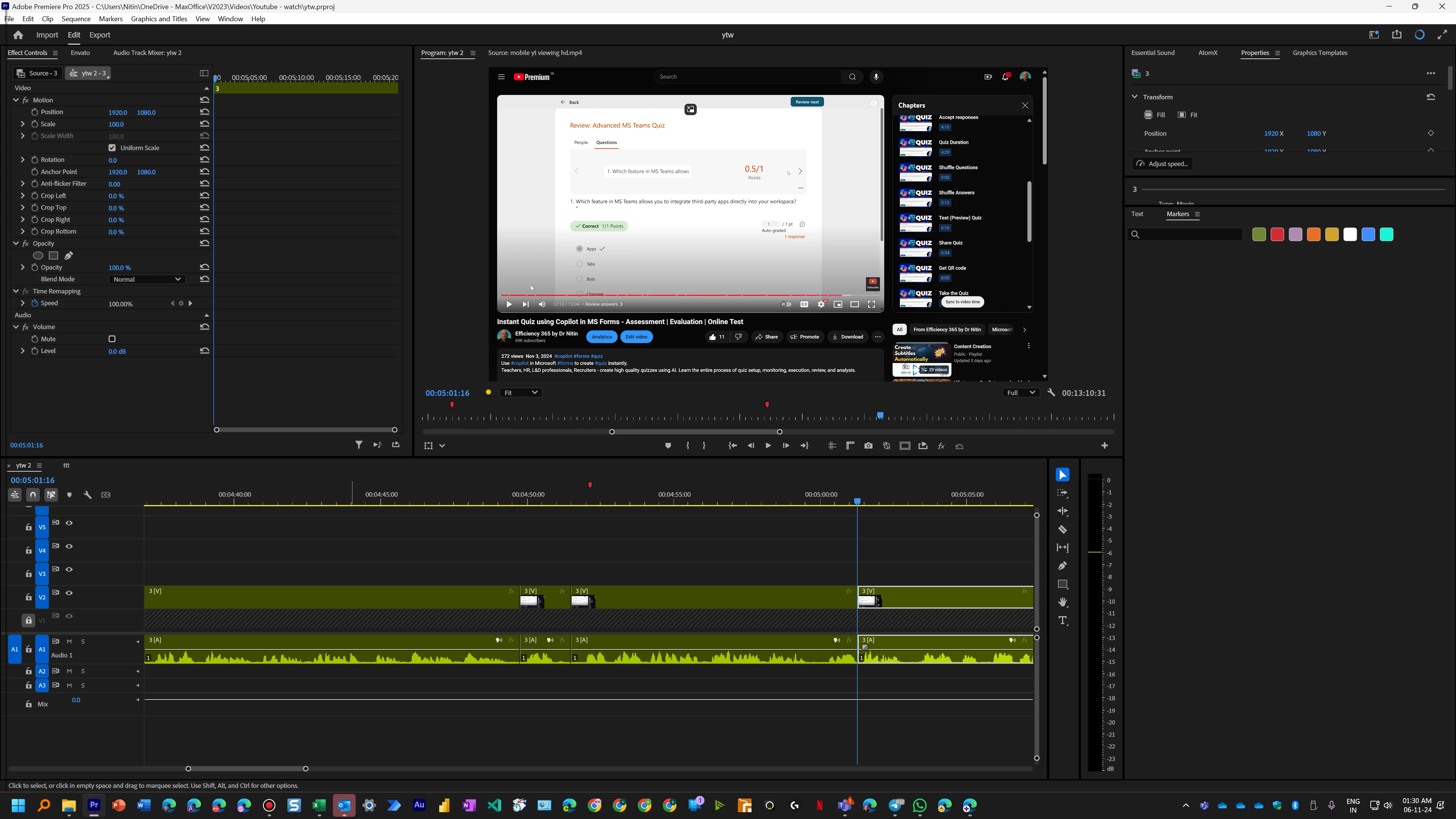
 

Now visible because I clicked inside a track (even though the track is empty)
  

Correct answer Ann Bens


3 replies

Participant
November 10, 2024

Markers disappear from the SOURCE after being seen in the clip for a second. I spend days adding those markers!

https://drive.google.com/file/d/1-J0nm5UVTleE9dkqHKThmBoOpxd4_G--/view?usp=sharing 

Participant
July 11, 2025

Same problem still happening in 25.3.0. Major setback. Would love to find a fix for this.

Ann Bens
Community Expert
Ann BensCommunity ExpertCorrect answer
Community Expert
November 5, 2024


Community Manager
November 5, 2024

Hi @Simi5C12 ,

Welcome to the Premiere Pro forums! We are glad to see you here. We need a few more details to try to help with the issue. Please see, How do I write a bug report?

Thanks for submitting your bug report. I hope we can help you soon. Sorry for the frustration! 

Thanks,
Rach