Participating Frequently
November 11, 2020
Answered

Media encoder won't create proxy footage for 4k 120fps footage.

  • November 11, 2020
  • 1 reply
  • 3980 views

Hello! I am trying to create proxies for shots using 4k 120fps, but Media encoder keeps outputting the files at 60fps instead of 120. When I try and work with the proxies in premiere they playback at twice the speed and cut the second half of the file. I tried modifying the export settings in the media encoder to match the source frame rate, but it still outputs to 60fps. Is there something I am missing?

Thanks for taking the time to help!
This topic has been closed for replies.
Correct answer Sami Succar

Follow these steps, it should solve your issue.


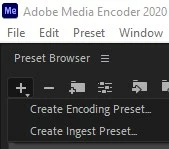
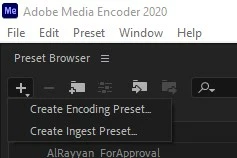
1 - In Media Encoder, create a new encoding preset.


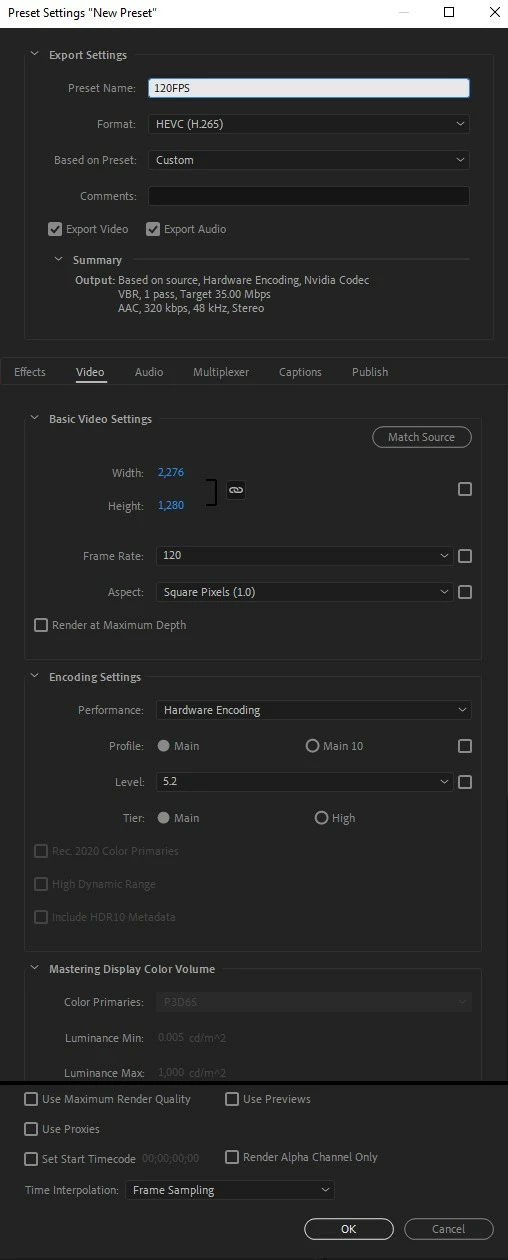
2 - Only H265 supports frame rates higher than 60. So you need to make the new preset with H265. Adjust the settings as you see fit just make sure it's 120FPS.


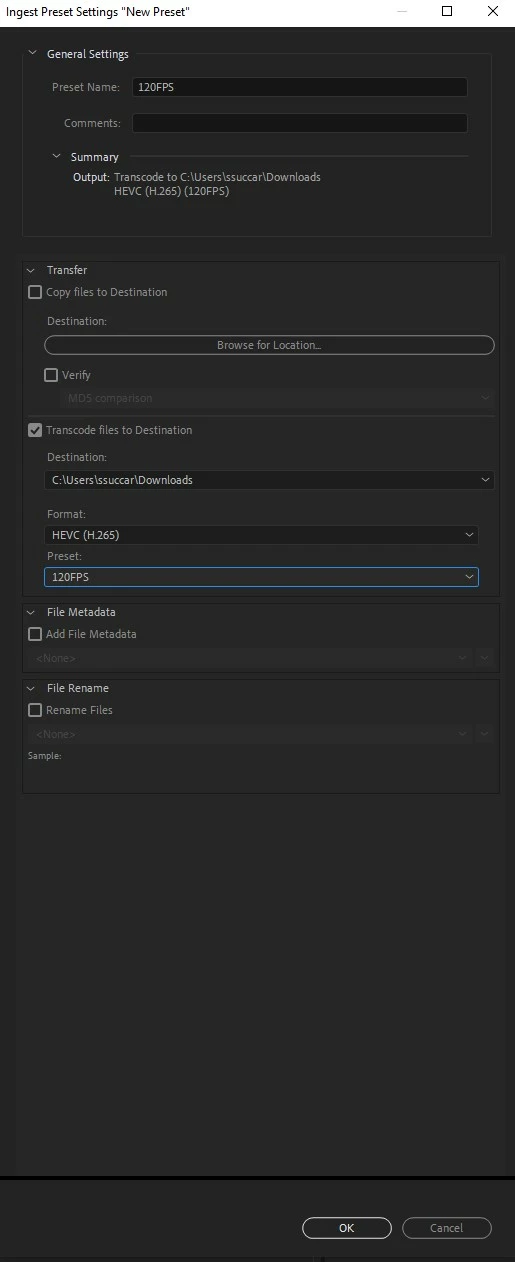
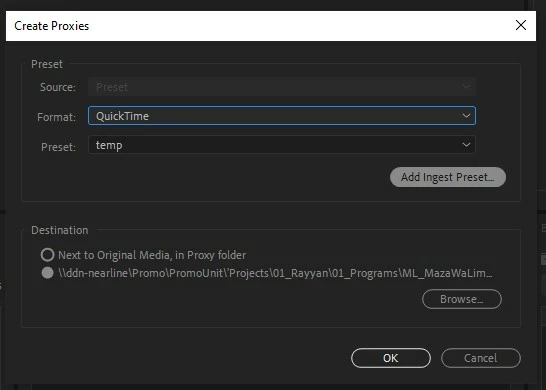
3 - You need to create a new ingest preset based on the encoding you just created.


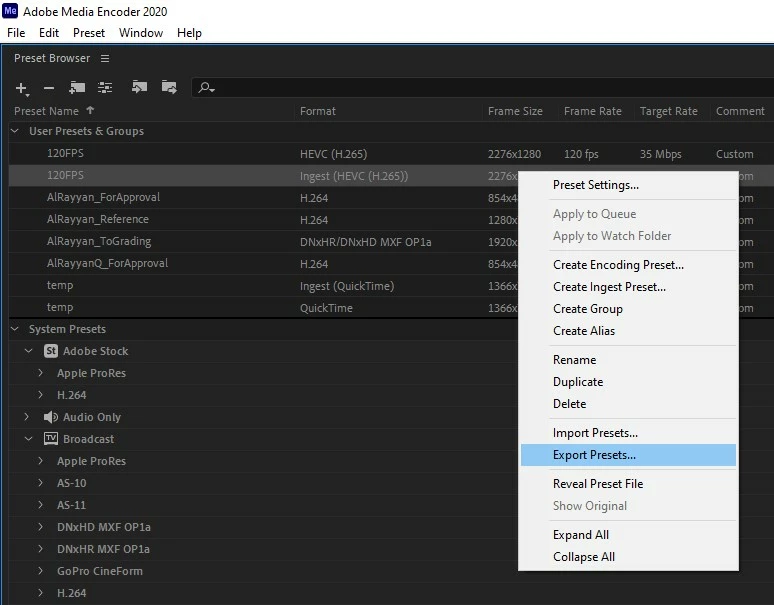
4 - Export the ingest preset you just created.


5 - In Premiere Pro, in the create proxies window, add the new ingest preset you just exported, et voila.

1 reply

Sami SuccarCorrect answer
Inspiring
November 11, 2020

Follow these steps, it should solve your issue.


1 - In Media Encoder, create a new encoding preset.


2 - Only H265 supports frame rates higher than 60. So you need to make the new preset with H265. Adjust the settings as you see fit just make sure it's 120FPS.


3 - You need to create a new ingest preset based on the encoding you just created.


4 - Export the ingest preset you just created.


5 - In Premiere Pro, in the create proxies window, add the new ingest preset you just exported, et voila.

KhovleyAuthor
Participating Frequently
November 15, 2020

Huge thank you! This worked perfectly. Thank you so much for your time!

Community Expert
November 15, 2020

as far as I can tell, prores can support this frame rate (at least from doing some googling).  Prores proxy is an excellent format and has some real advantages over a mpg format like hevc. certainly worth a shot.