valentinw21850218
Participating Frequently
May 7, 2018
Question

Mercury Cuda activated in project settings but not for rendering

  • May 7, 2018
  • 15 replies
  • 9302 views

Hello there,

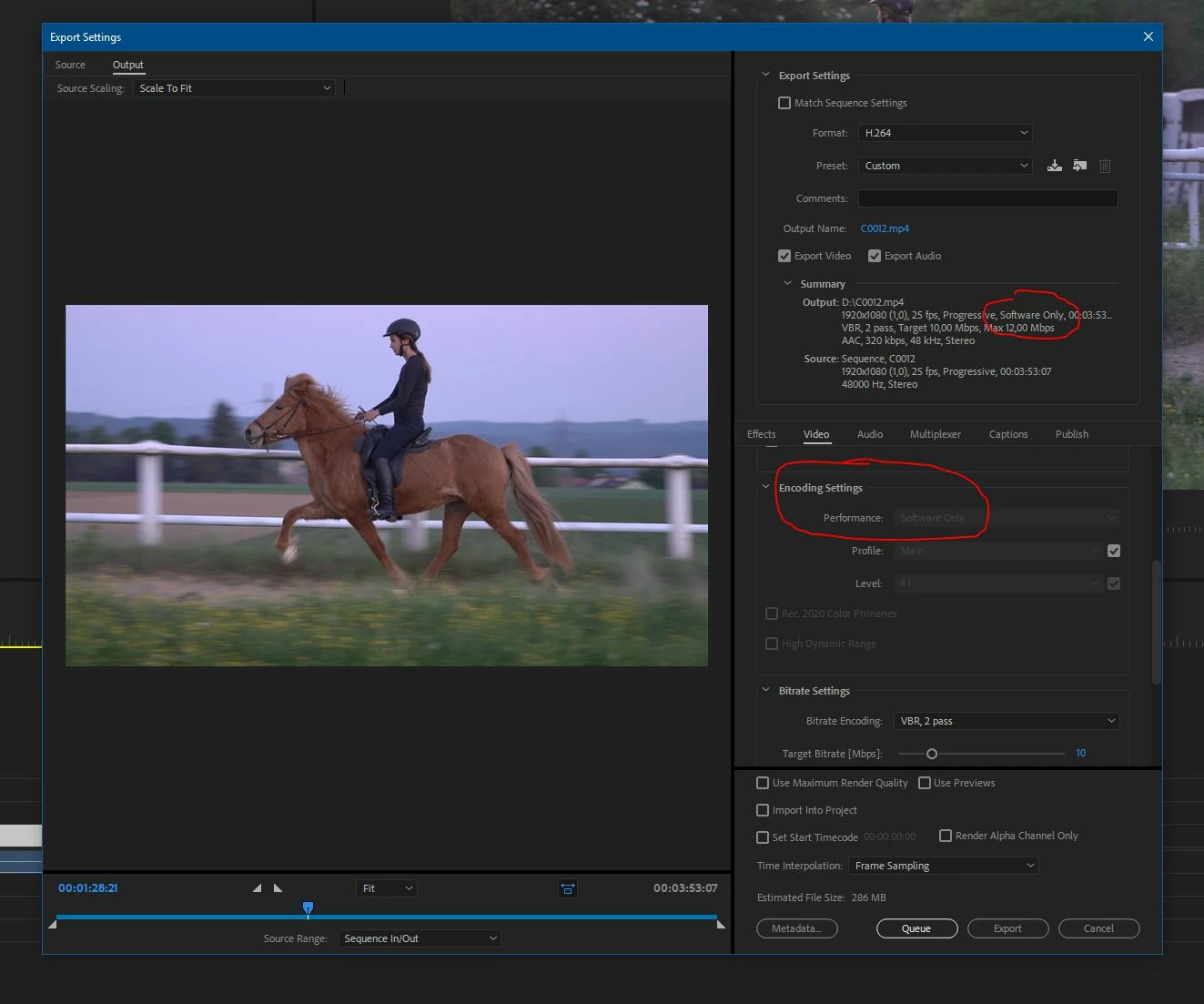
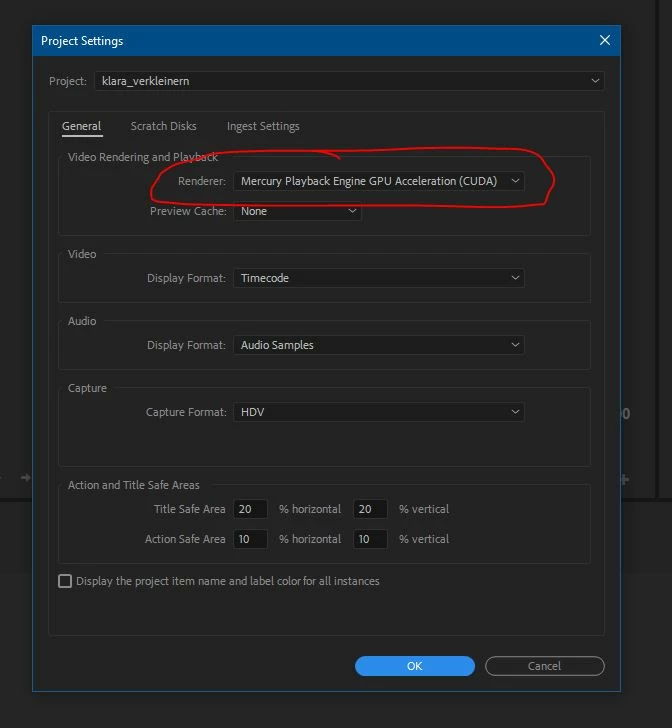
I got a quick question regarding the cuda topic. I have a GTX 1060 running and seems to work for video playbavck since i have activated the Mercury Cuda option in the project settings. But unfortunately when i start exporting in den output settings it says "software only" and i cant select cuda since the option is greyed out.

So cuda works for playback but rendering always runs software only.

In the export window it gives you a output summary, thats were it tells me "software only".

Can anyone check if you have the some thing showing up?

I have inserted two screenshots to illustrate what i mean.

Thanks a lot!

Valentin
This topic has been closed for replies.

15 replies

Community Expert
May 8, 2018

same export settings (H.264 CBR) on windows 7 ultimate with service pack 1

but on my previous version of Premiere 2017, everything works fine

Community Expert
May 8, 2018

I checked all settings like you guys... same issue with cc 2018

on match sequence settings GPU acceleration works, so

export using match sequence at high quality, then do your

H.264 from the matched export, and you will save all this time

until the issue is fixed, should we file a bug report ?

I tested on both Macos and Windows 7 ultimate with service pack 1

NeatWolf
Participant
May 8, 2018

Hi there!

I have the exact same issue, with the H.264 codec only. H.264 BlueRay uses GPU acceleration, HEVC (H.265) just the same, and not a single Preset in H.264 is using GPU acceleration. I can only work in "software only".

I'm on an ASUS ROG with a 1070 and 32GB RAM, which is quite enough to render simple screencasts with a few FX (RedGiant, NewBlueFX) which are all GPU accelerated.

VBR 1 pass didn't solve anything. nVidia Drivers are up to date. Windows is up to date. All drivers are official and perfectly working. The OS installation is pristine, clean and fully functional.

NERHLti.png

On a 2 minutes video it's not THAT hindering, but surely makes a difference when rendering 12-18 hours of content.

Is there any official answer on this? I need to export in H.264 and I'm speechless about this happening on such a simple task.

Am I missing something? May I force that codec in some way?

It happens on an empty project as well. This really leaves me with a bitter taste.

Community Expert
May 8, 2018

check these settings please

Legend
May 7, 2018

The explanation I read was that the Export setting doesn't use CUDA, it uses Intel QuickSync.  But it only does that when your CPU's built-in Intel video chip is driving the display, which will disallow the selection of CUDA for effects processing.

In other words, you can't have both.

valentinw21850218
Participating Frequently
May 7, 2018

Hello Jim,

Thanks for the explanation. I have seen that problem happen to a lot of people online. They have the onboard graphics activated. But i have deactivated my intel HD4600 onboard graphics in the bios and have my gtx1060 selected as my primary and only graphics card.
it doesnt even show me the onboard graphic card in task manager.
My screen is also connected to the gtx1060.

Any explanation for this scenario?

Thank you in advance.

Legend
May 7, 2018

That "rendering settings" section of the export settings has absolutely nothing to do at all whatsoever with the MPE CUDA hardware rendering setting. The settings in the "rendering settings" box operate during (read: in the middle of) encoding, while the settings in the MPE GPU acceleration section work before the video gets encoded. Get it?

If the "performance" setting within the "Rendering settings" portion of the Export window is greyed out and locked to the Software only mode, this means that you're using either only the discrete GPU or your system's integrated Intel GPU is too old to support Adobe's implementation of the Intel Quick Sync feature. Adobe only supports the 6th-generation (Skylake) or later Intel CPUs with integrated Intel HD or UHD or Iris Graphics 500- (but not the older Broadwell-era 5000-) or 600-series IGPs. You have only a 4th-generation (Haswell) Intel i7 CPU, which is too old to support Adobe's implementation of Quick Sync even if you have the IGP enabled.

Community Expert
May 7, 2018

try using VBR 1 instead of 2 for now, this was dealt with in previous posts, Adobe will fix it soon ...

Bitrate setting : VBR 1 Pass