

Mercury Transmit either does not work or chooses the wrong monitor
I am having a frustrating issue with my Mercury Transmit function on Premiere Pro (13.1.2) and After Effects (16.1.1). Every time I open either program after my computer has been shut down, Mercury Transmit is no longer working correctly. It usually does not transmit anything, or sometimes but rarely, it is transmitting to a wrong monitor.
Frustratingly, when I go in to Preferences > Playback in Premiere (or Preferences > Video Preview in AE) and I switch the transmit to the correct (4K) monitor, when I hit OK, it either does not transmit, or transmits to an incorrect 1080 monitor. When going in to the preferences after this error, it shows the wrong monitor check box is checked.
Example in Premiere:
I go in to Preferences > Playback and select my 4K monitor as the monitor I want to transmit to:

After hitting OK, nothing is transmitting, so when I go back in to my preferences, the wrong monitor is selected:

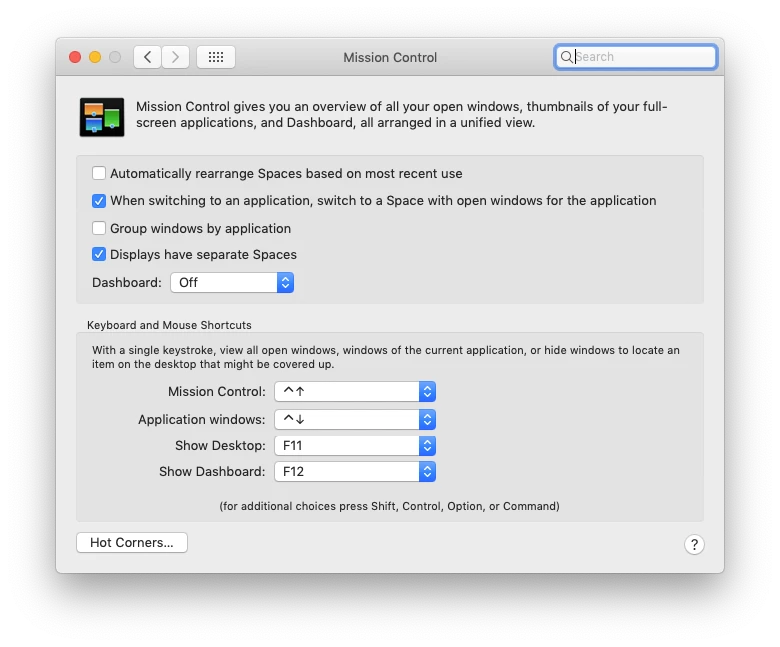
My computer recognizes all of the monitors correctly, and I even took advice from another post where I unchecked 'Automatically rearrange Spaces based on most recent use' in Mission Control. That didn't help.

Workarounds that have worked to solve this issues for me in the past are now not working:
- Toggling "Enable Mercury Playback" off, closing preferences, opening again and toggling it back on
- Switching from a Thunderbolt>HDMI to a HDMI>HDMI
- Resetting all program preferences (which is an unacceptable solution)
- Restarting my computer
This is a very time-consuming and infuriating problem. Does anyone have any theories why my computer is acting this way and how I can fix it?
 AdChoices