


Participating Frequently
July 12, 2018
Answered

Modify Debayer settings for all RED media in project

  • July 12, 2018
  • 4 replies
  • 4458 views

Hi,

Is there anyway to change the debayer settings for all RED media in a project? All the clips default to high quality debayer, and I'd like to set them all to low for better performance.

I've tried copying and pasting the master clip properties to all the RED clips, but this also pastes other RED settings such as colour temperature etc.

Or is this something I should do in REDCINE-X to modify the RMD? Which Premiere will then read?

Thanks!

Chris
    This topic has been closed for replies.
    Correct answer R Neil Haugen

    Thanks Neil

    I'll give that a preset idea a try.

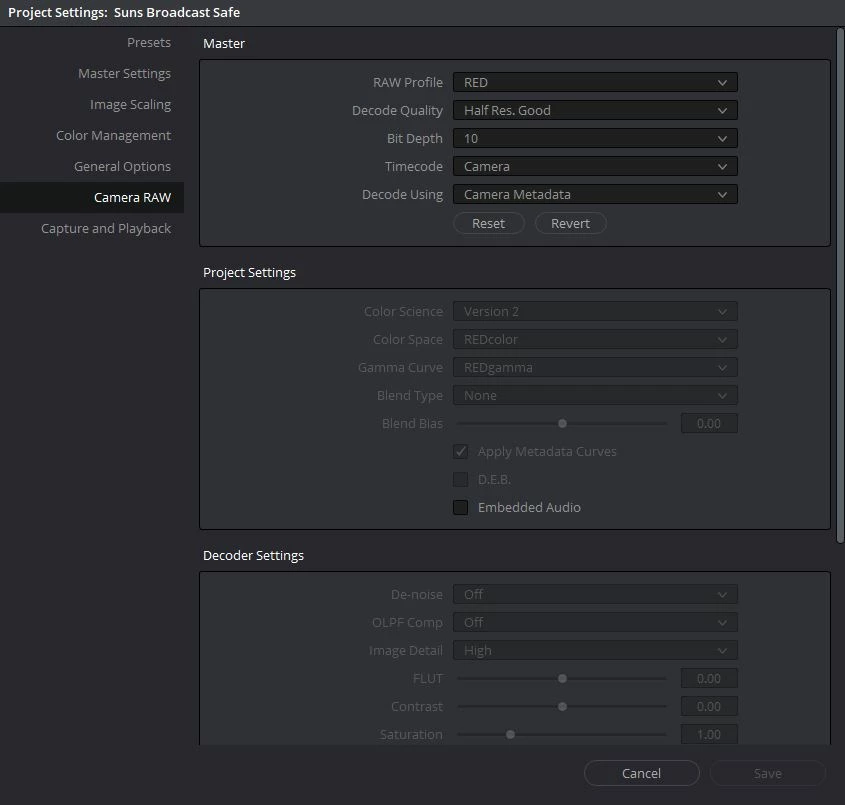
    I'm kind of surprised Premiere doesn't have project wide camera RAW settings, especially when Adobe was trumpeting it's RED compatibility years ago. Resolve has had project wide Camera RAW settings for multiple camera formats (RED, ARRI, Sony etc) for some time now.

    I think I'll submit a feature request. Seems like it would be easy for them to implement.

    Thanks for your help

    Chris


    Please file that request!

    You're right, PrPro really needs that camera level support for many cameras and especially needs a VASTLY improved DNG and RAW process.

    Hope the preset idea is helpful.

    Neil

    4 replies

    Legend
    July 13, 2018

    ==== Is there anyway to change the debayer settings for all RED media in a project? All the clips default to high quality debayer, and I'd like to set them all to low for better performance.===

    R Neil Haugen, this is the question asked. Have you been able to do that natively in PPro ??

    Legend
    July 13, 2018

    R Neil H,

    It becomes fairly obvious that two questions arise:

    1) are there settings on the red camera to determine the bayering of images captured ?

    2) Is there software that can change the quality of that bayering ( hopefully as a 'batch file type process ) ?

    I seem to recall that the red does have settings to determine the bayering quality.

    I also vaguely remember that that can be changed in Redcine X

    But I'm not sure.

    I sincerely doubt it can be done in PPro but maybe you've done it ??  I only have cs6

    Thanks !

    Known Participant
    November 14, 2018

    Thanks Neil

    I'll give that a preset idea a try.

    I'm kind of surprised Premiere doesn't have project wide camera RAW settings, especially when Adobe was trumpeting it's RED compatibility years ago. Resolve has had project wide Camera RAW settings for multiple camera formats (RED, ARRI, Sony etc) for some time now.

    I think I'll submit a feature request. Seems like it would be easy for them to implement.

    Thanks for your help

    Chris


    Where is that menu with the debayer settings in the 2019 version? I can't find it anywhere... was it taken away?

    Legend
    July 13, 2018

    Last I heard Adobe doesn't work for Red, or Arri, etc. Good luck with THAT.

    R Neil Haugen
    Legend
    July 13, 2018

    2018 seems to work fine for RED, the work I've done with it. Can't say anything about Arri or the upper Sony's from personal use though.

    Neil

    Everyone's mileage always varies ...
    Participating Frequently
    July 13, 2018

    Thanks Rodney,

    I'll check the vid later as I'm a bit slammed. We since gone through and set all the clips one by one in premiere to low debayer. It's more of just figuring out the best workflow for future projects. I'll check Redcine-x and see if there's an easy way to set the debayer settings for all clips as a batch.

    Otherwise I think this would be a useful feature in Premiere! Even a general preference that automatically set all R3Ds to the debayer of preference when they're imported.

    Thanks

    Legend
    July 12, 2018

    I personally would use redcine X first... but I only did a test with red camera years ago ( the first red that came out ). So I have no clue from recent experience.

    good luck !

    : )

    Legend
    July 12, 2018

    Interestingly, when I tested red the milk girl thing was circulating among commercial camera departments ( sets, etc. ) so people could see the potential of digital.  The milk girls are used in THIS link, to demonstrate some gamma stuff which is kinda fun to look at.

    Color Management with Cinema

    they sure got their money worth out of those milk girls !

    : )