


Participant
November 7, 2024
Answered

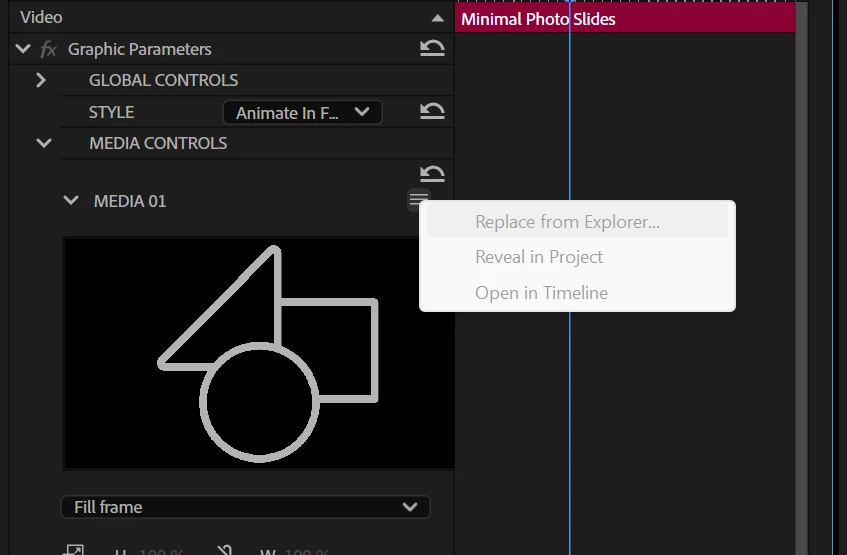
MOGRT media replacement greyed out

  • November 7, 2024
  • 2 replies
  • 2122 views

Hi,


All the Adobe Stock free templates do not allow media replacement on my system.

Replace from explorer,  Reveal in Project and Open in timeline are all greyed out.


Im running latest versions of PP and AE.


Any ideas what Im doing wrong?


Thanks.


Correct answer Ann Bens

Might want to replace footage in the Properties Panel and not the Effect controls.

2 replies

Participant
February 24, 2025

Having the same issue. Unable to drop media in the drop zone using the Properties window or the Effects Control window.

Participant
May 19, 2025

I know this is very late. But incase anyone else is googling this. I had this exact issue and found that it happened when I dragged in a MOGRT from my library rather than the local folder. Copying MOGRTs to local and using those made media replacement and all other options appear back in properties again.

Ann Bens
Community Expert
Ann BensCommunity ExpertCorrect answer
Community Expert
November 7, 2024

Might want to replace footage in the Properties Panel and not the Effect controls.

Participant
November 12, 2024

Thanks this worked for me!