



Itam
Known Participant
November 24, 2019
Answered

Moving audio keyframes holding shift not working anymore after update

  • November 24, 2019
  • 3 replies
  • 1994 views

Hey there,

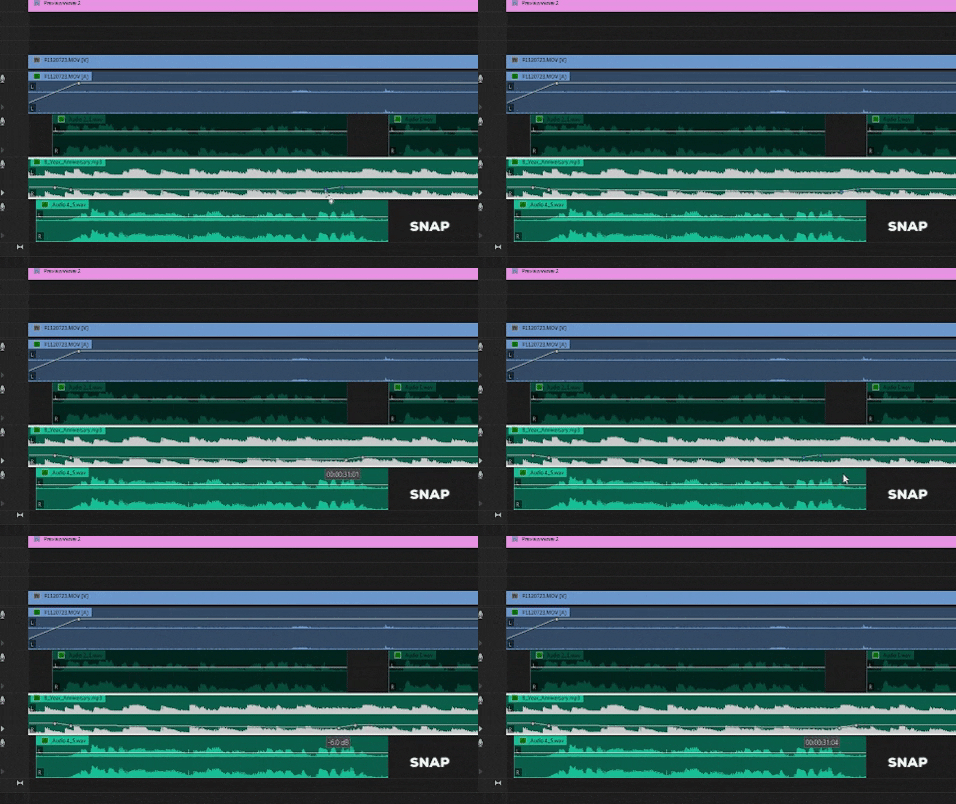
I used to use this function to move audio keyframes while holding shift, to move them horizontally over the audio clip without changing the volume. The volume was always locked during the moving.

Since the last update (14.0.0 build 572), the keyframes sometimes seem to snap to a different volume which is really annoying and makes this function unusable.


Is this a bug, or am I doing something wrong here?
This topic has been closed for replies.

3 replies

SK321
Inspiring
December 19, 2019

I use that feature all the time so I hope they get it fixed soon. I do really like that they've given the ability to boost audio clips up to +15dB on the timeline now. I used to have to always add a parametric equializer to boost them beyond +6dB, so that's nice, but not being able to shift the keyframes around without changing their volume is very frustrating.

Itam
ItamAuthor
Known Participant
November 24, 2019

Thanks...searched for it though, but not thoroughly enough I guess. Hope Adobe will sort it out.

November 24, 2019
Averdahl
Braniac
November 24, 2019

It works here on Windows 10 when using either the Selection Tool or the Pen Tool.


Are you on Mac or Windows. (Wich version?)

Itam
ItamAuthor
Known Participant
November 24, 2019

Hey Averdahl...thanks for responding.

I tried what you said...using the selection tool and the pen tool, both with the same result. I cannot move the keyframes in a steady line without the keyframes suddenly jump to a lower level (like in the gif i posted earlier).


I use windows 10 latest version.

Averdahl
Braniac
November 24, 2019

It can be worth trying this if it happens on all timelines and if it happens in new projects created in Premiere Pro 14.0.0: FAQ: How to reset (trash) preferences in Premiere Pro?