



Multi Cam problems
I used to be able to do this but something has changed and I can't make it work. Any help would be appreciated - I'm tearing my hair out.
I use two GoPros to record my cover band. The GoPros do about 18 minutes before they do a save, which creates a file. So if I record a two hour gig, I'll have 6 or 7 files from each GoPro. No problem, Adobe aligns the first clip from each GoPro using the audio. I drag the other files to the timeline in the right order and I have the whole two hour show. picture follows:
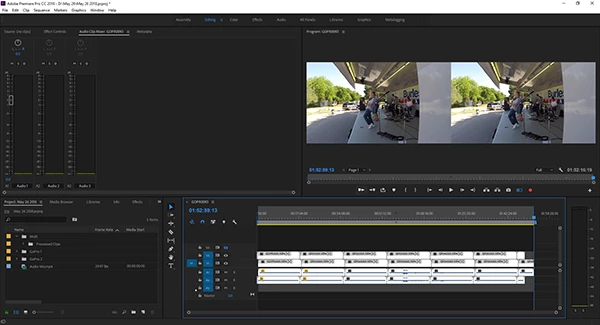
I create a bin, copy all those files to it, select them all (14 of them), right click and select create multicam source sequence and I get this mess - i.e. not one multicam sequence but 7. they're all just over 18 minutes long.
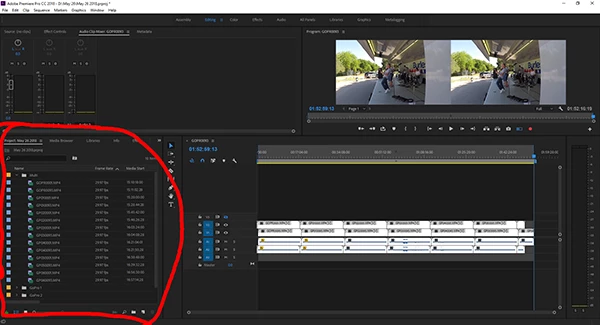 w
w
I'd butt them up end to end but it doesn't work that way. The audio gets chopped off each one at the end. Picture follows
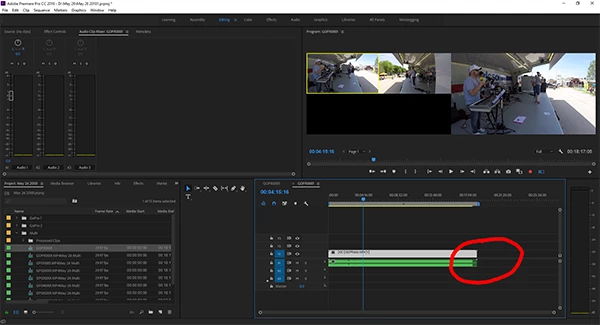
What in the world have I selected/deselected by mistake or what am I doing wrong? I've made probably a 100 of these videos using the exact same procedure and now I can't make it work.
Like I said, tearing my hair out. Windows 10, 64 bit, plenty of horsepower.
 AdChoices