Copy link to clipboard
Copied
Hi everyone. Hope you're well. I'm trying to figure out how to put together a split screen for an actor who played multiple characters in a single take. I believe I shot it correctly: Locked down tripod, no cuts, the actor simply came into a spot, did something in one outfit, left frame, came back a while later in a different outfit and a new spot. We did this several times and so I want to get all of the characters in the same shot. I googled split screen with multiple characters but all I can find are basic 2 screen tutorials. Can anyone point me in the right direction or advise? Thank you.

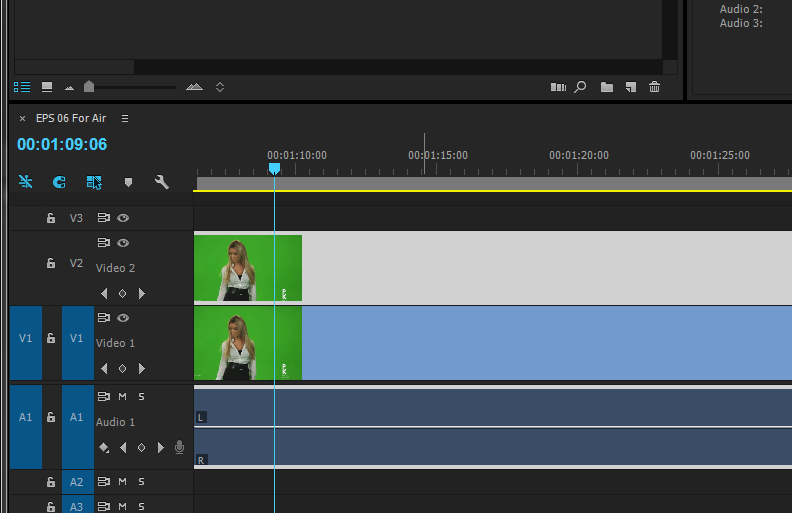
- Put the two shoots about each other in the Timeline.
- add the CROP effect or Wipe or MASK it out ,many effect you can choose from to the Top layer and crop from left or Right depends where your Character is standing
Muhannad,
Copy link to clipboard
Copied
- Put the two shoots about each other in the Timeline.
- add the CROP effect or Wipe or MASK it out ,many effect you can choose from to the Top layer and crop from left or Right depends where your Character is standing
Muhannad,
Copy link to clipboard
Copied
Effect control and Program monitor View

Timeline , adding the 2 shots above each other and mask out in the top layer

Muhannad,
Copy link to clipboard
Copied
Thanks!
Get ready! An upgraded Adobe Community experience is coming in January.
Learn more