



Multicam is either combining source sequence's separate mono tracks or ignoring all but one of them
Hi, I'm not sure if this is normal and I'm a little dumb, if it's being caused by weird workflow, or if my audio settings are to blame, but I'd appreciate any help anyone can offer.
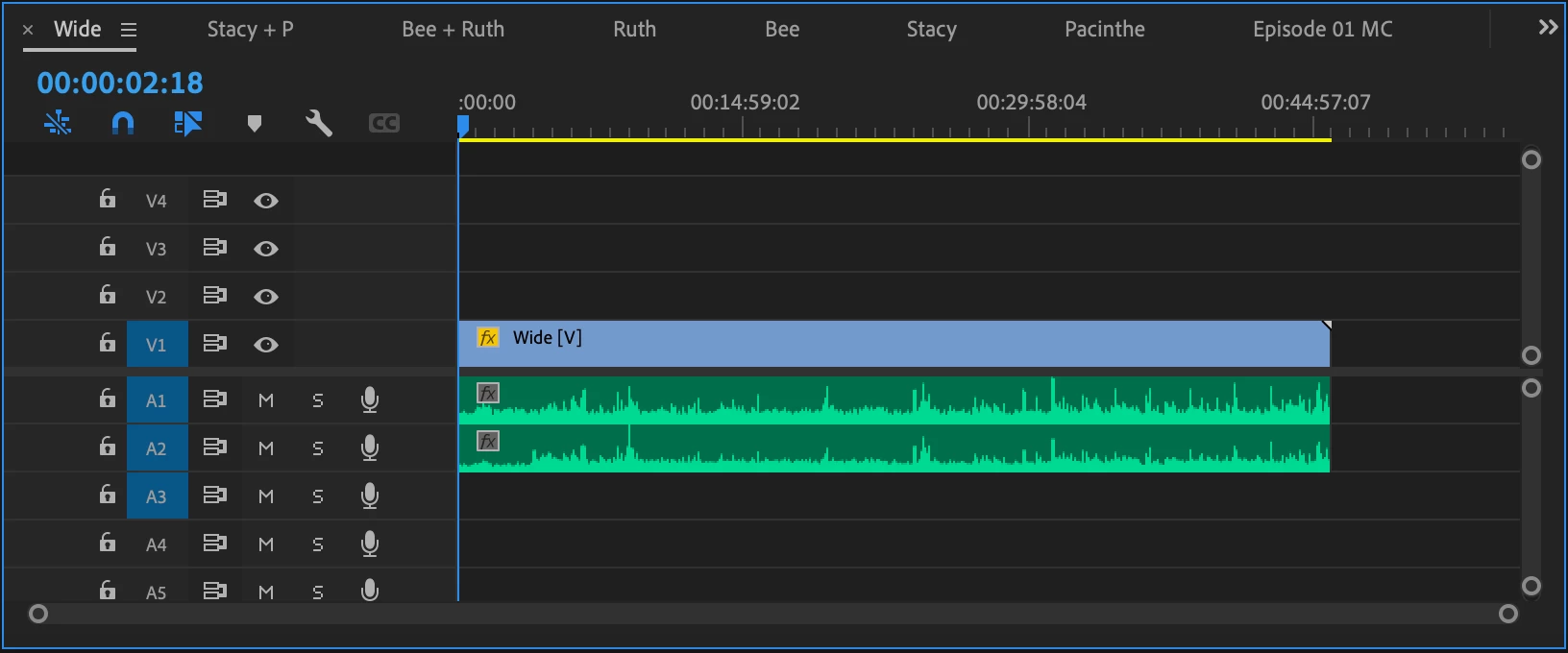
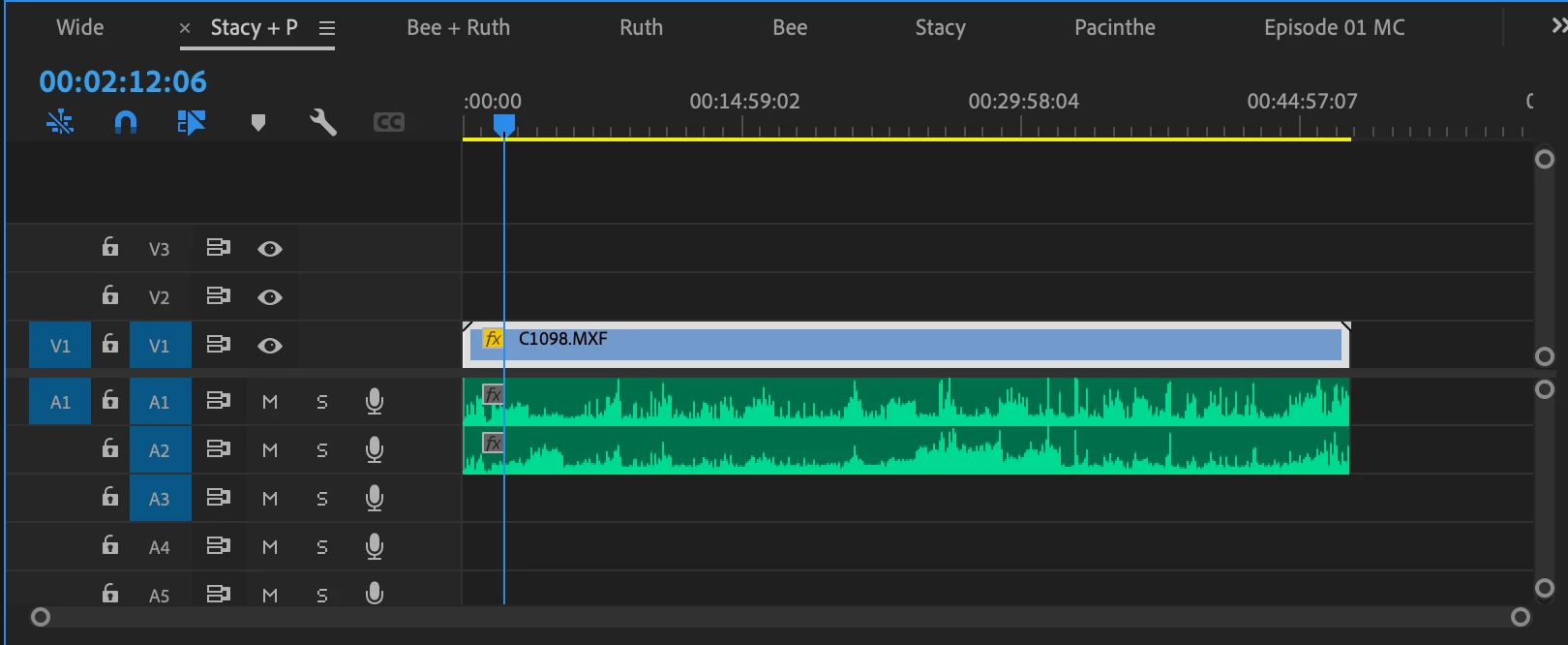
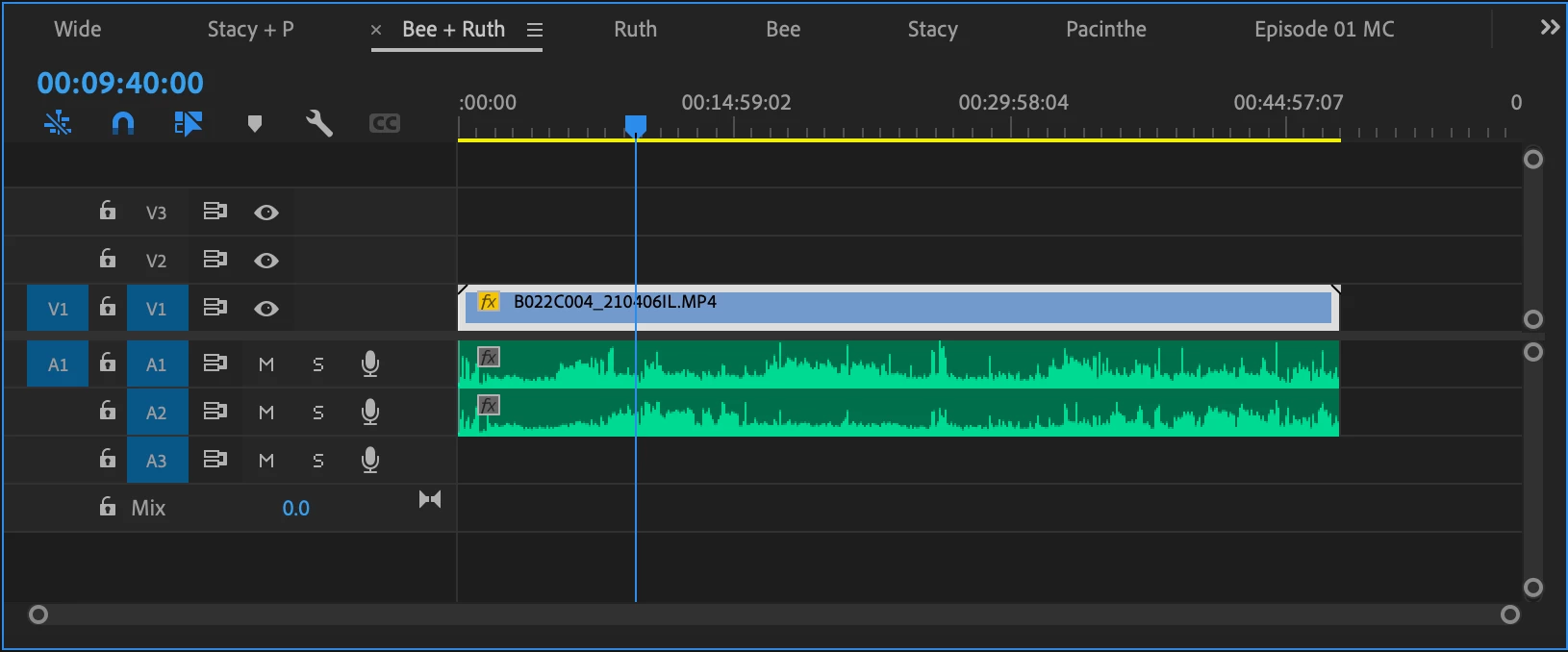
I don't think it's the most efficient method, but when I create multicam sequences I sync external audio to their corresponding cameras in separate sequences and then create a multicam sequence from those synced sequences. I know a lot of people just create it from all the elements but it feels like a lot to keep track of, and premiere is already finicky for me with the synchronize feature. I've only done this for interviews so generally it's made sense (boom synced to wide, lav synced to angle of the person using that lav). This is the first time I'm editing a panel discussion, and there are 3 cameras shooting 4 people: A wide, and two angles showing 2 people each. So I have a Wide sequence with the 2 booms synced, a sequence with one pair of people and their two lavs synced, and another sequence with the other two and their two lavs synced. Meaning each sequence has two separate mono audio tracks synced to the footage.
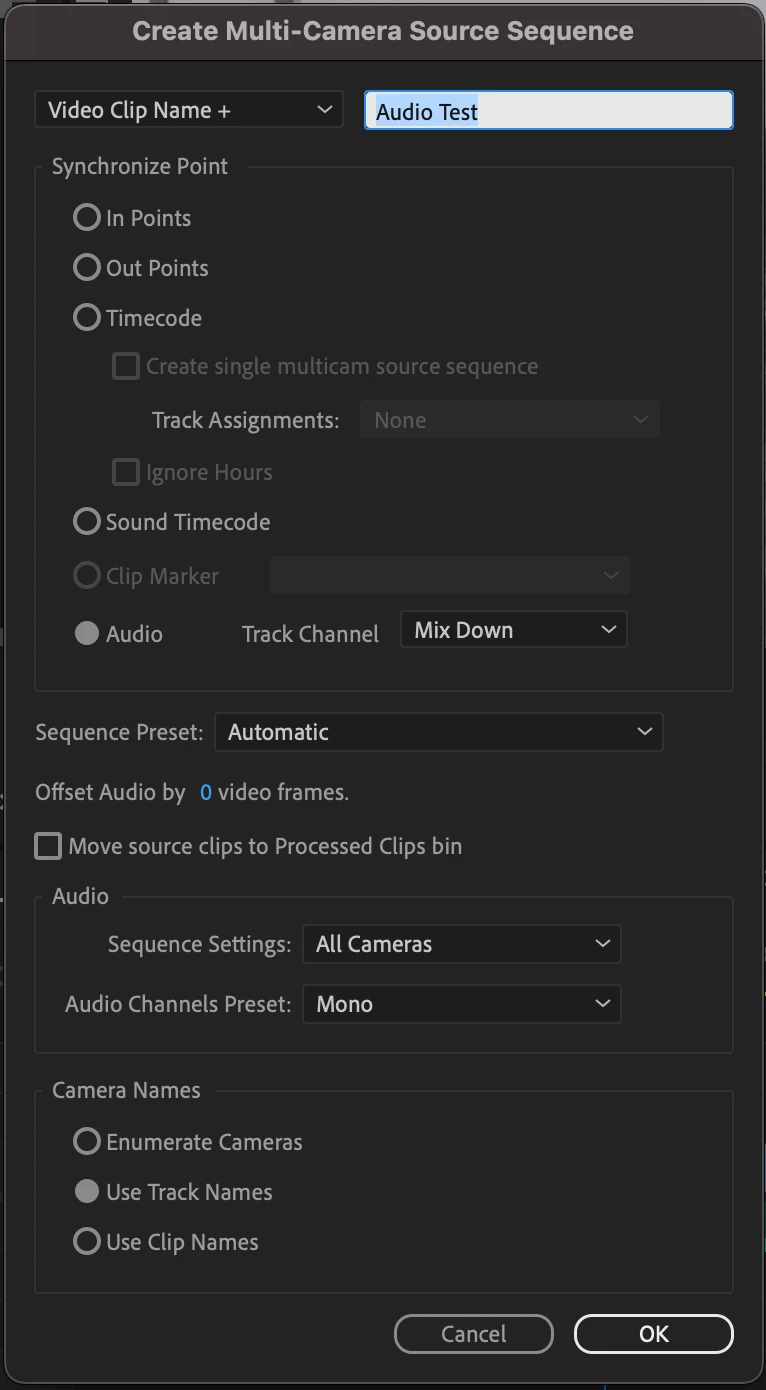
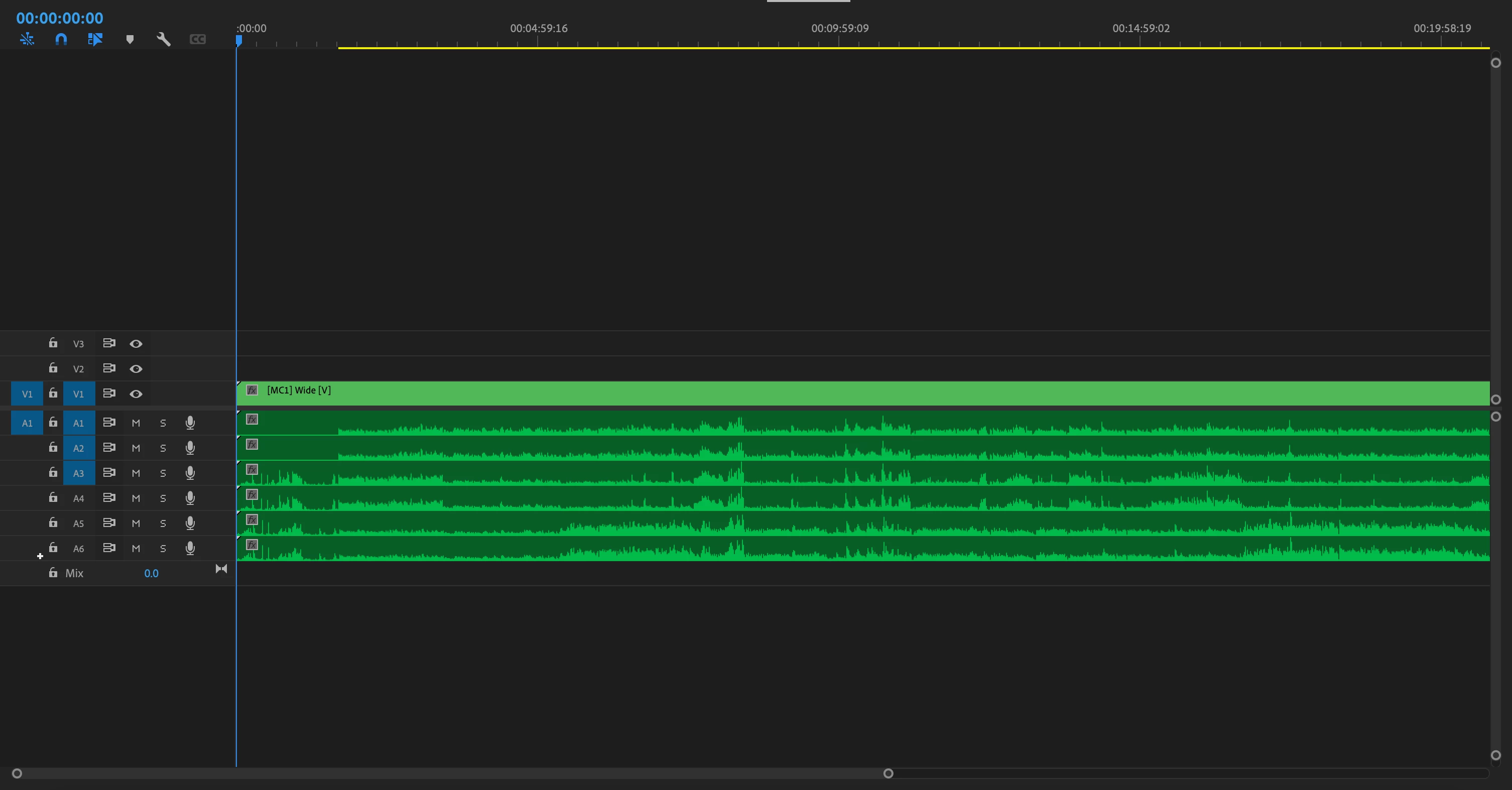
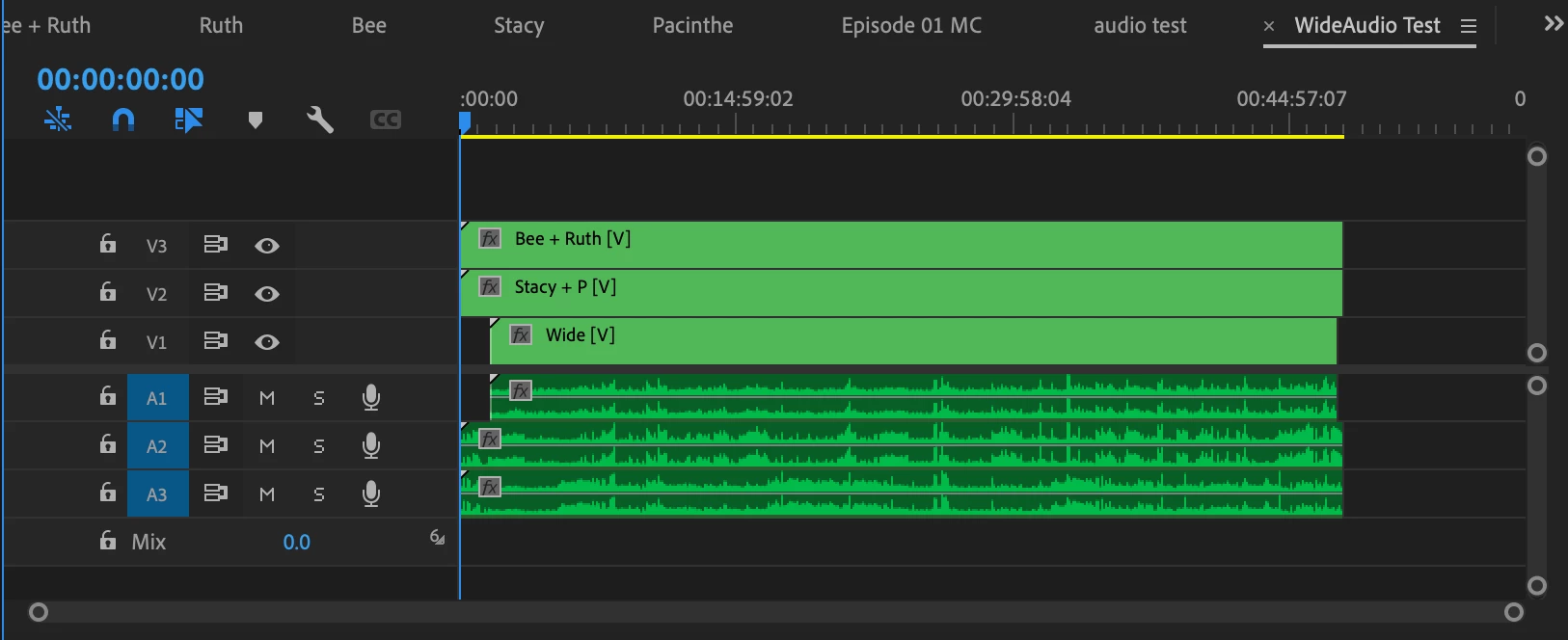
When I create a multicam sequence from the project manager and import the multicam into another sequence the audio is "multichannel mapped to 6 mono," and if I right click the multicam and "open to timeline" then each angle has a single stereo track. For the "multichannel mapped to mono" each angle has two tracks each with identical waveforms, which i guess would be normal when converting stereo to mono. Which (unless I'm wrong) means the multicam process is either combining the source sequences' separate mono tracks into one (stereo) track, or it's only using one of the sources' mono tracks and omitting the other (since the multichannel to mono's two tracks are identical). I'd like to know what's actually happening, if it's normal and not a big deal, and if not how to fix it, thank you. I know this is rambly also, so if it's helpful I've attached some screenshots.
 AdChoices