


New Participant
November 1, 2019
Answered

Multicam Switching Cuts not Being Applied

  • November 1, 2019
  • 1 reply
  • 4355 views

Hi,


I've just started with multicam editing and when switching between camera 1 and 2 the cuts are not being applied in the timeline. I know the cause of this must be something trivial, but I can't see what I've done wrong. I've included my workflow below as it may help to identify where the issue has occurred.


  1. Imported 2 camera clips an created a multicam file
  2. I then right-clicked the multicam clip in the bin and clicked edit to make some colour corrections to each clip in the timeline.
  3. I then went back to that multicam edit in the timeline and tried swicthing between sources, but the cuts are not showing.
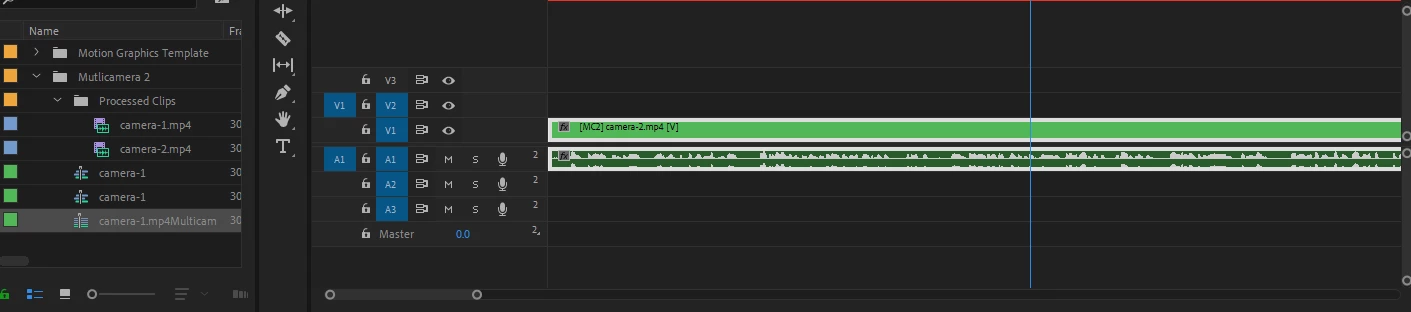


Any ideas?


Thanks,

Ross

This topic has been closed for replies.
Correct answer rossp45703301

Ok I think I've figured out what I'm doing wrong here. I was pausing the video first, then switching camera angles. When I did this no cut was applied. However, when I switched the camera sources whilst the video was continuously playing through the cuts were applied. I didn't realise I had to edit in this way.

1 reply

November 1, 2019

Weird. Very weird. What version of Premiere and the OS? 

rossp45703301AuthorCorrect answer
New Participant
November 1, 2019

Ok I think I've figured out what I'm doing wrong here. I was pausing the video first, then switching camera angles. When I did this no cut was applied. However, when I switched the camera sources whilst the video was continuously playing through the cuts were applied. I didn't realise I had to edit in this way.

Community Expert
November 1, 2019

you can use the blade tool to create an edit in the multicamera clip and then change just the section they way you describe.  I generally make cuts on the fly as the sequence is playing but I do sometimes change the angle for the whole clip when I'm parked.