I recently shot a bunch of footage and am trying to put it into Premiere. The files are MXF, and I can place them into Premiere fine, but the footage comes out as bright white and pixelated:https://youtu.be/E2WphMvD-b8
I have tried using Media Encoder to change it into different formats, but the result is the same. I don't believe the file is corrupted, as I viewed the footage in the camera playback and it was fine, and I can view the footage in VLC media player without any visual glitches. I have tried renaming the topmost folders, moving my files into the D drive, directly placing files into the project, and browsing to them with the media browser.
It was shot on a Canon C70 with a SanDisk SD card. I am using an Inland adapter to get the footage from the SD onto my desktop.
My best guess is that I'm doing something wrong with importing the files from my SD card, or there is some kind of codec issue.
Relevant screenshots:
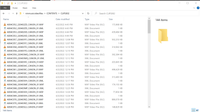

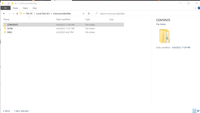
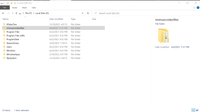
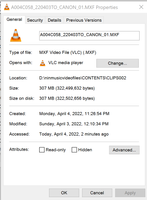
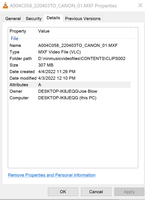
Specs:
OS: Windows 10 Home 64-bit
CPU: AMD Ryzen 5 3600 42 °C
Matisse 7nm Technology
RAM: 16.0GB Dual-Channel Unknown @ 1064MHz (15-15-15-36)
Motherboard: ASRock B450 Steel Legend (AM4) 31 °C
Graphics: CintiqPro24PT (3840x2160@60Hz)
2047MB NVIDIA GeForce RTX 2060 (ZOTAC International) 37 °C
Storage
931GB Western Digital WDC WD10EZEX-00BN5A0 (SATA )	31 °C

931GB Samsung SSD 980 1TB (Unknown (SSD))

29GB Generic- SD/MMC USB Device (USB )
Any suggestions on how to fix this? Thanks in advance.




 1
Reply
1
Reply


 AdChoices