


Ace2b
Known Participant
May 23, 2022
Answered

My bars for adobe premiere pro are not showing up
  • May 23, 2022
  • 4 replies
  • 1349 views

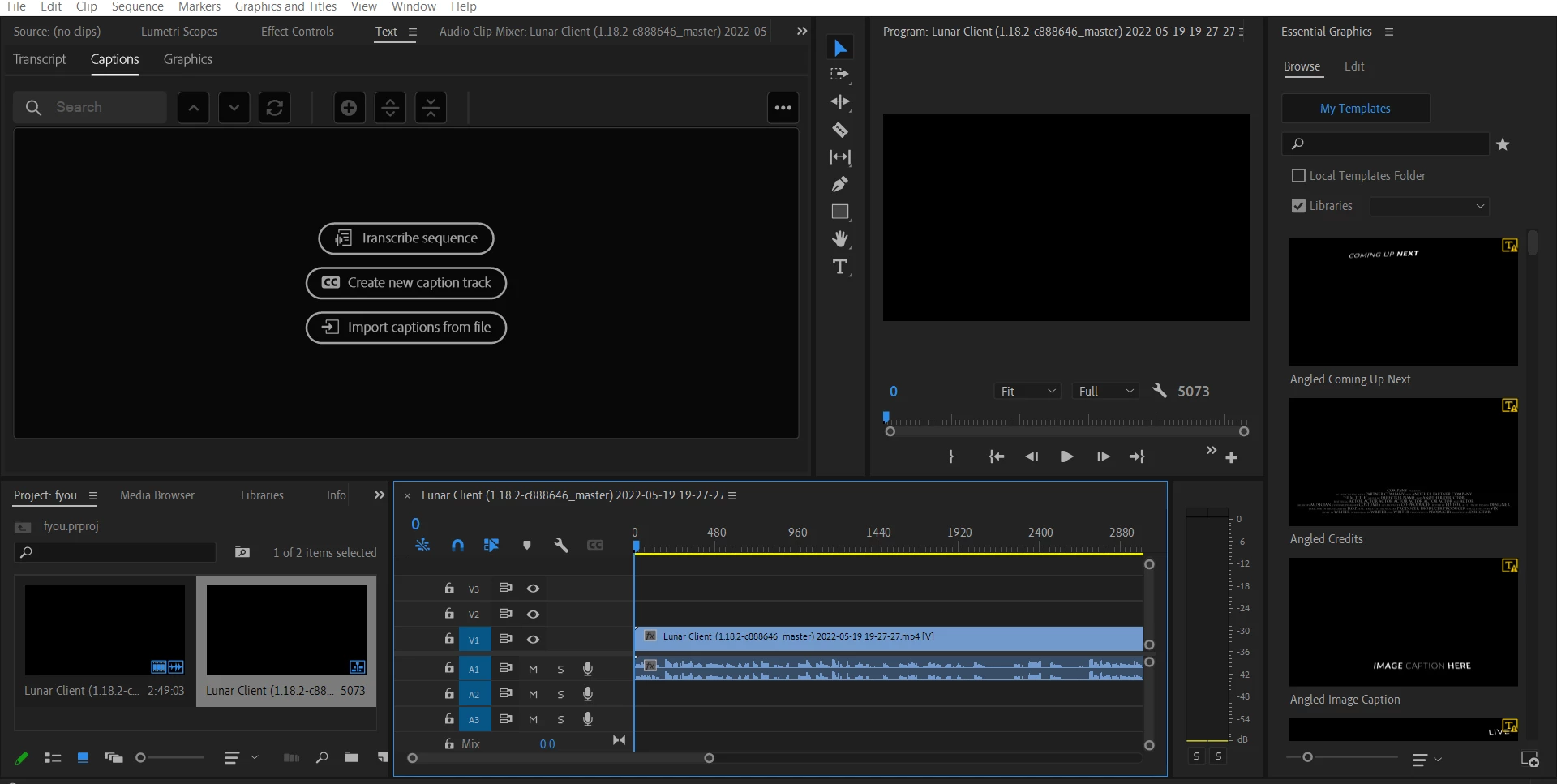
The bars on top are not there, so  i can not edit. How can you fix this???? I want to get into the edit tab, but can't. Please help me (PS: LOOK ON THE TOP WHERE THE BARS ARE SUPPOSED TO BE)

This topic has been closed for replies.
Correct answer mark@headTrix

they changed the entire header in the New update to give us a little more Real Estate.


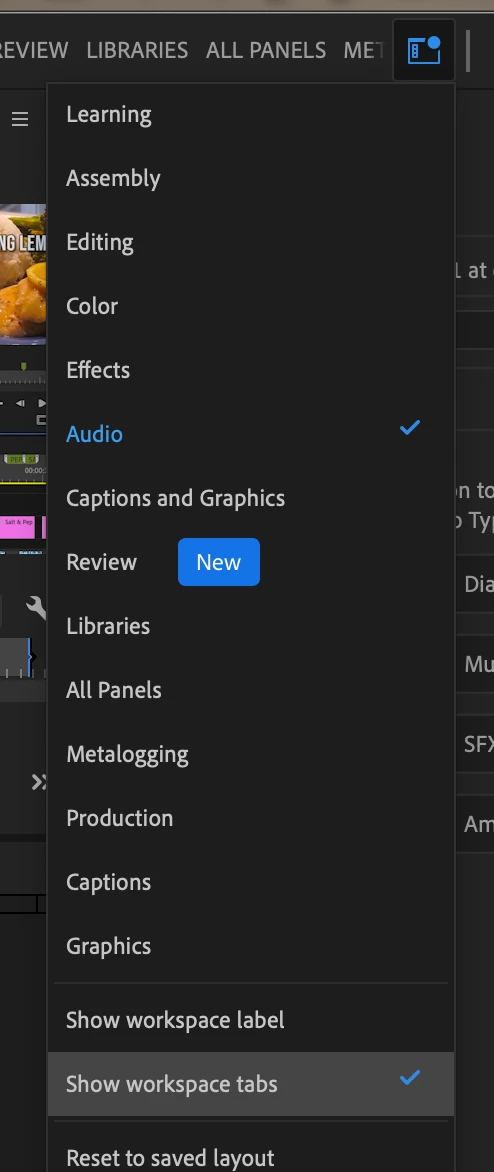
On the top bar on right side you will see THREE icons. Maximize window, Quick Export AND WORKSPACES. If you select Workspaces. drop down you can quickly switch. from One Workspace to another.
You can also change this to Tabs (select "Show Workspace Tabs" so it almost resembles the header you are used to.... much smaller though.
4 replies

mark@headTrixCommunity ExpertCorrect answer
Community Expert
May 24, 2022

they changed the entire header in the New update to give us a little more Real Estate.


On the top bar on right side you will see THREE icons. Maximize window, Quick Export AND WORKSPACES. If you select Workspaces. drop down you can quickly switch. from One Workspace to another.
You can also change this to Tabs (select "Show Workspace Tabs" so it almost resembles the header you are used to.... much smaller though.

headTrix, Inc. | Adobe Certified Training & Consulting
Ace2b
Ace2bAuthor
Known Participant
May 24, 2022

i dont see three bars look in the image

Ace2b
Ace2bAuthor
Known Participant
May 24, 2022

nvm

Legend
May 23, 2022
Community Expert
May 23, 2022

You may want to go to the top of the interface. Window/Workspace/Reset Workspace to saved layout.

Stan Jones
Community Expert
Community Expert
May 24, 2022

This is weird. If Rob's Workspace reset, does not work, I'd try reset preferences.


In the screenshot, there is nothing where the old Workspace horizontal bar was (with a Home button on the left pre-"New" bar); and nothing where the new "Import/Edit/Export" and Workspace button is now.


Stan


Ace2b
Ace2bAuthor
Known Participant
May 23, 2022

sorry, i mean workspace