



Question
New to Premiere Pro and already having issues with Audio
Hello,
I have been using Audition and I decided to switch to Premiere Pro. I do an audio podcast (I do a video sample of my podcast). Likewise, I have checked my Audio Hardware and all is good. When I start recording, nothing happens. I did go through all the tutorials. Their audio mixers do have mixers on them, whereas mine is blank. How do I fix that? This is what my screen looks like right now. 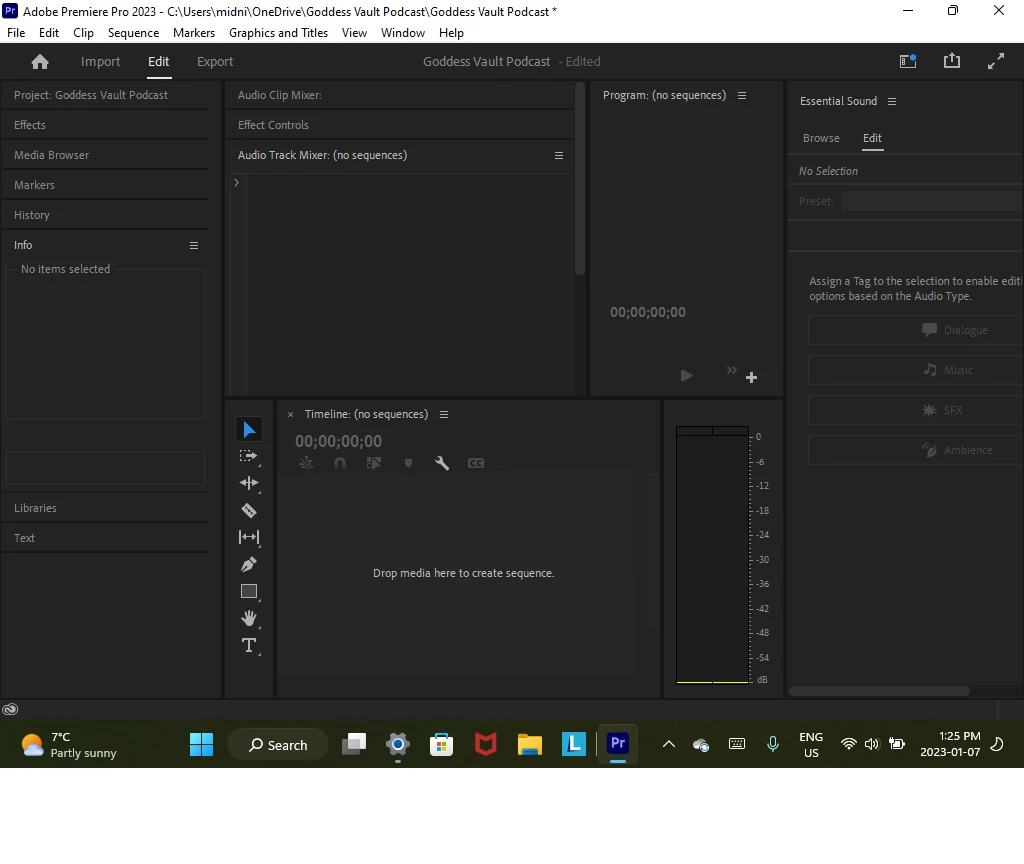
 AdChoices