Inspiring
May 26, 2018
Answered

Please help: "unable to create image buffer" error

  • May 26, 2018
  • 23 replies
  • 122468 views

While editing, I keep getting an error saying "unable to create image buffer," shortly followed by the program freezing or crashing (or my display driver crashing).

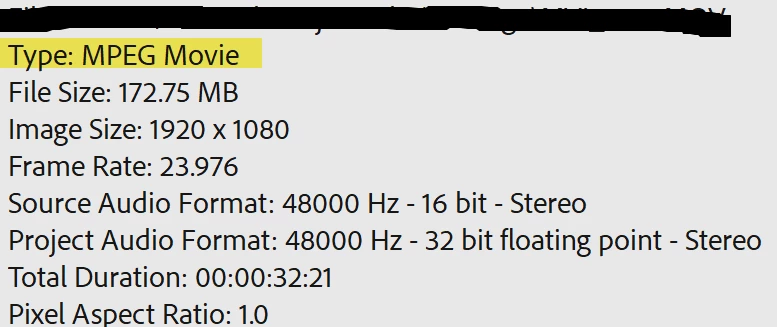
I'm editing .mov files imported via the media browser shot on a Canon t5. I faced the same problem when editing MXF files from a Canon XF100 a few weeks ago.

I've been trying to solve this problem for weeks to no avail. The only workaround I have is to edit quickly in sessions and frequently save before the program freezes again. Sometimes I think it's a pc problem and that I should install more RAM, but this wasn't an issue several months ago.
 
Windows: Version 12.1.1 (Build 10)
Mercury Playback Engine GPU Acceleration (CUDA) enabled


Error Messages



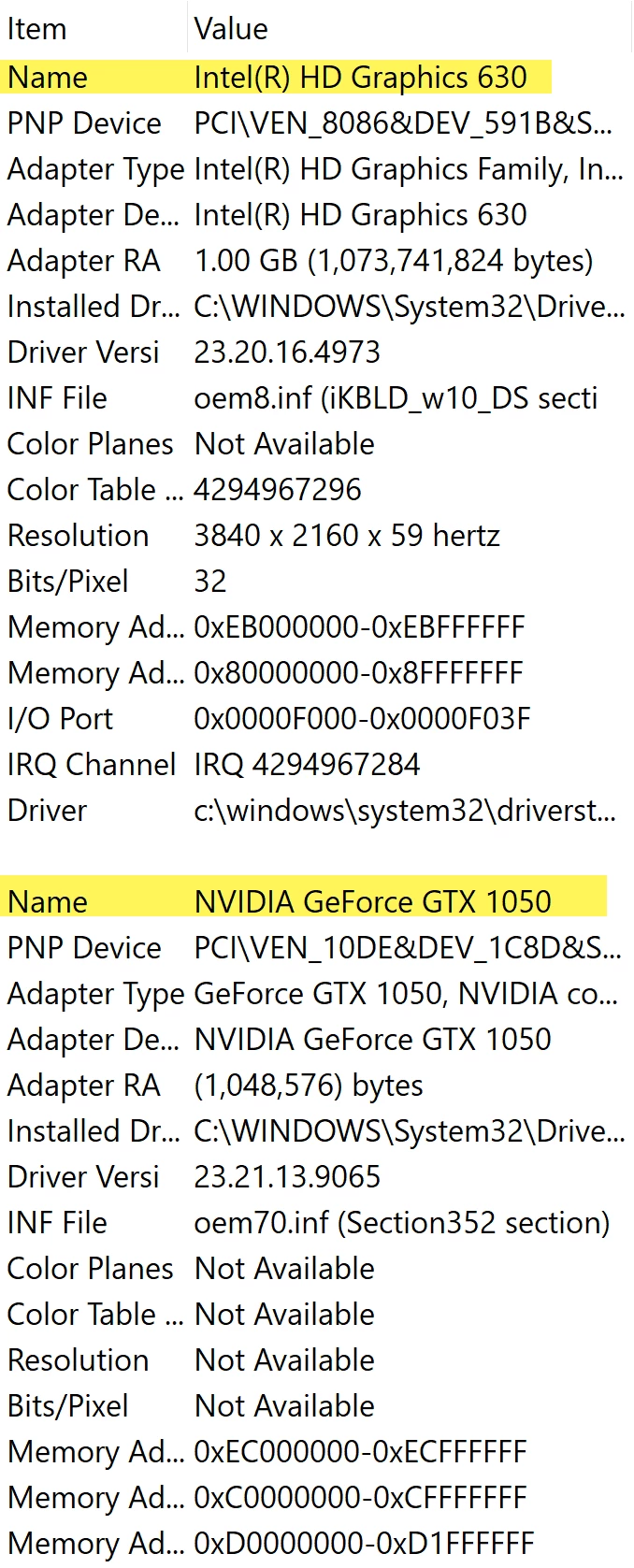
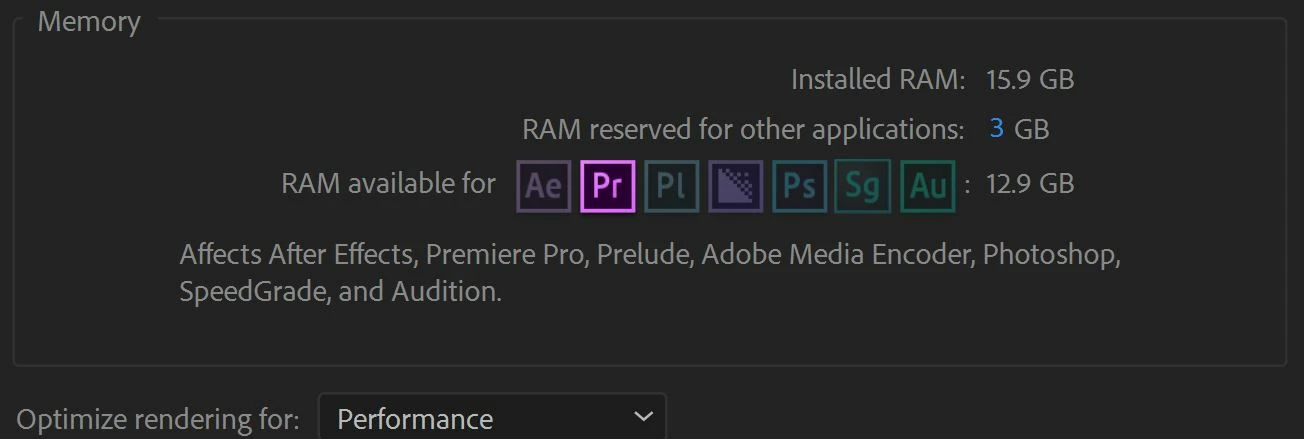
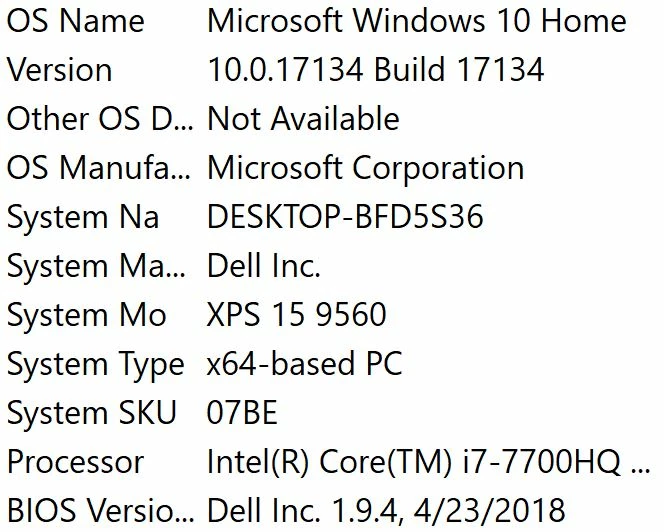
PC Info


Clip Properties


Premiere is Idle
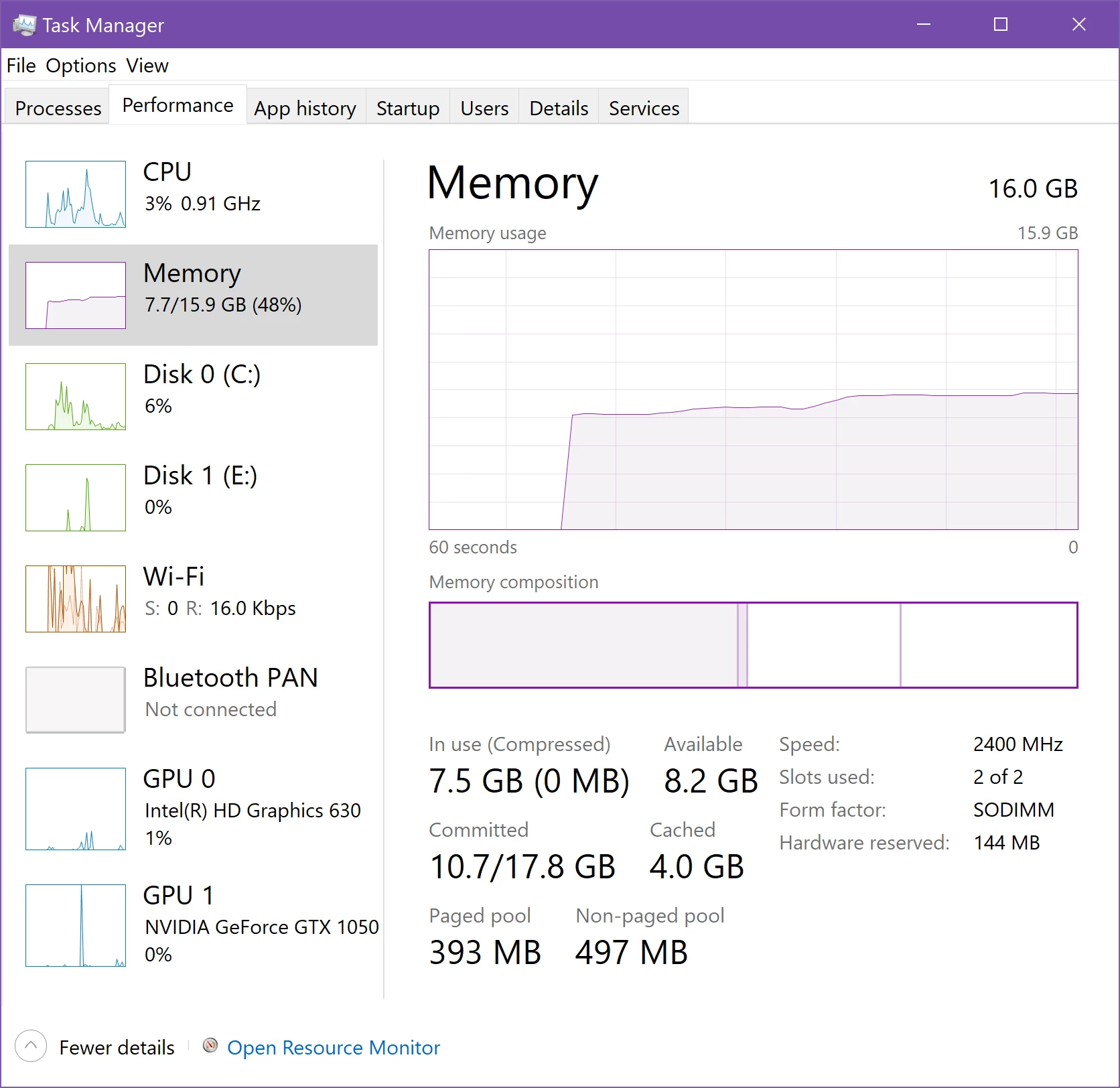


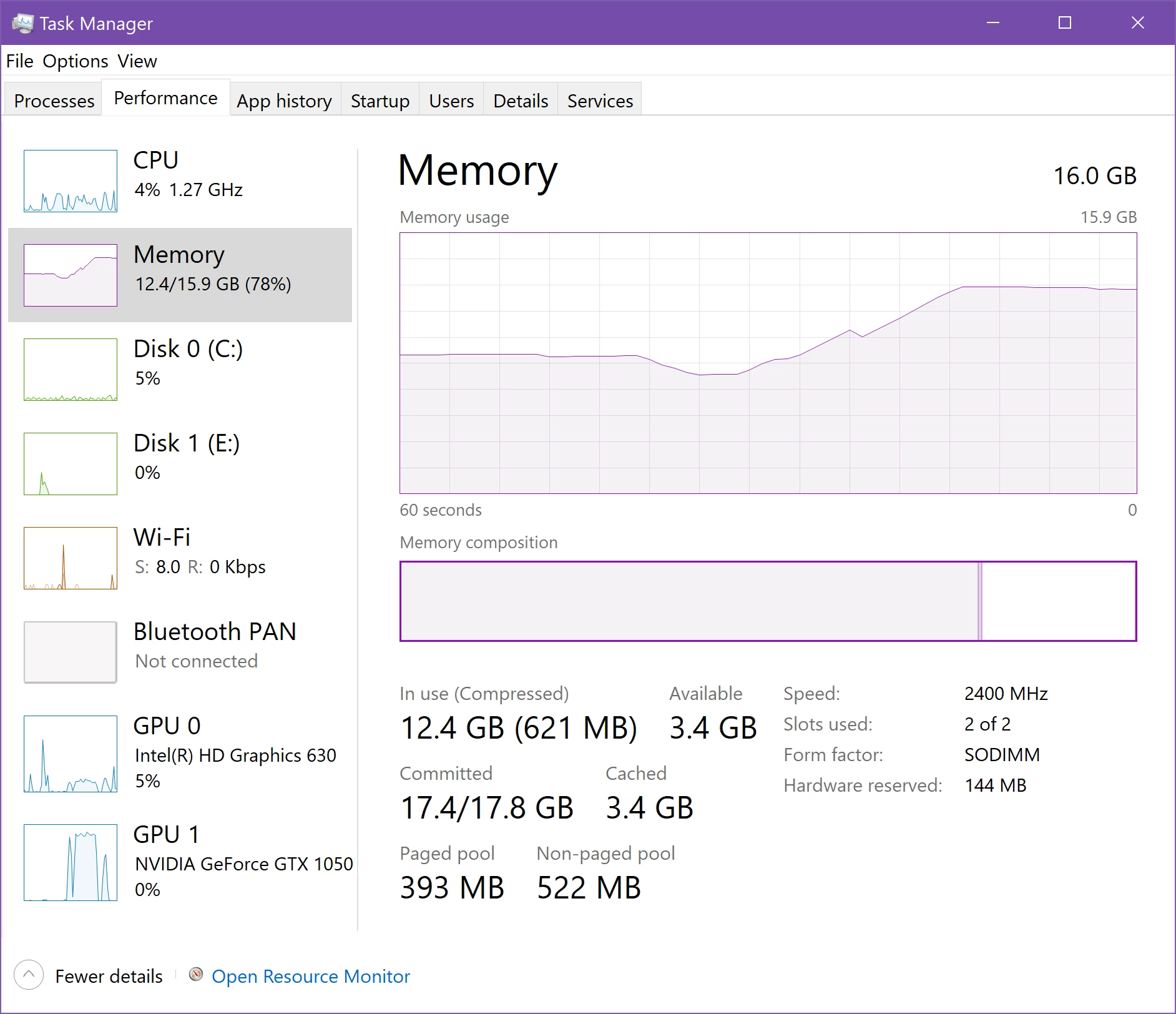
Working and Error Occurs
 

Correct answer louzelalala

I tried to remove all the plug-ins and MORGT files on my premiere then restarted it. This works fine with me. I just re-installed the few ones that I need. 

23 replies

New Participant
May 23, 2021

Same issue here, premier starts to using all ram without unloading unnecessary files in it. I can just start replaying the same 3 seconds of video sequence and the memory usage starts filling up to 100GB by itself, without any unloading. And when the premier reaches 100GB (32GB of RAM + 70GB of virtual memory), then it gives me an image buffer error and the whole computer just crashes.

New Participant
May 30, 2021

I too am having this issue! I have no idea what to do, I'm working on my last exam and the timing couldn't be any worse 

New Participant
May 1, 2021

Hey,

Try this. Just go to File >Project Setting> General and change GPU Accelaration to Software only in in video rendering and playback. It might help you

jenrpa
New Participant
April 23, 2021

Hey all,


I cam across this problem just after I did some updates on my computer, so have a few other options you can check. 

My Disk on Windows 10 was 100%'ing constantly, and one of the suggestions to fix that is to adjust your virtual memory settings. Once I fixed that problem, I started getting the "Unable to create image buffer" - turns out I got the numbers wrong on adjusting the virtual memory space (Windows recommends "use a number that's one and a half times the total available memory for the "Initial size" and three times of available memory for the "Maximum size" when possible")


So...

1. Check to make sure you have enough space on your hard drive available for virtual memory. If you're getting close to full there isn't enough space to use the virtual cache (3x your memory space should be available per above).

2. Adjust your virtual memory (Search "How to change virtual memory size on Windows 10" and look for the Microsoft page.

New Participant
May 7, 2021

I think you are on to something. I worked on an external ssd that did not have a lot of space left. That might be what caused my problem.

New Participant
April 14, 2021

I have same this problem but Ram just 39% and i working in 2021

New Participant
April 16, 2021

It is 2021 and I have the same problem. Seems like as if there is no fix since two years.


New Participant
June 11, 2021

SAME

Participating Frequently
February 23, 2021

Hi @timl23571517 . Did you find a solution to your issue? I am having the exact same problem with a feature film. I have tried it all. I noticed that my issues occur every time PP saves. I have disabled ALL Auto-Save features, but it is still Auto-Saving every now and then when I save or Save As. My project freezes up, runs our of memory, or gives me the Unable to create image buffer warning with in 10 minutes every time. I have spent 25% of my time trying to solve this issue ove the last month.  


Ryzen 16-core

64 GB RAM

GTX 1070 - Studio Driver 461.40

Win 10 

New Participant
October 5, 2022
I pretty certain the issue is a hardware problem. Just needing a better computer.. unfortunately. That’s my best guess. I haven’t had this issue in a while now.


Sent from my iPhone
October 7, 2022

Could you post your specs? I'm curious since you don't get the problem any more.

I was expecting my hardware would be good enough for a basic 2 video / 3 audio edit. Davinci Resolve runs soooo much better for me.

New Participant
January 9, 2021

So, the only fix for this I found is to install MemReduct, run it and press on "Clean memory" everytime RAM usage percentage is high, but below around 90%, otherwise it will probably freeze.

New Participant
February 6, 2021

Has anyone else tried this? I need to try it! Mine keeps doing the same thing and crashing 😞 I have an asus zenbook duo laptop and its literally brand new. So it has to be PP

Participating Frequently
February 25, 2021

Strangely when I keep releasing memory I get a different error than the normal one.

New Participant
September 20, 2020

Same problem here, on Dell XPS 15 (i7 10th gen with 64GB ram). Cannot understand what is it.

September 20, 2020

Same here Alessandro, and I'm also on an identical XPS 15.
Looking through previous threads I can't find an answer anywhere and OP here was from 2 years ago with no answer from an Adobe rep, but all other threads just feature Adobe people referring back to this one ... what gives?

New Participant
September 21, 2020

Hey there everyone,


So I went down the rabbit trail of un-installing, re-installing, optimizing graphics settings, etc. Turns out none of that works and, for me, it was a matter of not having enough RAM for the edits I was wanting to do.


The only solution that worked well for me, was to build a new computer with more efficient and larger sets of RAM. I know that's not much of an answer but that's where I am at with this whole process. Pretty upset that I had to front the cash for the build, but it's been working well.


If I were in your shoes I would try, upgrading your RAM, work with proxied footage, wait to implement transitions and graphics until later on in your editing workflow (in order to help alleviate your machines difficulty with high RAM usage.) Or sell your XPS-15 for another laptop/a desktop if that works well with your needs.


Sorry guys, if anyone else finds a better solution (much more cost effiecenet) I hope they'll post it on this thread. Best of luck.

New Participant
September 1, 2020

Absolutely same issue here. It drives me crazy! 

Simple iPhone h.264 mp4 files and I'm not able to import it. 

It crahes my whole PC.

Participating Frequently
August 20, 2020

I'm having 'premiere unable to create image buffer' messages and crashes. Any latest tips on how to solve this?

louzelalalaCorrect answer
New Participant
August 21, 2020

I tried to remove all the plug-ins and MORGT files on my premiere then restarted it. This works fine with me. I just re-installed the few ones that I need. 

Participating Frequently
August 28, 2020

Thaks, I was running NEAT on 360 files, like you, by trimming the fat - it helped!

Participating Frequently
March 28, 2020

Same problem here, after working on a project for a while i get this error on bottom right side of the screen too. Anyone know how fix this?

New Participant
April 8, 2020

I am having this problem. I replaced an SSD, M2 card, and internal hard drive this past weekend, all just storage drives, just got larger drives. Now, when editing in Premiere, my project is having this same problem. All of the RAM is getting eaten up, and I'm getting this error message. Then the program crashes. I may have upgraded Premiere recently, too. I guess I could try rolling it back and see if that helps...

New Participant
April 20, 2020

I think I figured out what was screwing up my system. When I replaced the old M2 card with a new one, it reset Windows to have no paging file (using drive space to backup RAM usage, i.e. virtual RAM). So, I had to go into Windows to reset the paging file. No issues since then. If you started having an issue with RAM after replacing a drive, this could be the problem. Hope this helps others that may be having trouble.