


allencao
Participant
October 5, 2019
Answered

PLEASE HELP!!! Source Monitor zoomed in automatically

  • October 5, 2019
  • 5 replies
  • 2859 views

Hi Pros,


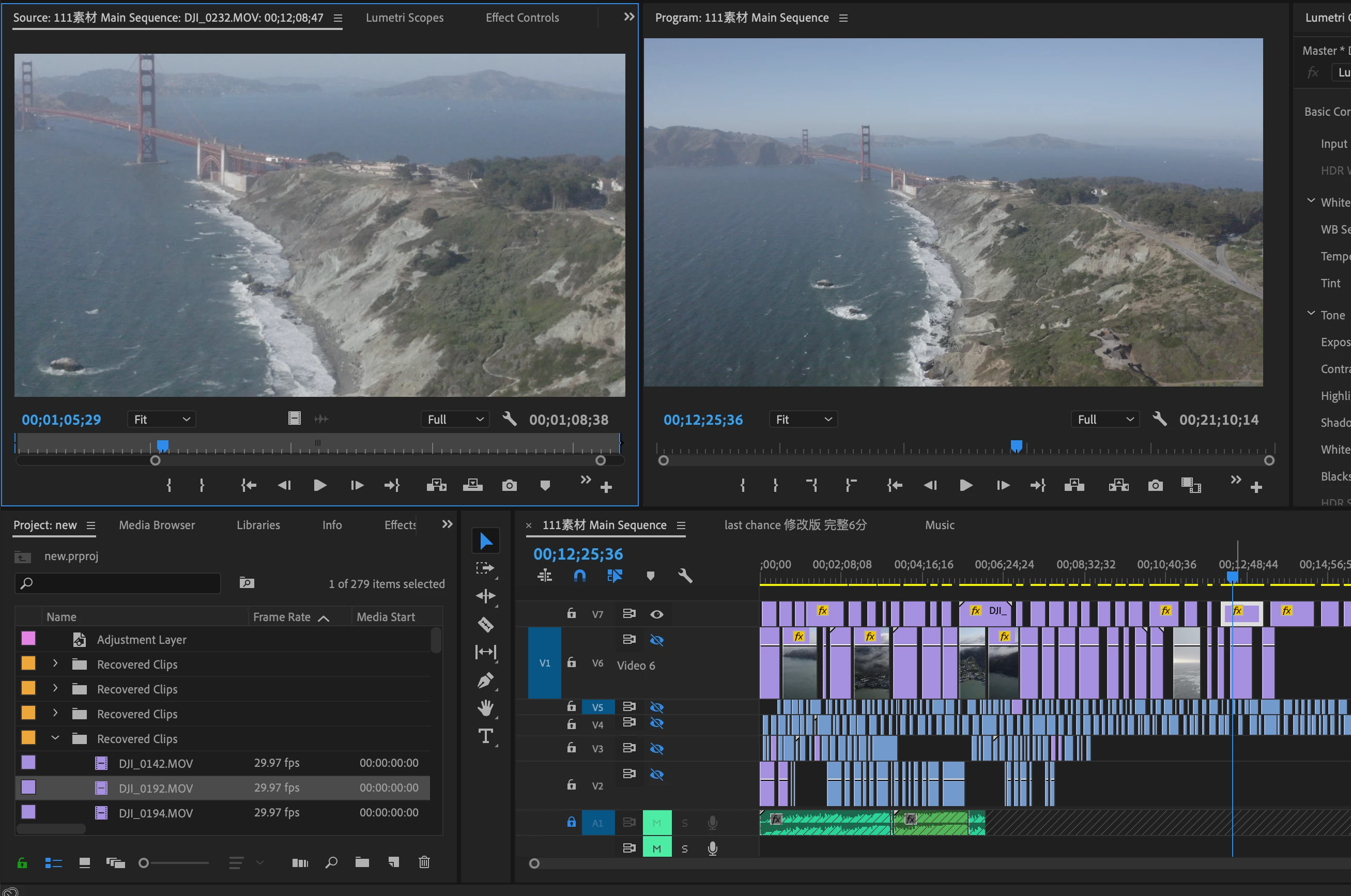
I just experienced an issue with my source monitor display, it worked totally fine in the past, but today the display size suddenly became 1/4 of the original size. You can see the evidence below:
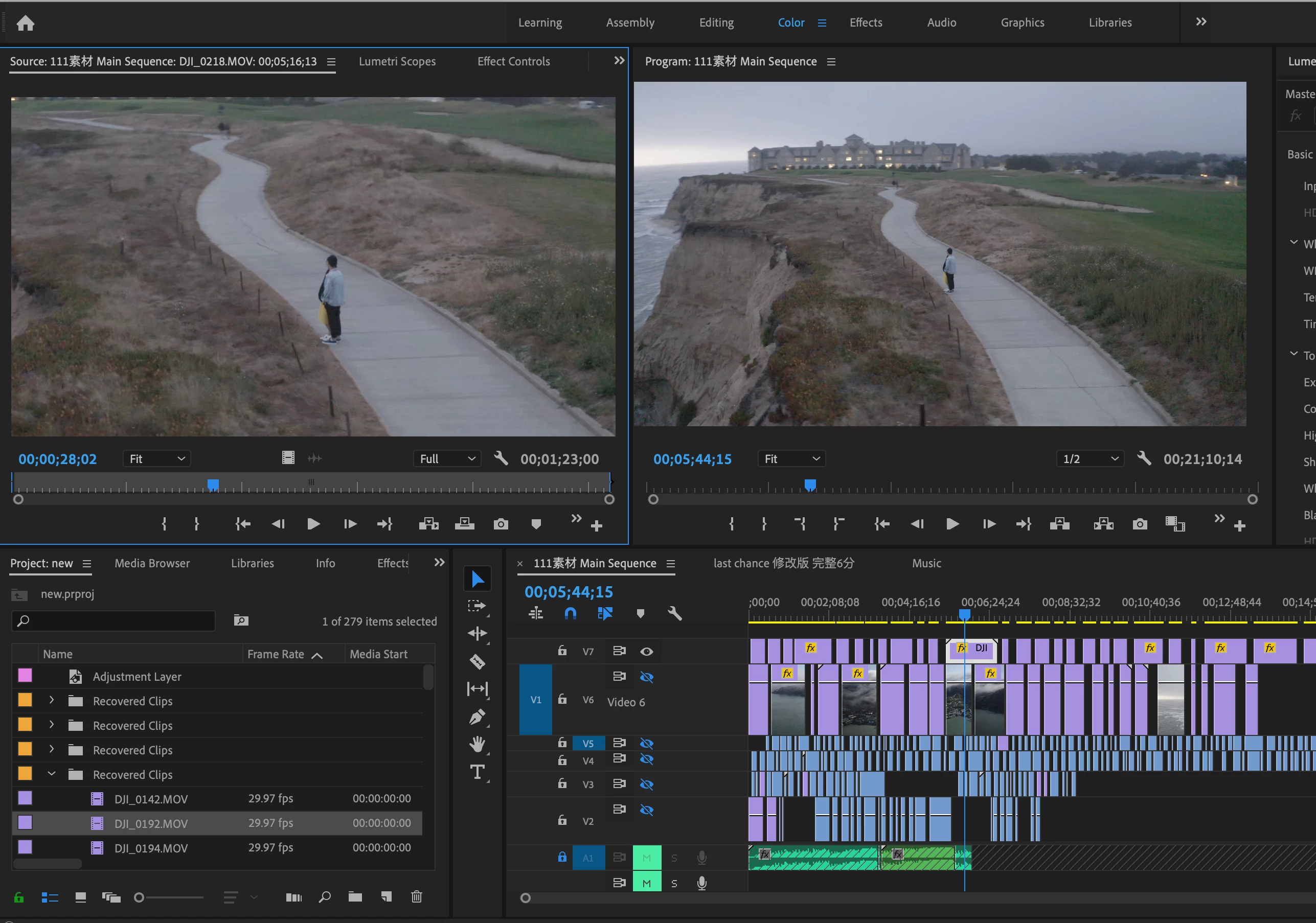


Every time when I double click a clip from the sequence panel, the display screen is cropped on the source monitor (about 1/4 of the original content) I checked everywhere but I can't find the solution.... 


Can you guys please help me on this problem? I really can't do anything with my source monitor cropped....


PLEASE HELP....!!!
 

    Correct answer Ann Bens

    That is correct that is how it is designed.

    Opening a 4K clip in a 1080 timeline in the source monitor will be zoomed in.

    If you want the original clip hit F.

    Opening a 1080 clip from a 1080 timeline in the source monitor will look normal.


    5 replies

    AlstoneGreycer
    Participant
    July 29, 2023

    @allencao I have the same issue while working with my project. @Ann Bens Please let us know that how can we adjust the resolution of source window to preview window. We are unable to understand the steps you have told.

    Participant
    December 23, 2023

    same issue here! It just happend while I was working and now I can't preview footage in the source monitor because its scaled up. Adobe come on... 

    Ann Bens
    Community Expert
    Ann BensCommunity ExpertCorrect answer
    Community Expert
    October 5, 2019

    That is correct that is how it is designed.

    Opening a 4K clip in a 1080 timeline in the source monitor will be zoomed in.

    If you want the original clip hit F.

    Opening a 1080 clip from a 1080 timeline in the source monitor will look normal.


    rotemg89
    Participating Frequently
    June 11, 2020

    Then how am I supposed to use in/out option from the source monitor (as it's being used on a 1080 video on a 1080 sequence for example) if I can't see the full footage?

    It's a drag to keep coming to the source file using the F key-> then select new in/out->then drag it to the timeling->apply

    any effects or changes.... well I hope you get what I'm saying

    AlstoneGreycer
    Participant
    July 29, 2023

    @rotemg89 thank you bro. but now I need to press F key each time while editing in source window. Any permanent solution for these?

    Just Shoot Me
    Legend
    October 5, 2019

    Moving your post over to the Premiere Pro forum.

    allencao
    allencaoAuthor
    Participant
    October 5, 2019

    I just realized every time when I double click the purple clips (The 4K resolution 30 fps) it will be cropped, But when I click the blue clips (1080p resolution 60 fps) it will be showing the perfectly same screen size. 


    Does it because I need to change the video size for purple clips?


    (Merged this post with your other which was moved to the Premiere Pro forum, By MOD)

    Just Shoot Me
    Legend
    October 5, 2019

    What Adobe program is that, Premier Pro?

    allencao
    allencaoAuthor
    Participant
    October 5, 2019
    Yes, it is Premier Pro the latest version.