



Possible circle wipe error in Prremiere
I wanted to report a glitch that seems to be in Premiere. It involves the circle wipe. I made a sub sequence where it has a simple background and then the little circles of the kids' faces pop on. This effect has nothing to do with the circle wipe yet and this sub sequence works perfectly.
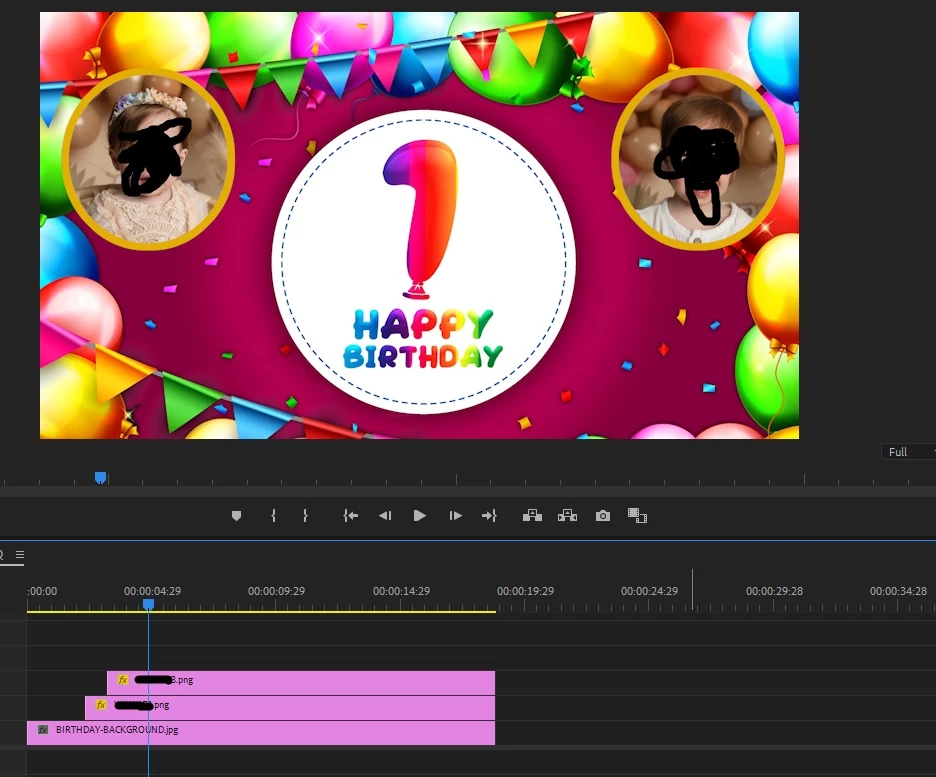
Then, I dropped this sub sequence onto my master sequence. The Easter sequence fades to black and then the circle wipe wipes up from black to reveal the sub sequence. The circle wipe has been added onto the birthday sub sequence. The problem is the circle wipe works perfectly but the little photo pop ups stutter stop and start and no longer work at all.
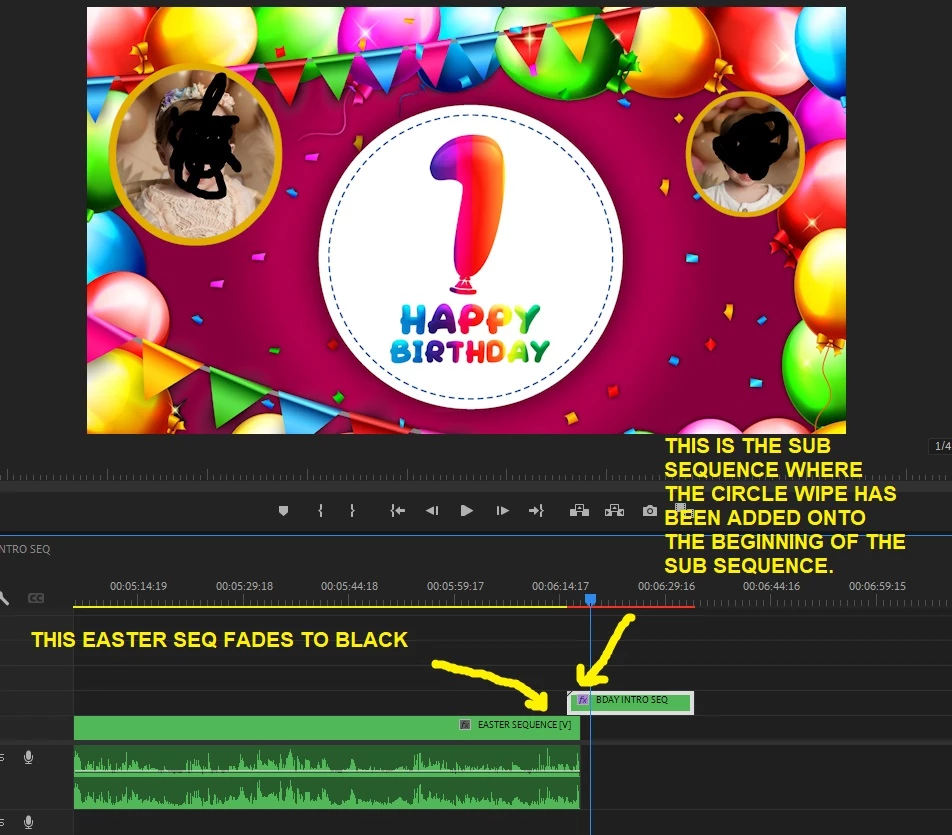
Even when I hit the timeline one frame at a time the error continues. The real kicker - which convinces me this has to be a glitch in Premiere - is I tried exporting the entire sequence thinking that maybe it's a timeline error. Even the export did not work - the little face pictures, start to come on, then stop, freeze and so on. So I then went to the effects controls panel and turned off the circle wipe by hitting the FX icon. Then the two little pop ons of the faces work perfectly [like they should when ther sub sequence plays back alone].
Does anyone know about this error and how it can be fixed? Thanks.
 AdChoices