
xaci_68
Inspiring
October 18, 2018
Question

PR 2019 - Workspaces reset everytime

  • October 18, 2018
  • 15 replies
  • 7476 views

Hi guys,

as most of you I updated to PR2019. So far, the only very annoying problem is the workspaces are resetting themselves to the initial default setup everytime I create a new project.

I've tried to create a new workspace with the 'save as...' function, but, it reset itself as well to the initial setup.

I already searched the forum and applied whatever suggestions I've found (delete dhe layout folder, use the cleaner tool, un-install/re-install the software), but nothing changed.

Any other with the same problem? Hopefully Adobe will work on this (in my opinion) bug.

This is my system:
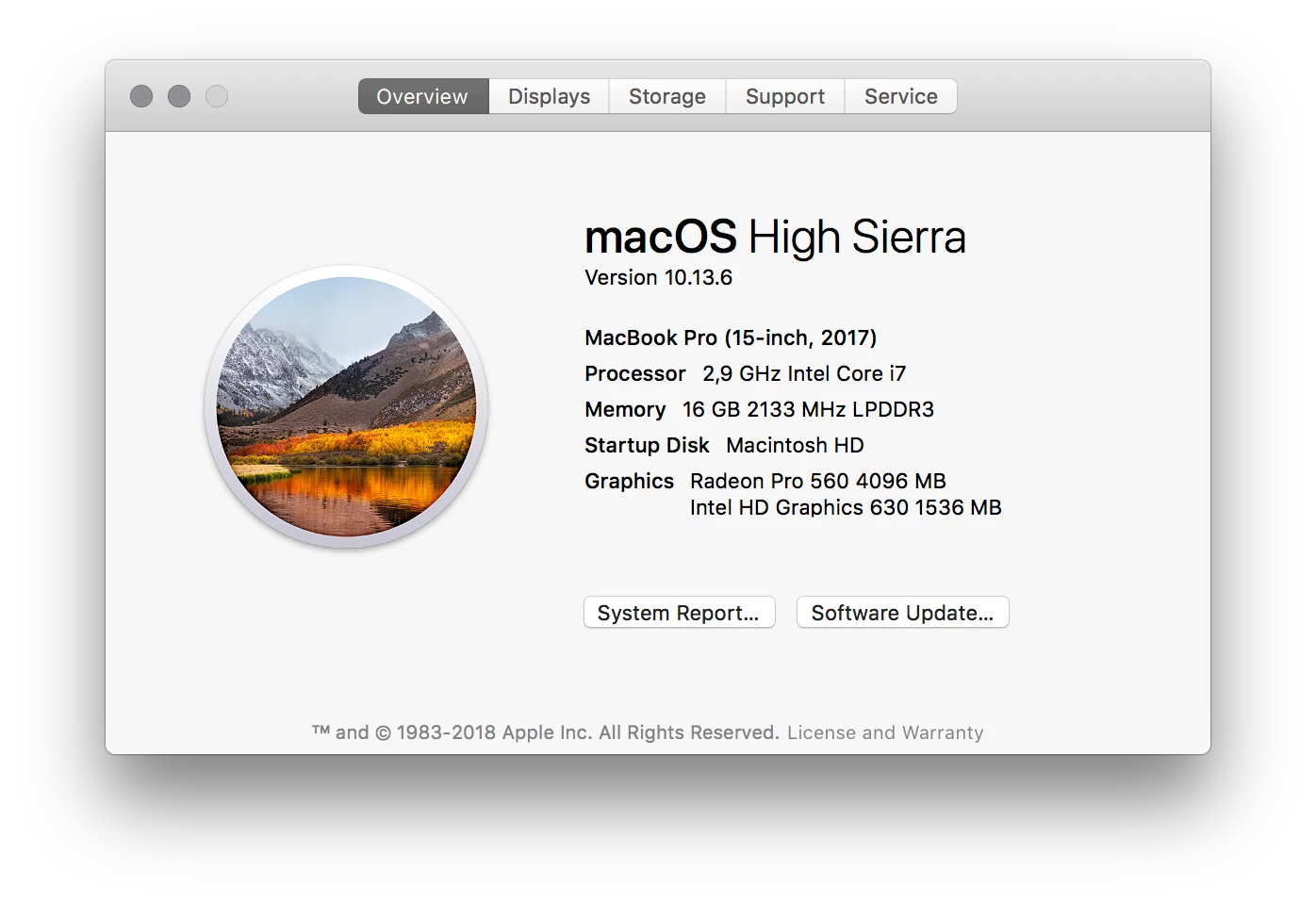
This topic has been closed for replies.

15 replies

Participant
January 16, 2021

Guess what, people. It's 2021 and we still have the same f'n issue.

Don't you all just love to pay for this overpriced opportunity to test their stuff ? All of those gigantic number codes on generic errors that refers to nothing and has no solution possible to find online. 

Participating Frequently
February 13, 2023

2022 and still having the issue. Let me know if anyone finds a fix.


xaci_68
xaci_68Author
Inspiring
April 5, 2019
IvanTheEditor
Inspiring
April 12, 2019

That helped get rid of all the workspace layouts I had saved that I was no longer using but unfortunately the bug is still there... Whenever I open a new/old project the layout is reset... and it's different every time. And "resetting to saved layout" does absolutely nothing. It just simply doesn't reset it to the saved layout.

pH0u57
Participating Frequently
April 12, 2019

Jep, same here. Support couldn't help me either. This issue and the playback/pause color shifting are still there after 3000 updates. Very frustrating.

xaci_68
xaci_68Author
Inspiring
April 5, 2019

New release and still the same bug...!!!

xaci_68
xaci_68Author
Inspiring
February 23, 2019

Just updated to 13.0.3 and, same, same!!!

Really no comments!!!!!!!!!!

StianEriksenfilm
Participating Frequently
February 13, 2019

This is a work around, but in my case I change between the different layouts now and then (audio, color....).

And when i switch back to my saved workspace layout for editing it's all scrambled up.

I can't understand why a new bug takes such a long time and multiple updates to fix. I'm sure they have more than a few subscribers so they should be able to have an ample number of programmers to work on this issue.

Or is this issue just one out of a thousand other more pressing bugs so it's way down the list of priorities. Or maybe all the programmers have to help out to carry all the money we pay Adobe to the bank, laughing their faces off in the process. 

xaci_68
xaci_68Author
Inspiring
February 13, 2019

Yes, of course it is a workaround, but ... it works.

i change too in the different layout, but everything’s keeping the positions while switching from one to another within the opened project.

the problem is, as mentioned since the beginning, it reset if I create a new one

Inspiring
February 13, 2019

My main feature for the custom workspace is a double Project Window in my left hand monitor, allowing for two separate bins to be open at a time.

So, I gave your workaround a try this morning - creating a 'Workspace Template Project' as suggested. If I close that, then open another project that was created before your Workspace Template Project, the custom workspace has reverted back to a default workspace.

I can create the workspace template project as you suggest, save it's workspace, naming it - 'Dual Project Panels'. I can then close that project, and open another project from yesterday, and the workspace, which yesterday was exactly the same as the 'Dual Project Panels', yet the dual project panels are no more - thee is simply one project panel at it's default spot in the top left Panel Group in my right-hand monitor.

I can then close this project, and open your Workspace Template Project, and the same is true - the dual project panels are gone and the Project Panel is at it's default location.

This occurs no matter the setting of the Import Workspaces From Projects option.

Mind you, I've had this setup for years - the problem only began when I updated to 2019. I was always able to create and open projects with abandon, never having to recreate my custom workspaces at every opening.

Inspiring
February 13, 2019

Someone on another forum claimed that there are "a lot of fixes" for this issue. Does anyone know of any?

xaci_68
xaci_68Author
Inspiring
February 13, 2019

Well, so far I’ using the easiest way possible: i’ve setup my workspace and save it as a project.

Then I open this project, use the ’save As...’ function and i’m Good to go, but definitely it’s Not supposed the be this way...

Inspiring
February 4, 2019

Sure would be nice for an update as to when this issue will be taken care of. Not sure of how to take Adobe's silence, or outright evasion of discussing it.

StianEriksenfilm
Participating Frequently
February 4, 2019

If they are willing to discuss the issue it means they acknowledge that there is an issue.

StianEriksenfilm
Participating Frequently
December 18, 2018

I have the exact same issue with Premiere CC 2019.

I'm not sure if Adobe ever tests their releases, new releases are always so buggy.

I'm on a win10 computer. Everything is up to date and my premiere seems to forget my saved layouts everytime I close the application.

If I "reset to saved layout", nothing happens. I've also noticed that I need to turn on "play audio while scrubbing" under

edit->preferences->audio...

So it seems that premiere doesn't read whatever file that stores the settings of the application.

I've had bigger issues with Premiere earlier, but this is still annoying.

Please listen to your customers(your only reason to exist as a company) and fix this as soon as possible!

Thanks

xaci_68
xaci_68Author
Inspiring
December 18, 2018

Exactly!

Adobe should be aware there is Final Cut Pro X on Mac or DaVinci Resolve which is even free!

We're still waiting for a fix here...

xaci_68
xaci_68Author
Inspiring
December 11, 2018

Question:

Adobe, are you joking???

Just updated PP and still the issue has not been fixed???

So, are you joking or are you a joke?

My monthly payment for the full suite are good, I guess...

Please solve this very annoying thing!

Thanks

xaci_68
xaci_68Author
Inspiring
November 27, 2018

I've updated the SO to Mojave, still same problem and still veeery annoying