



EmJC
Participant
May 26, 2022
Answered

Premier pro export corrupted once downloaded to phone

  • May 26, 2022
  • 3 replies
  • 344 views

Hi can anyone assist with an exporting issue?

I've filmed and created a video and expeorted it all fine. But when I download it to my phone it is all glitchy - this is an issue as I work in social media and some videos have to be uploaded via a phone.
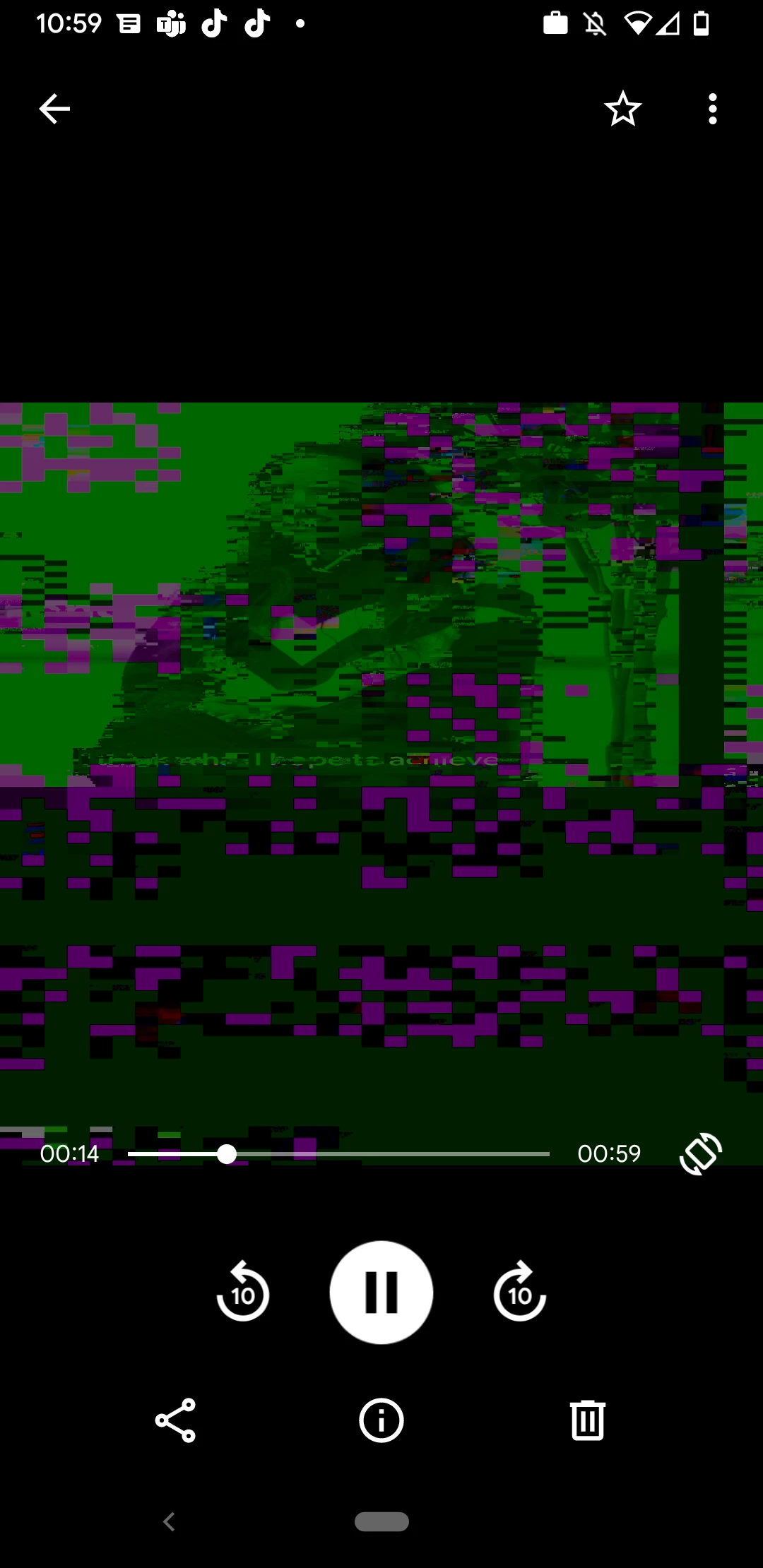


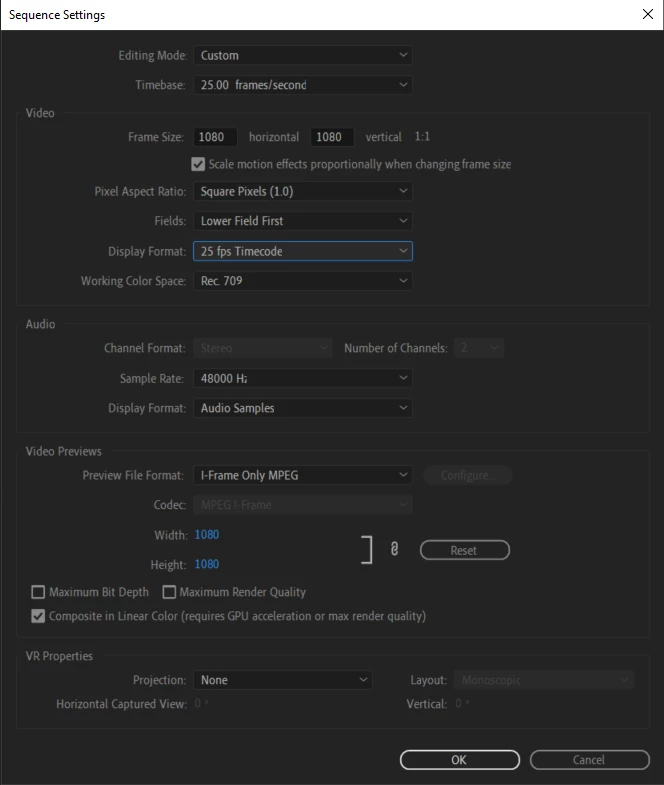
Video was shot on DSLR and I've tried both DSLR and custom (screen shot below) sequence settings.
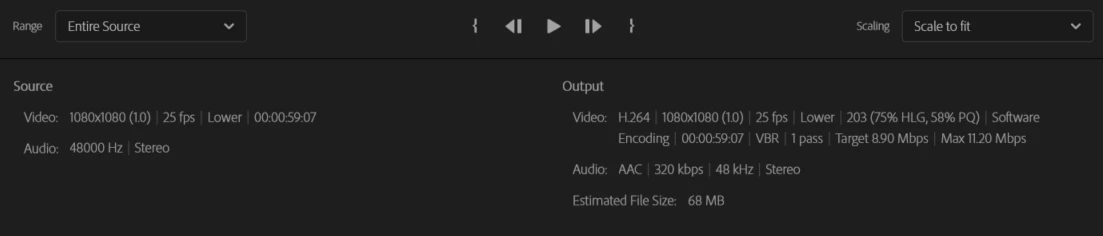
For export I've tried a number of options but mainly Natch source high bitrate and H.264.

I've copied an image of the source and out put settings below as well.
Any information welcome! I am not an expert but keen to learn 🙂

This topic has been closed for replies.
Correct answer Ann Bens

Fields should be set to progressive.

Turn off comp in linear color.

3 replies

Jeff Bellune
Legend
May 27, 2022

I concur with Ann. Fix those two things and see how it goes.

Ann Bens
Community Expert
Ann BensCommunity ExpertCorrect answer
Community Expert
May 26, 2022

Fields should be set to progressive.

Turn off comp in linear color.

EmJC
EmJCAuthor
Participant
June 7, 2022

Hi Thanks for this - I just changed the Field to progressive which worked. I didn't need to untick composite in linear colour but great to know this might be a problem in the future. (I had previously only managed to fix this by uploading from my desktop to YouTube and then downloading for phone use from there!). Thanks so much again Ann!


Community Manager
May 26, 2022

Hi EmJC,


We're sorry to hear about this. Which phone are you using & have you tried playing the media in any other media player to check if it's working properly?


Thanks,

Sumeet

EmJC
EmJCAuthor
Participant
May 26, 2022

Hi, thanks for your reply, I am using a Google pixel 4a. My colleague has also had the same issue but I am not sure what her phone is. The video plays fine on media players and on social media platforms when uploaded from desktop.