



Premiere 2020 multicam view not showing source camera feeds
I have a ~1 hour multicam sequence, that I have ~85% of sequenced in a target timeline. After my last edit, suddenly my source camera area (on the left) is showing only one camera, not the four that it should:
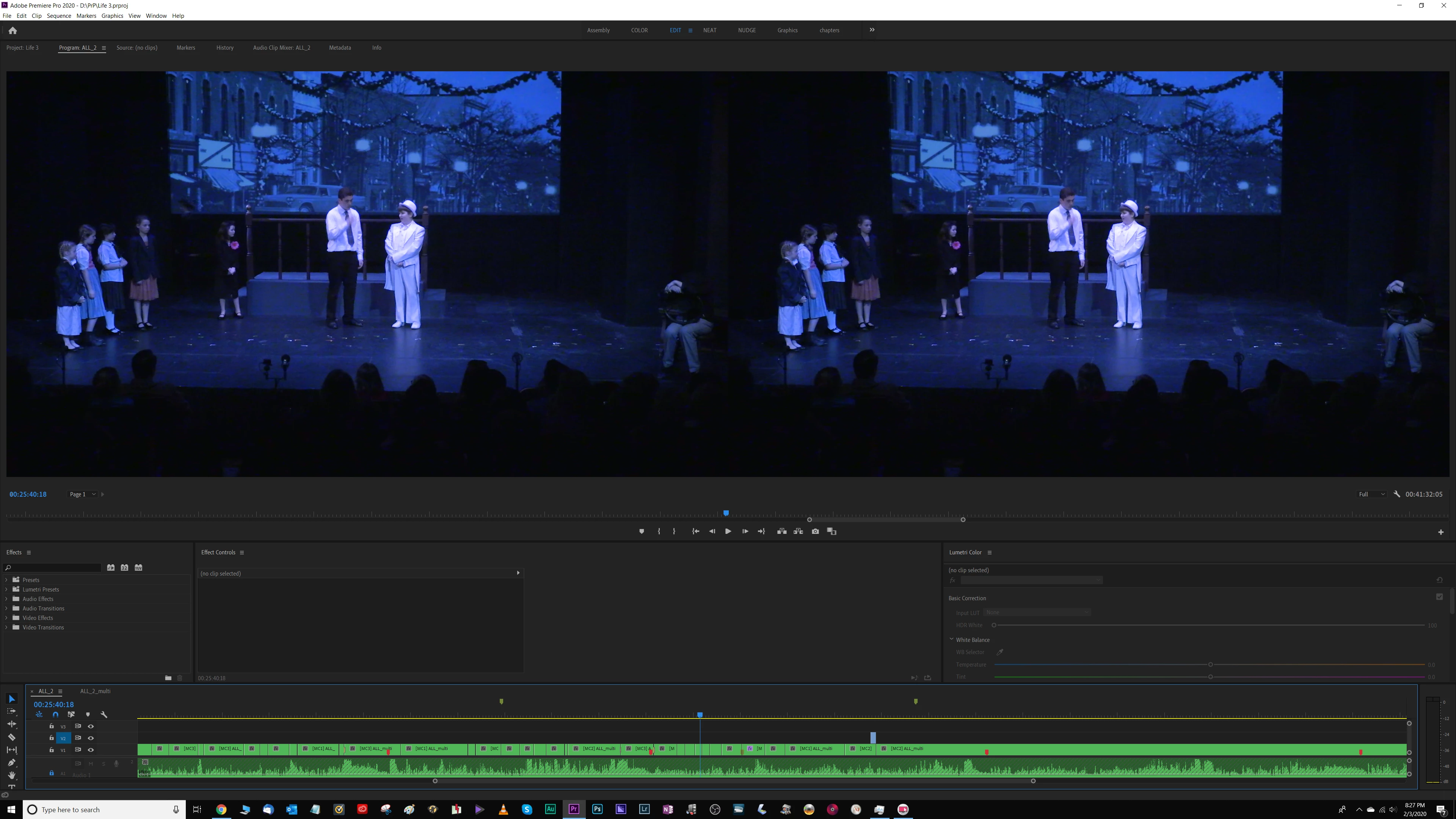
[ It's like what happens when I manually drop in a clip onto the target sequence's timeline, outside the multic-camera sequence that provides the rest of the content. When I do that, the side-by-side views change from "all the source cameras on the left, and the selected camera on the right" to "same camera on the left and on the right." But in that circumstance, this behavior makes perfects sense, since the manually added clip is not sourced from the multicam sequence. And in this case, it's happening on my entire target sequence's timeline, including the other 117 clips that came from the multicam sequence. ]
I have the display mode set to multicam:
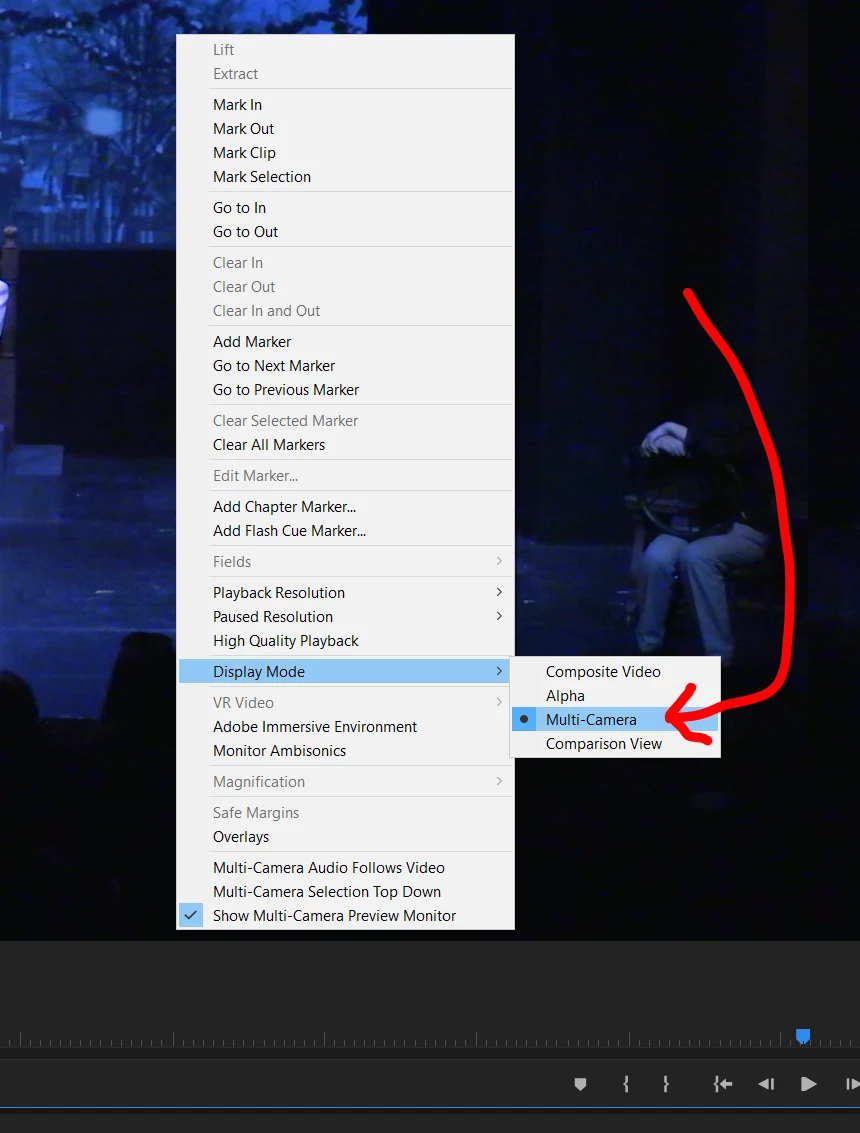
And I checked the various clips on the target timeline, and all are set to "multicam >> enable". I've toggled them to disable and back to enable, closed, rebooted, and re-opened - but no luck.
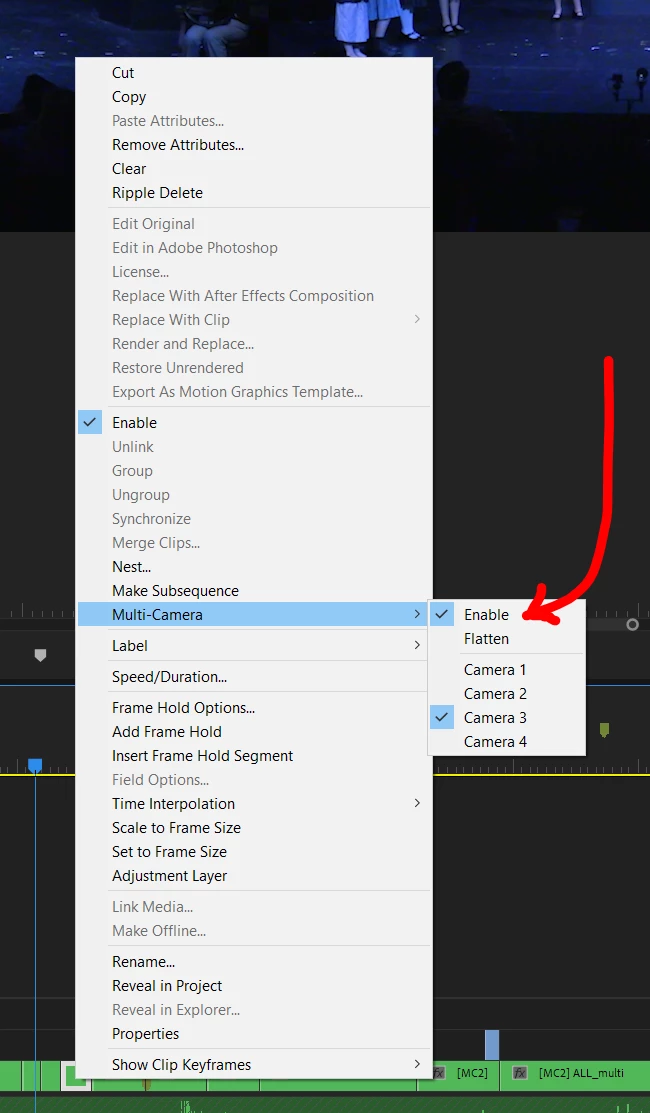
No other projects are showing this problem; they properly show the multiple source cameras on the left.
I'm guessing that I butter-fingered some hotkey (I'm a sloppy typist) that changed a setting, but I can't figure out what.
 AdChoices