

Yura Timoshenko
Inspiring
April 8, 2025
Question

Premiere adds a few stop frames in time line during import

  • April 8, 2025
  • 18 replies
  • 548 views

I have all latest updates and paid subscription to Creative Cloud. Today I had the weirdes error that threatned commercail brodcast. For years I am repeating the same routine in preparing videos for TV broadcast, sometimes slight glitches, but nothing big. But today it was some evil spirits interfering or something with bugs maybe) 

Basically In project timeline whenever I import footage, it addes 3 stop frames in 3 spots. I clicked every frame and found where it made thise stop frames, just like a dublicate of a frame before or after. One frame is repeated in 3 places, quite randomly it seems. I tried to convert footage to different format, checked sequence timeframe setup and what not, regardless of any tweaks or changes, it continued to add stose stop srames exactly in those 3 locations. TV channel technicians see it and do not accept file for broadcast. Really freaked me out. Eventually I just reassembled project in after effects and rendered it fine without stop frames. I tried to google and never saw anything like it among people in the industry... Looks like a bug to me. I tried to reboot, restart etc, to no avail so far. Any clues what can it be and how to cure it? Thanks in advance!!!


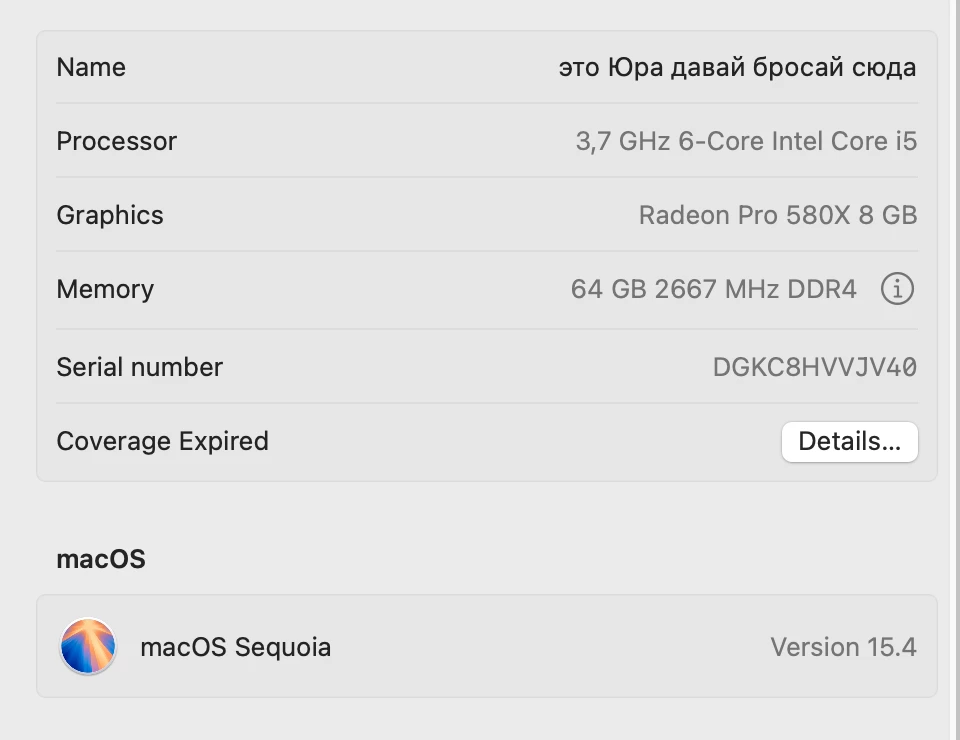
My setup is Imac Retina 5k, 64 RAM, Adobe Premiere Pro 2025
18 replies

Community Manager
April 10, 2025

Ji @Yura Timoshenko,
Although it may, in fact, be a sequence curse as that is an often overlooked bug creator, in case it is not; 
If matching the interlace settings didn't help, could you share one of the problem clips for us to test with?

Yura Timoshenko
Inspiring
April 10, 2025

I have a feeling that it somehow instantly upon import reinterprets the footage and changes frame rate, or bitrate, or something intangible, although both the sequence and footage have the same frame rate- 25 fps. And it only affect part of the footage at the end for some reason. If someone put a curse on this partular part of the sequnce, I am cool with that explanation))

With the bestestest wishes! )
Yura Timoshenko
Inspiring
April 10, 2025

Problems I am having are with Premiere, similar setup in After Effects does not add stop frames on import... Like when I am importing footage in sequence. Here is a screenshot of my udated sequence settings, where I turned off depth, quality and linear color, to no avail(

With the bestestest wishes! )
Yura Timoshenko
Inspiring
April 10, 2025

tried to turn off all tree, imported footage and it adds stop frames still( instantly on import...

With the bestestest wishes! )
Ann Bens
Community Expert
Community Expert
April 9, 2025

You are using interlaced footage in a progressive sequence.

Might want to turn off max render and depth and composting in linear color.

Community Manager
April 9, 2025

Thank you for the additional information @Yura Timoshenko . What are your delivery specs meant to be? It looks like you may be working with interlaced footage. Do you have a screenshot of your After Effects sequence settings?

Yura Timoshenko
Inspiring
April 9, 2025

and here is a MediaInfo data for good video source that I insert in time line before it adds stop frames

With the bestestest wishes! )
Yura Timoshenko
Inspiring
April 9, 2025

they are always the same, pretty standart. 

With the bestestest wishes! )
Ann Bens
Community Expert
Community Expert
April 9, 2025

Still missing screenshot sequence settings.

Yura Timoshenko
Inspiring
April 9, 2025

So I tried to create a new sequence with standart setup - 120x1080 25 fps, import another version of the same footage and again it adds those stop frames)))) one can become superstitious very easily under circumstances. Although if I use After Effects repeating the same steps, importing the same footage, no frame stop issue at all, as it was before all these years))) Surely I can just use AE instead of Pr to prepare projects, but still I do not want to leave this issue unresolved )))

With the bestestest wishes! )