



Premiere imports only 1 second of .mov and I can't view the original file anymore
I have an issue importing a big (17GB) .mov file into Premiere. It only shows the first 1 second, although the original is 2.5 minutes long. The video clip is recorded via game engine Unity Recorder.
On the forum I read Handbrake might be a workaround, but I can't transcode it due to max 2GB file upload limit. The worst part is, now even Quicktime doesn't play the original length, but only the first second. The file size is still 17GB even though only the first second is played. It is a part of my graduation work and the rendering took long, so it is a serious issue for me if the original file is now destroyed.
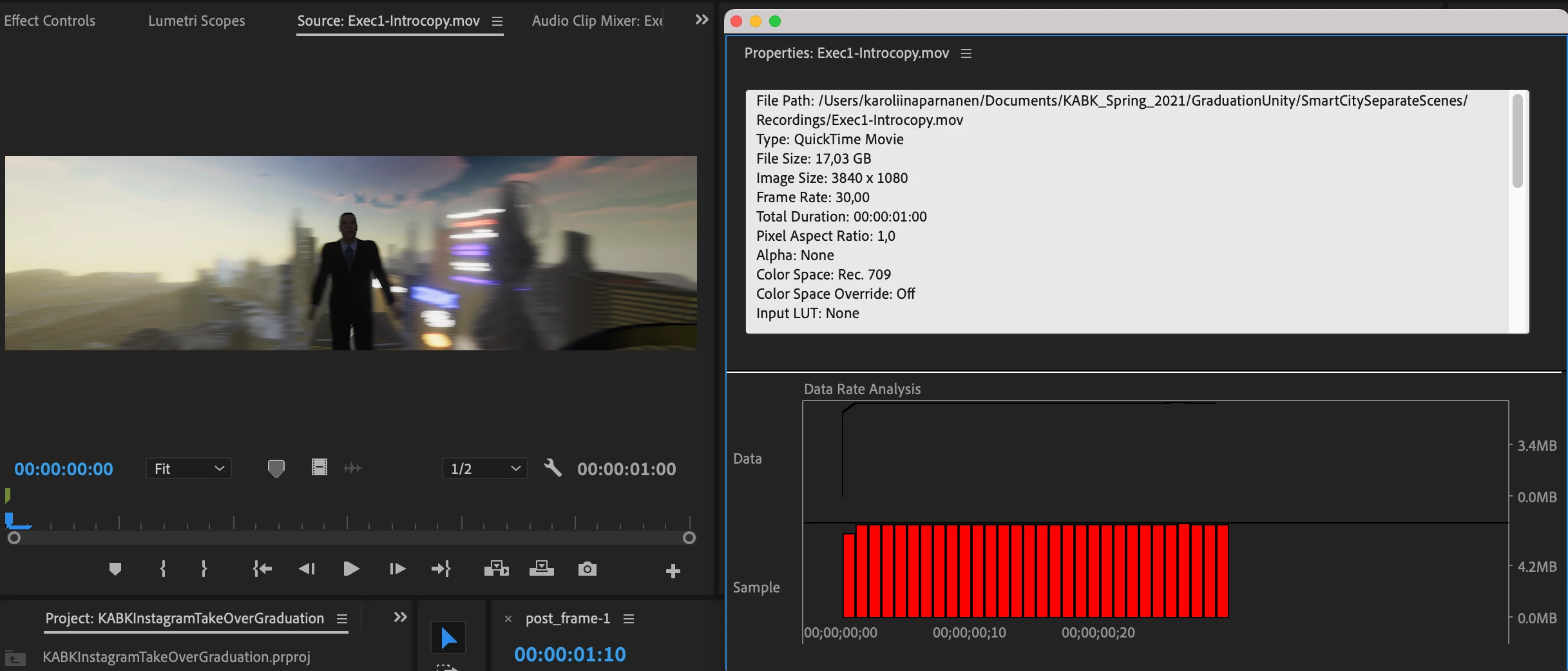
One second video in Premiere.
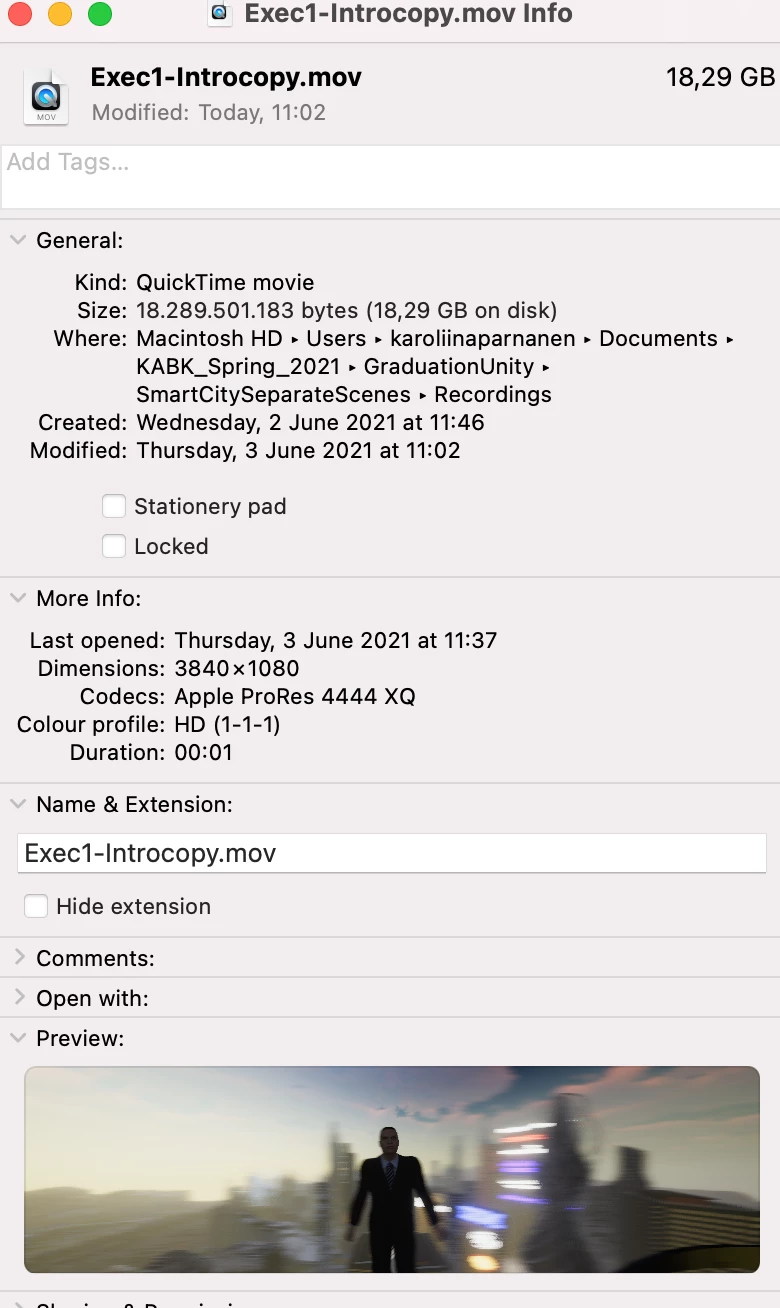
Info via Macbook "Get Info".
Here's the info of my video file (via Premiere):
File Path: /Users/karoliinaparnanen/Documents/KABK_Spring_2021/GraduationUnity/SmartCitySeparateScenes/Recordings/Exec1-Introcopy.mov
Type: QuickTime Movie
File Size: 17,03 GB
Image Size: 3840 x 1080
Frame Rate: 30,00
Total Duration: 00:00:01:00
Pixel Aspect Ratio: 1,0
Alpha: None
Color Space: Rec. 709
Color Space Override: Off
Input LUT: None
QuickTime Details: Movie contains 1 video track(s), 0 audio track(s), 0 closed caption track(s), and 0 timecode track(s).
Video: There are 30 frames with a duration of 1/30th.
Video track 1: Duration is 0:00:01:00 Average frame rate is 30,00 fps Video track 1 contains 1 type(s) of video data: Video data block #1: Frame Size = 3840 x 1080 Compressor = Apple ProRes 4444 XQ Quality = Most (5,00)
 AdChoices