


- Home
- Premiere Pro
- Discussions
- Re: Premiere Pro 2017- Copy and Paste crash
- Re: Premiere Pro 2017- Copy and Paste crash

Copy link to clipboard
Copied
My Premiere Pro crashes when I paste something. I'd say I have a 5% chance of my app crashing, and as I'm doing a bit of pasting at the moment I'd say I get a crash within 20 minutes of working. When the app crashes, it attempts to make a recover file. But when I try opening the recover file it gives me a "This file is corrupt and you cannot open it" type message, rendering my last 20 minutes completely wasted.
I'm just curious if anyone has run into this and if they have found a work around. Thanks!
Computer information if it's necessary:
iMac late 2009,
2.8 GHz Intel Core i7 Processor
16 GB Memory
ATI Radeon HD 4850 512 RAM


 1 Correct answer

This appears to be current that it's a known bug Bug: Premiere crashes when highlighting text, copying text, switching windows

 28
Replies
28
28
Replies
28


Copy link to clipboard
Copied
I haven't updated to CC 2017 since it sounds like there are some major issues, but I have had this issue with past versions. Try opening up TextEdit on your Mac and setting it to Plain Text Mode. Copy your text over to TextEdit to strip out all of the formatting, and then copy and paste it into Premiere. It seems that formatting from various apps causes Premiere to crash.
Copy link to clipboard
Copied
Thanks for the response! I went ahead and did as you suggested, no crashes yet but I'll keep you updated.
I will say that the file I was using was from the earlier version of Premiere and then converted, and I've heard that can be problematic. So before trying your tip I did a complete overhaul, made a new project with the new version and moved everything over into that from the previous version.
I will say that my copy/paste issue hasn't been with text, at least I haven't run into an issue with that. Here's an image of what I mean: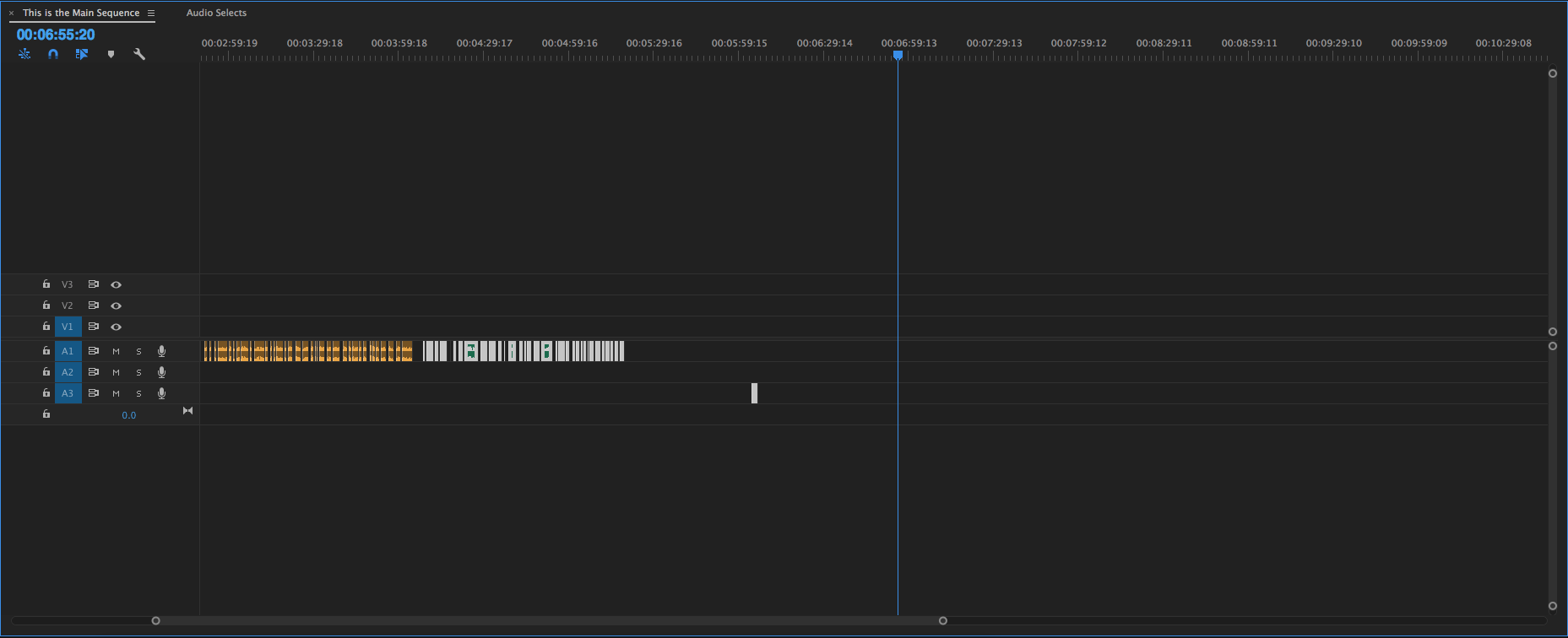
So basically you see the selection that is labeled in green is highlighted, and I'm about to paste. If I were to paste that is where I begin having issues and possibilities of a crash. I have noticed that my chance of crash is significantly higher when I have something highlighted, like I do here (the green selection.) If I copy what I need then make sure I have nothing highlighted and paste it crashes less.
Copy link to clipboard
Copied
Ah, I see. Different issues. Since CC2015.3, I have had some weird timeline issues where the UI doesn't quite react correctly. Trashing preferences seems to help. Hope your issue gets solved!

Copy link to clipboard
Copied
Having the same issue. I hope they resolve it soon. Pasting in from text edit is a nice workaround but thats gonna get annoying long term.
Copy link to clipboard
Copied
I believe what fixed my paste issue was that I took whatever was in my old project file, created a new 2017 one, and pasted everything into that. I think 2017 premiere isn't a huge fan of project files that had been converted from earlier versions.
Hope that helped!

Copy link to clipboard
Copied
Got the same issue cant copy and paste, the app crashes, brand new project created in the latest version of premiere and not an old project converted up, really stupid bug and severely effecting my ability to edit.

Copy link to clipboard
Copied
Have faced similar problem before where copy/pasting would sometimes crash PPro.
Work-around was to copy/paste in chunks instead of the whole thing.
The smaller copy/paste chunks could do what a single large copy/paste could do without crashing. Takes longer and is more prone to error. But I'd try it.

Copy link to clipboard
Copied
Exact same problem

Copy link to clipboard
Copied
Same here:((
It's just so so badly coded. They need to rebuild Premiere from scratch. Never worked, never will.

Copy link to clipboard
Copied
The act of hitting CMD-C causes Premiere to crash for me. I just installed the new version (11.0.1) on my spanking-new iMac. It was running like a champ... until I tried to copy a line of text in the Title editor!

Copy link to clipboard
Copied
Same issue here.

Copy link to clipboard
Copied
I made my new project today in the most recent version of Premiere (not from an old project file) and it's giving me this same problem. Every time I hit CMD-C to copy and paste text from a title, it crashes. So frustrating. I hope they fix it soon!

Copy link to clipboard
Copied
Add me to the list of users experiencing this. Very annoying. Get to work Adobe. I HAD to update to 2017 from 2015 because 2015 was acting very buggy. Everything was great, app was faster, like the new changes, but a simple copy/paste command crashes it. UGH!

Copy link to clipboard
Copied
I have the same problem and making a new 2017 project doesnt fix it. Please ADOBE WE ARE PAYING.

Copy link to clipboard
Copied
Report: Same issue!!! So annoying!!

Copy link to clipboard
Copied
Same her on my Macbook Pro & MAC Pro ... 
Copy link to clipboard
Copied
What OSX do you have guys? Maybe is fixed with SIERRA? in my case, I have Yosemite and El Capitain and it crashed every time.
Copy link to clipboard
Copied
This appears to be current that it's a known bug Bug: Premiere crashes when highlighting text, copying text, switching windows

Copy link to clipboard
Copied
It is absolutely inconceivable that such a simple task such as hitting command C in the title tool crashes Premiere "Pro" every time. Disgusting.

Copy link to clipboard
Copied
It is an inconvenient bug, but not even big companies are perfect and they are all made up of humans just like you and I. I would be willing to bet the team of Premiere would be very happy if their software never crashed and my guess is they are working hard to fix it. All good things in all good times. cheers, mike.
Copy link to clipboard
Copied
Copy and Cut while making titles crashes Premiere every time for me. 2017.0.1.

Copy link to clipboard
Copied
Same issue here. Super annoying! Brand new Macbook Pro running El Capitan. Command C AND Command X crashes app instantly. Just started yesterday Jan 10

Copy link to clipboard
Copied
Same insane problem. Copy and paste in the title tool causes a complete crash and you are forced into a new project. This annoyance is particularly galling due to the length of time that it has been going on with no acknowledgement from Adobe that a fix is in the works... The titler is an important tool for organizing timelines - it's not just for formal titles - we use it ALL THE TIME... Please update the status of when this will be fixed ADOBE!
Mac Pro 2(Late 2013)
3.5 GHz 6-Core Intel Xeon E5
32GB RAM
AMD FirePro D700 6144 MB
Mac OS Yosemite 10.10.5

Copy link to clipboard
Copied
Exactly! Been having that problem whole year. Every now and then I attempt to copy it just to see if by magic, it will work. CC Closes! Haha freaking annoying and what am I supposed make a replica of a box shape and text size and font for every thing if i want it separate areas? Ay!

-
- 1
- 2

Find more inspiration, events, and resources on the new Adobe Community
Explore Now
 AdChoices