


Premiere Pro Beta 24.0 "Command" menu missing in "Keyboard shortcuts"
Hi All ( Please note I am on a Mac - Mac answers appreciated)
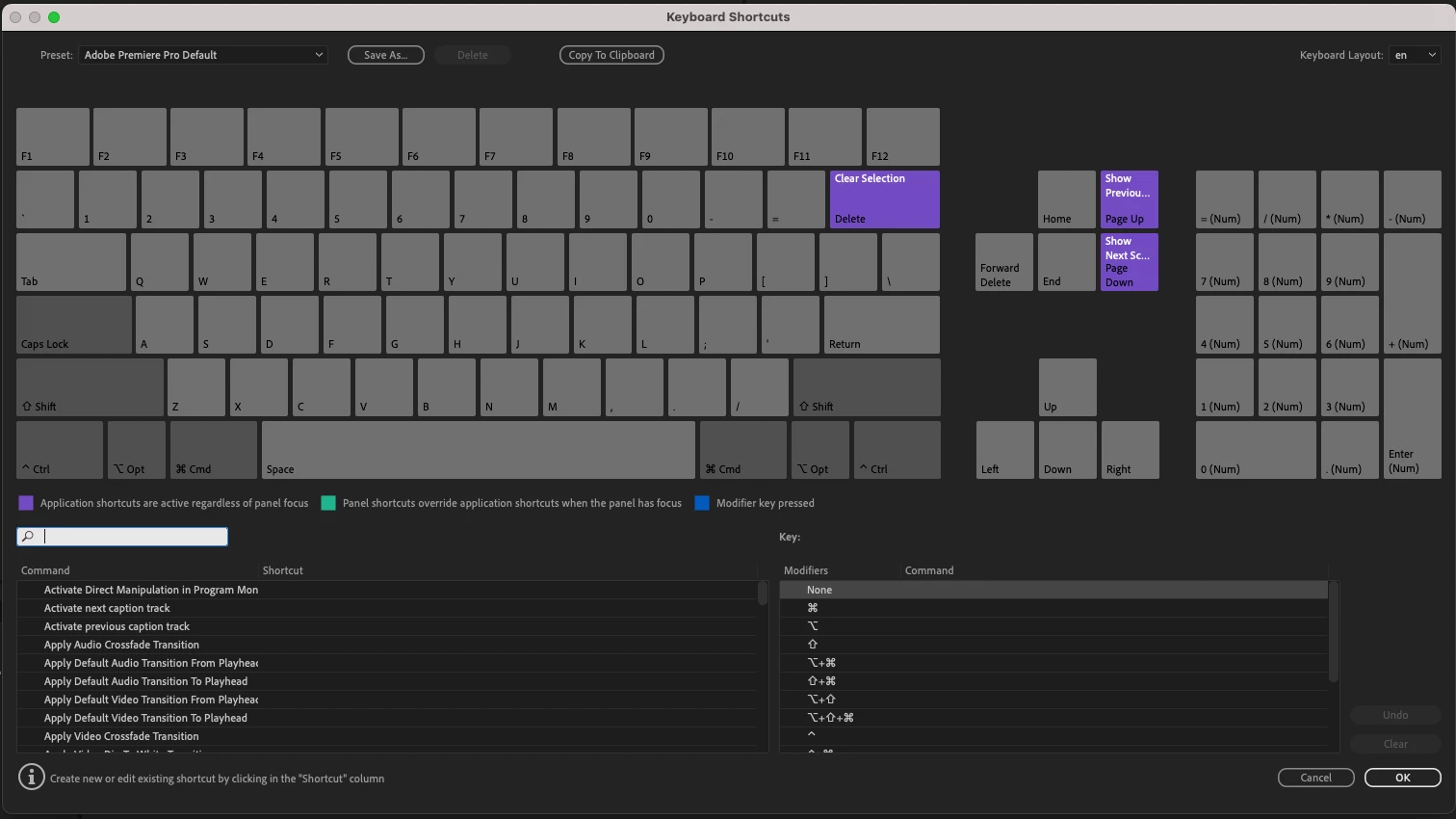
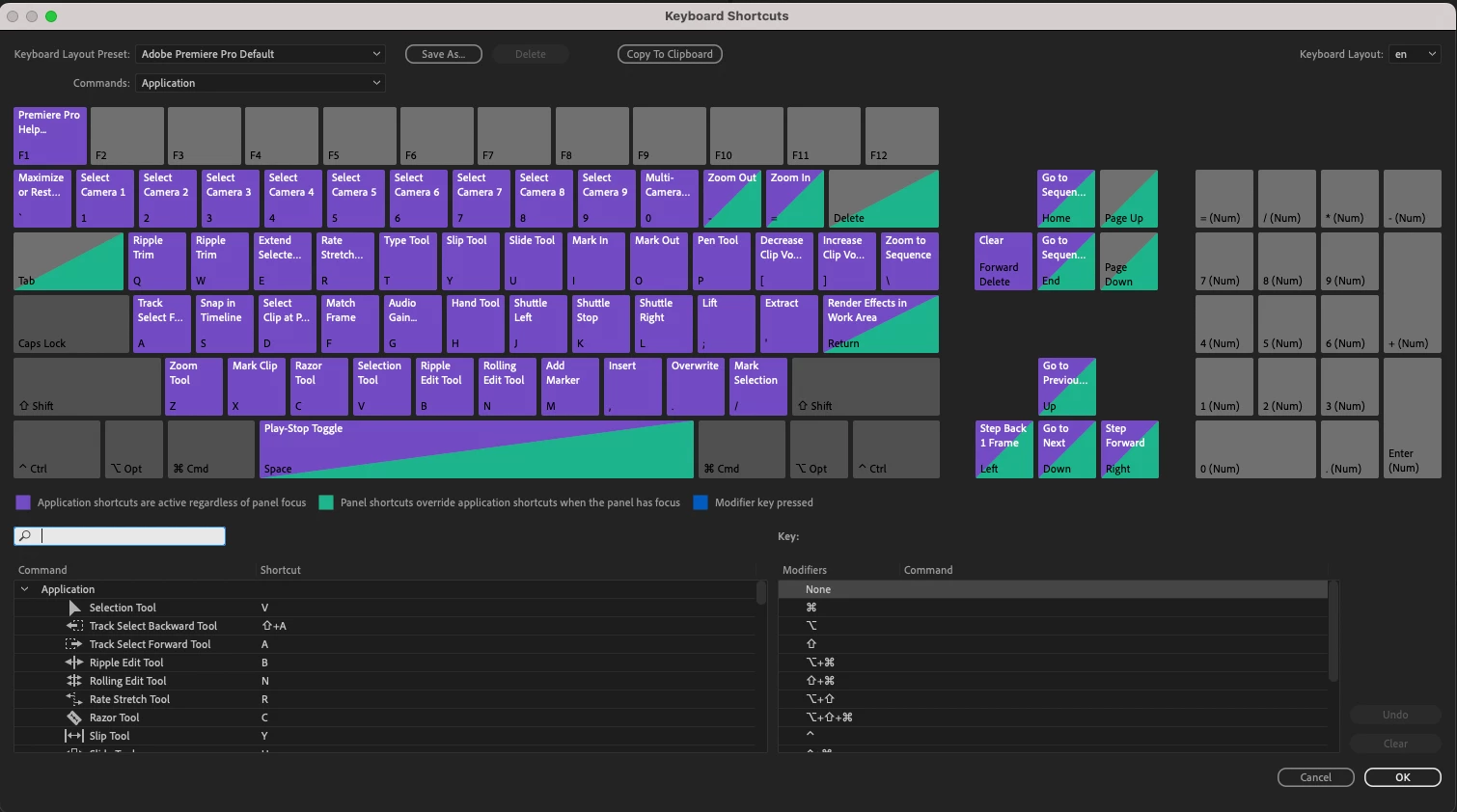
As stated in the title of the post the drop down menu for choices on keyboard configurations has suddenly disappeared for me in Premiere Pro Beta 24.0 but still exists in 23.6 Beta, the previous version. (see screen grabs-scroll down). Looks like the keyboard keys for the default Adobe keyboard settings are working as they should ( eg cut, paste, next shot etc.) but I cannot access the "Command" pull down for the other keyboard layouts (.eg. Avid etc.) are not there nor can I see any of the custom keys when I open "Keyboard Shortcuts" under the "Premiere Pro" menu on the top left of the app . Everything ok in non Beta P.Por. Please help. Excited about all the new features.
All the best
S
 AdChoices