Participant
March 30, 2020
Question

Premiere Pro CC 2020 Crashing on startup

  • March 30, 2020
  • 4 replies
  • 3788 views

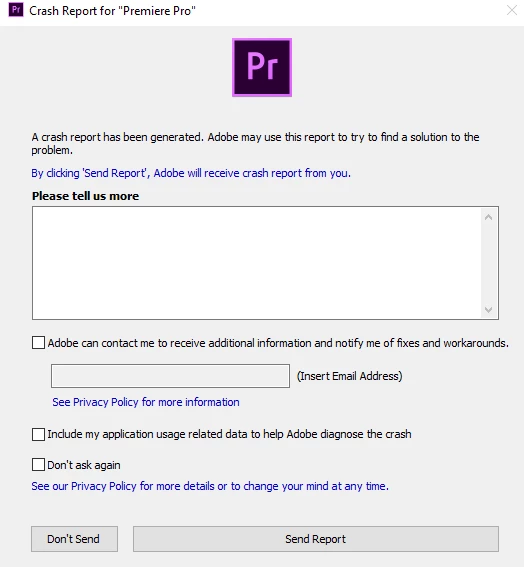
Whenever I try and launch Premiere it boots opens the logo screen (1) and it doesn't display text and then crashes and displays a crash report (2). My PC specs are:

CPU: Ryzen 5 3600

GPU: Radeon RX 5700

RAM: 16GB
 

This is the the beggining of the crash log: 

Process: Adobe Premiere Pro.exe [43108]
Path: C:\Program Files\Adobe\Adobe Premiere Pro 2020\Adobe Premiere Pro.exe
Product Version: 14.0.3.1
File Version: 14.0.3.1
Code Type: x64
Parent Process: explorer.exe [8296]


Date/Time: 2020-03-28 22:38:23 Mountain Daylight Time
OS Version: 10.0.18362.329
Report ID: 270d931f-796c-4ef8-bdc4-537ca6fbba07


Time Awake Since Boot: 90658 seconds


Crashed thread: 0 [60108] THREAD_PRIORITY_NORMAL


Exception Code: EXCEPTION_ACCESS_VIOLATION
Exception Parameters: Access violation reading location 0x0000000000000994
Exception Message: 3221225477 The instruction at 0x%p referenced memory at 0x%p. The memory could not be %s.

This topic has been closed for replies.

4 replies

Inspiring
February 1, 2022

Happened to me today. I fixed it by starting a new project and putting the renderer to mercury playback software only. Then open a new project.  I put the renderer back to gpu acceleration and it worked from there on.  Good Luck.

Kevin-Monahan
Community Manager
Community Manager
February 1, 2022

Whoa, cool, Boka! Thanks for reporting on this. What kind of system do you have? AMD or Intel CPU? NVIDIA or AMD GPU? Or are you on a Mac? This post is mostly PC, I think.


Thanks,
Kevin

Kevin Monahan - Sr. Community and Engagement Strategist – Adobe Pro Video and Audio
Participant
March 22, 2022

Hey Kevin, 
I am having a similar issue. This is the exception I am getting: 

Exception Code: EXCEPTION_ACCESS_VIOLATION
Exception Parameters: Access violation reading location 0x00000000ffffffff
Exception Message: 3221225477 The instruction at 0x%p referenced memory at 0x%p. The memory could not be %s.

And this is what's happening at thread 0: 

Thread 0 [2380] crashed with X86 Thread State (64 - bit) :
rax: 0x00000208d01493f0 rbx: 0x0000000000000006 rcx: 0x00000068382fb550 rdx: 0x0000000000000000
rdi: 0x00000068382fb550 rsi: 0x00000208d01493b0 rbp: 0x00000208d0149270 rsp: 0x00000208d01493f0
r8: 0x000000007ffaf3ff r9: 0x00000000ffebffff r10: 0x00000000f2bf67eb r11: 0x00000068382fb550
r12: 0x00000068382fbbc0 r13: 0x00007ffd8de9f600 r14: 0x00000068382fbb40 r15: 0x0000000000001003
rip: 0x00007ffd8db69d63


Finally the hardware adobe is citing in the crashlogs is different than the hardware on my pc. I have an 11th gen, i7-11700k; 32 gigs of ram running at 3200; and a 1660 nvidia graphics card.

Adobe is registering my processor as an AMD: 

System Information:
Processor Architecture: PROCESSOR_ARCHITECTURE_AMD64
Number of processors: 16
Processor type: PROCESSOR_AMD_X8664
Processor level: 6
Processor revision: 42753
Active processor mask: 0xffff
Page Size: 4096
Allocation granularity: 0x10000
Minimum application address: 0x0000000000010000
Maximum application address: 0x00007FFFFFFEFFFF

Participant
November 20, 2020

Hiiiiiiiiiiiiiiiiiiiiiiiiiiiiiiiiiiiiiiiiiiiiiiiiiiiiiiiiiiiiiiiiiiiiiiiiiiiiiiiiiiiiiiiiiiiiiiiiiiiiiiiiiiiiiiiiiiiiiiiiiiiiiiiiiiii

Kevin-Monahan
Community Manager
Community Manager
November 20, 2020

Bansidhara,

Having an issue with this? Give us more info then, please! 🙂


Thanks,

Kevin

Kevin Monahan - Sr. Community and Engagement Strategist – Adobe Pro Video and Audio
Participant
February 1, 2022

Please help me i have same problem 

John T Smith
Community Expert
Community Expert
April 7, 2020
Inspiring
April 7, 2020

I have the same problem. Have you fixed it yet?