
Premiere Pro Closed Captions not centering. Please Help. (Premiere Pro 2020)
So I've been having this issue with both 608 & 708 closed captions, where they cannot be centered on the screen, even using the 'Position caption Block' or 'Align Centre' buttons.
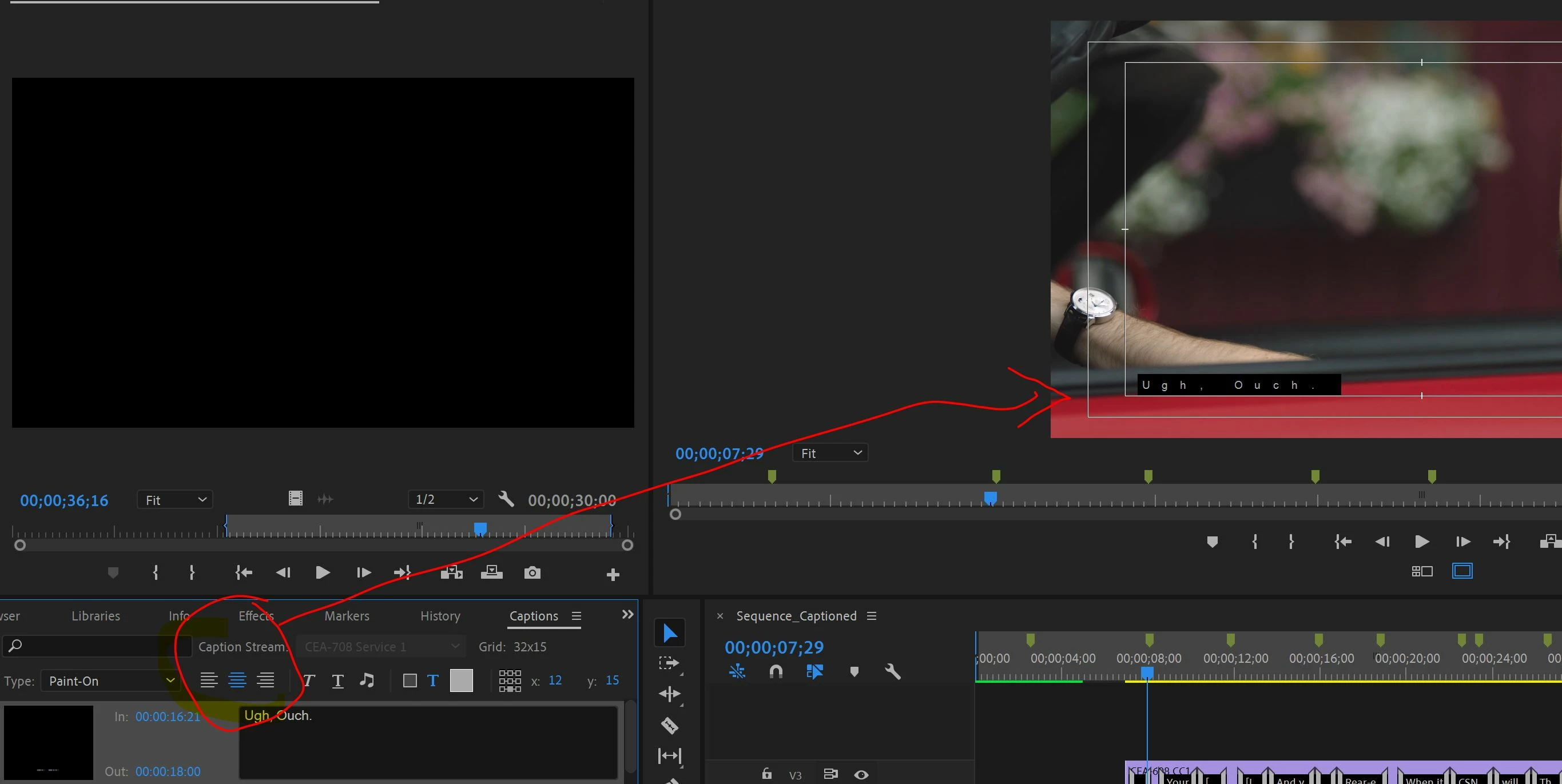
- This is a recent issue I've encountered which came out of nowhere when I opened a project to do some editing.
- I've uninstalled and reinstalled multiple different versions of Premiere but the problem is persisting.
After doing some experimenting I noticed that the captions position changes in relation to the workspace window size (See images below), which I'm not sure is right as isn't workspace window just a visual reference - meaning that if anything the text should stretch instead of physically moving?.
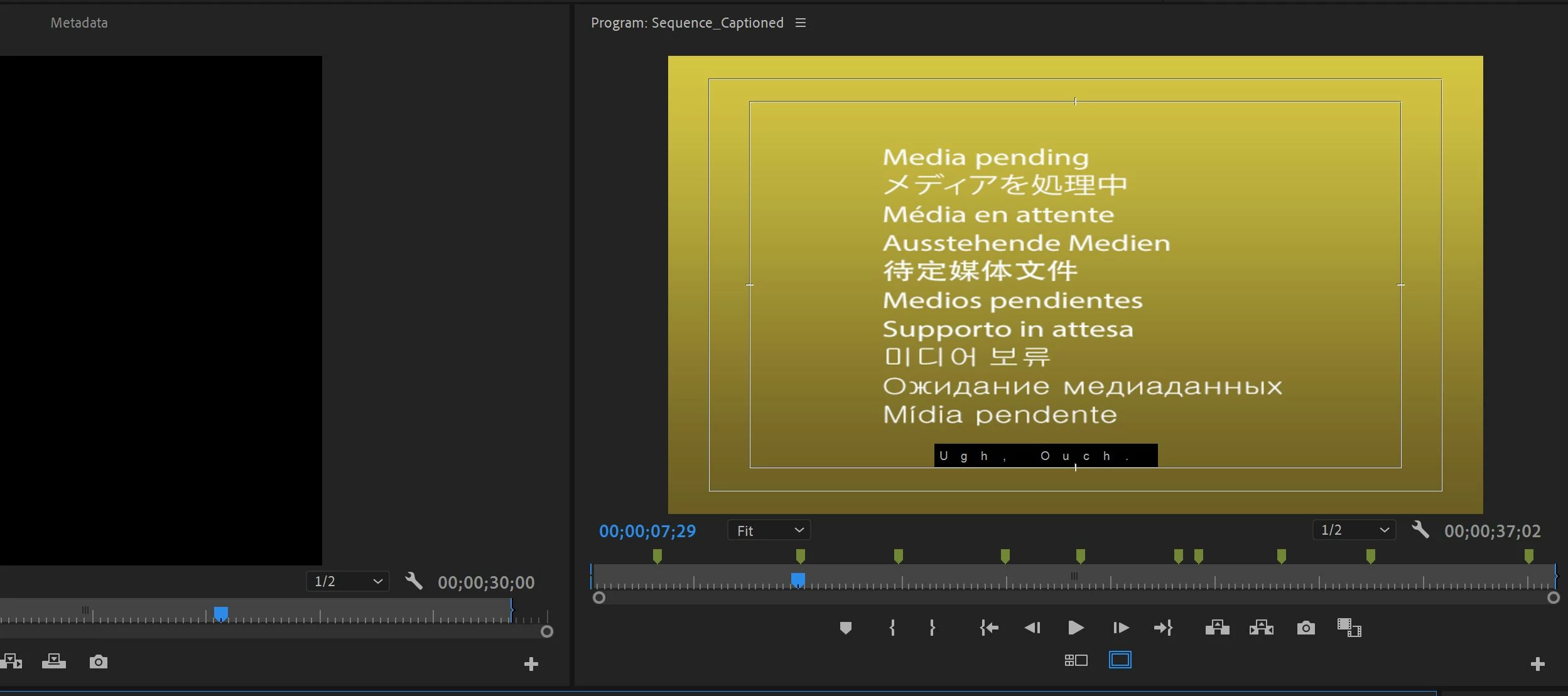
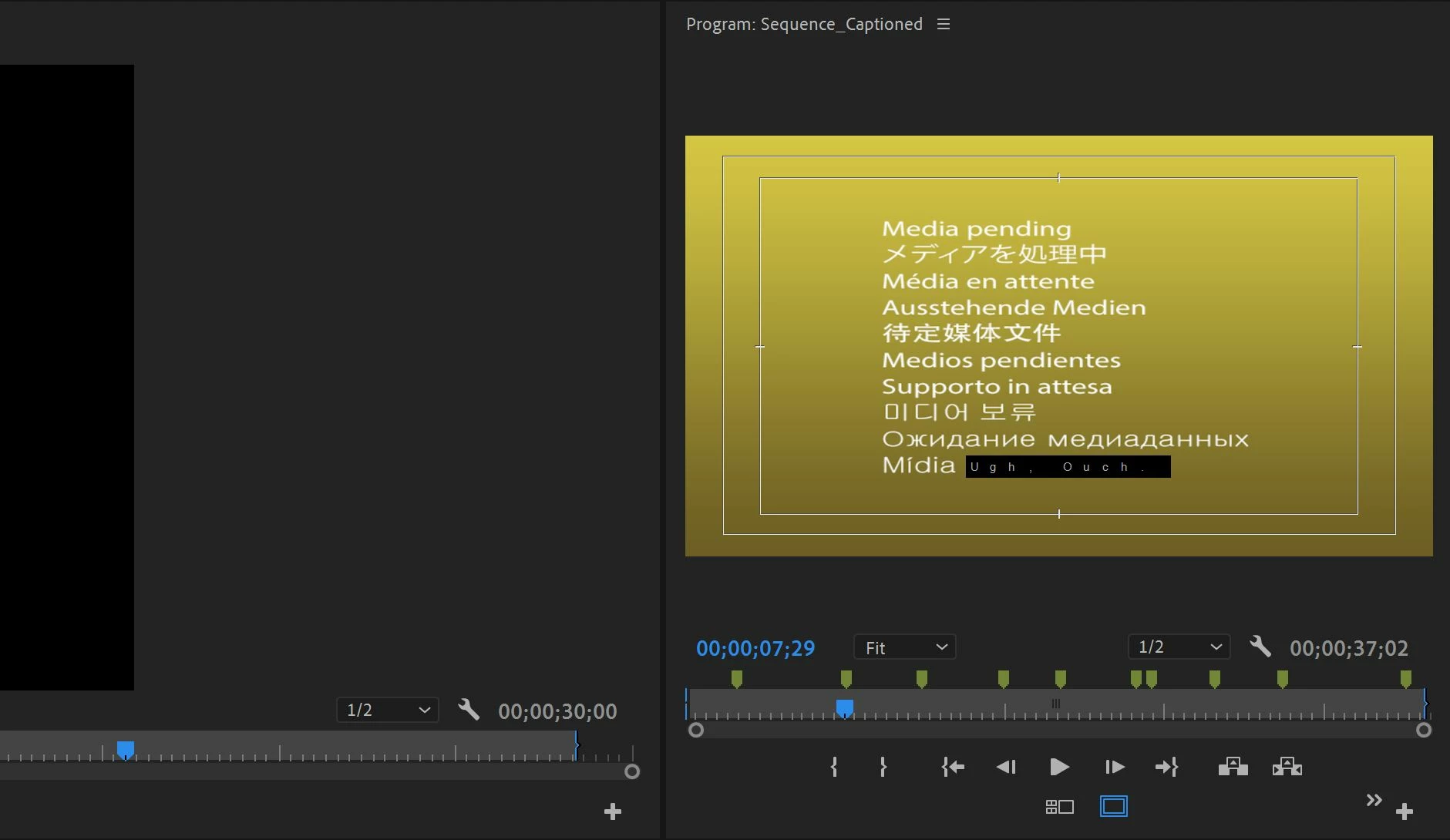
The Problem isn't isolated to this project and seems to be tied to a setting in Premiere Pro maybe, or a software glitch? I'm not too sure whats causing this but any help would be great, again re-installing Premiere and restarting my computer has not worked, and even creating new captions or exporting/re-importing has not worked! Thanks in advance.
 AdChoices