

Premiere Pro randomly adding contrast to some clips on import
I've seen several threads with what seems to be the exact same issue but none of the solutions have worked for me. What's most bizarre is that it's not even all the clips, it's about half. Contrast is being applied on some takes and not others of the same shot. The original footage is log and looks normal when viewed outside of premiere pro. Even the footage transcoded with media encoder looks like the original log footage.
I tried exporting a clip with original color together with a clip with the added high contrast and the high contrast is still there on the 2nd clip on export so this is clearly not a monitor issue. It's a premiere pro issue.
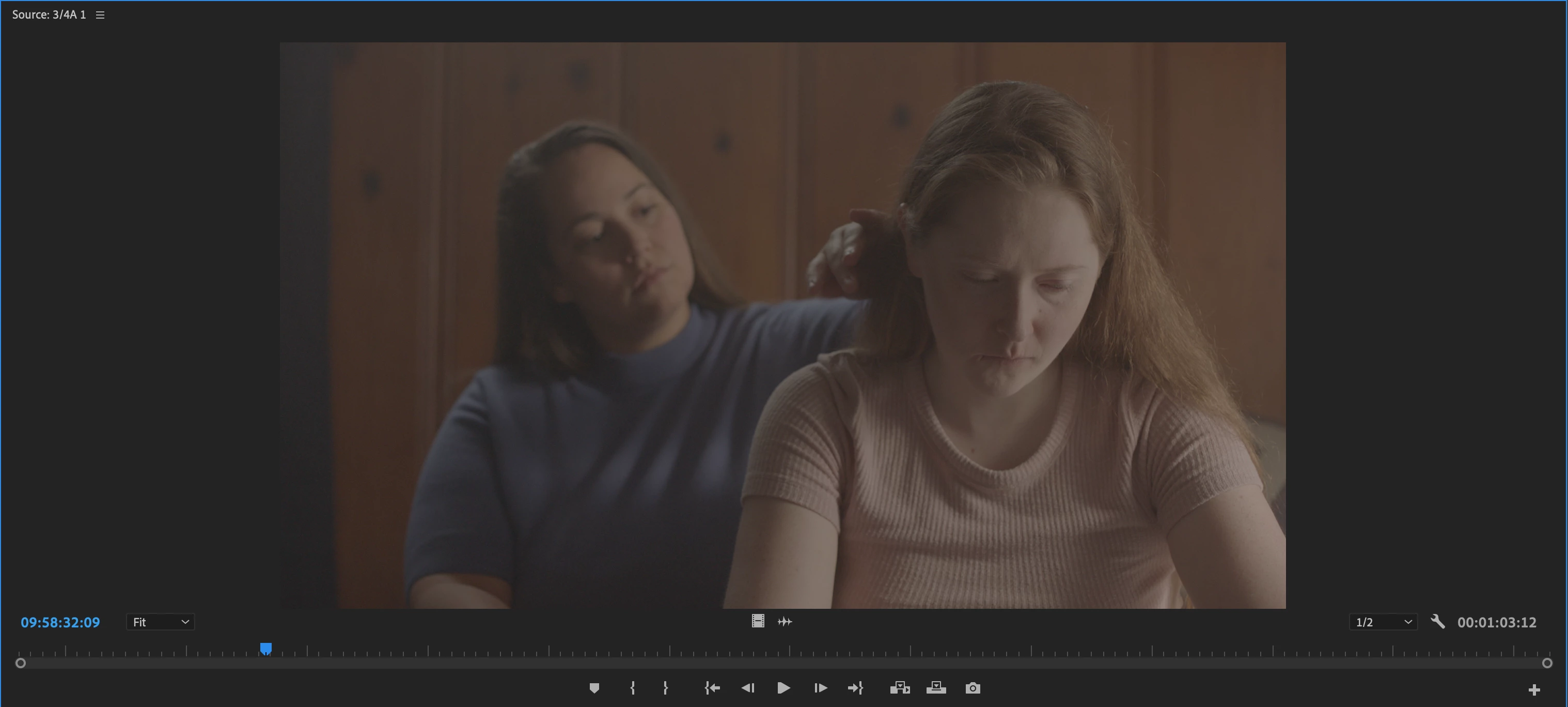
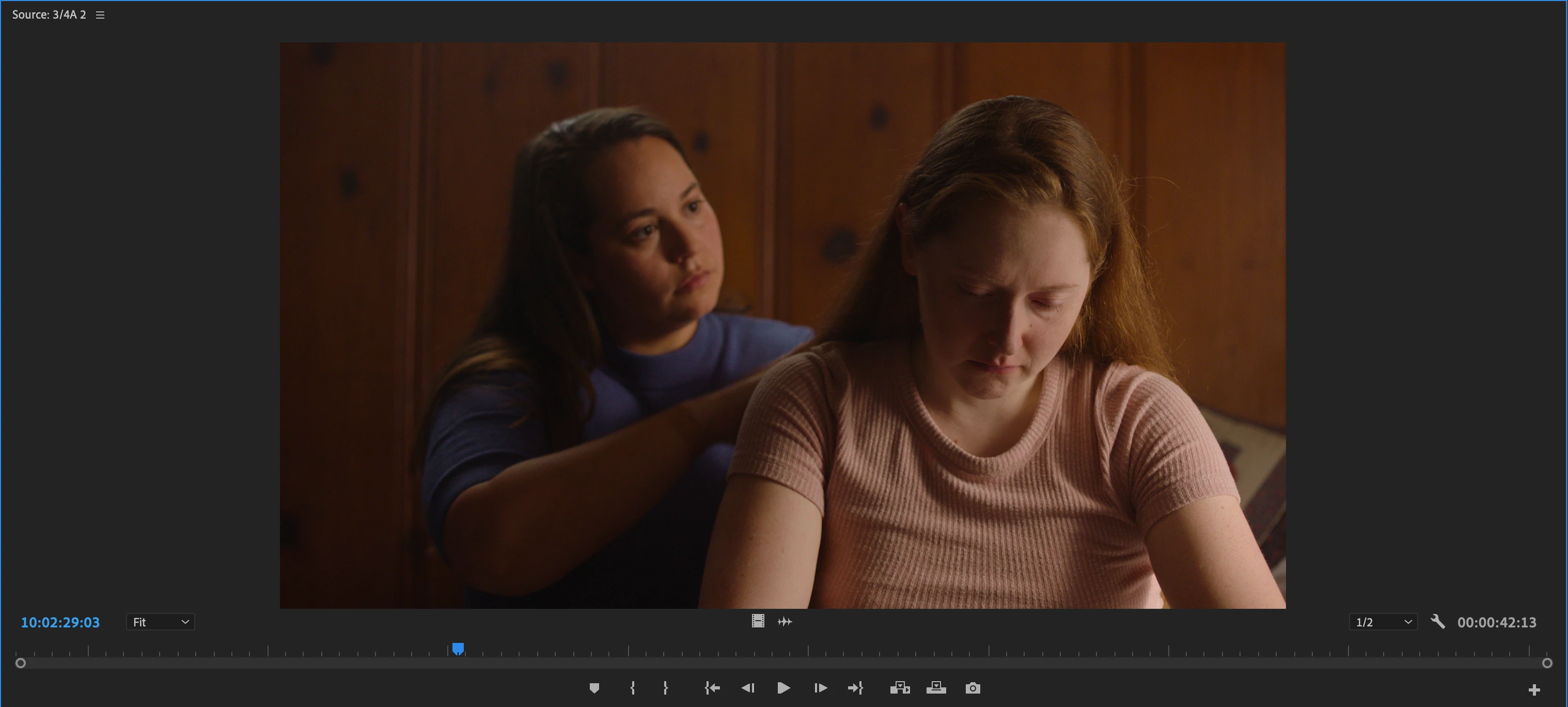
Footage shot on Arri Amira in 4k.
I've tried relinking, updating and restarting premiere pro, switching off "Enable Color Display Management", turning off "Enable hardware accelerated decoding", and Profile First Aid in ColorSync Utility.
 AdChoices