



The Rational Observer
Participating Frequently
September 7, 2022
Answered

Premiere Pro's workspace is not working.

  • September 7, 2022
  • 6 replies
  • 1845 views

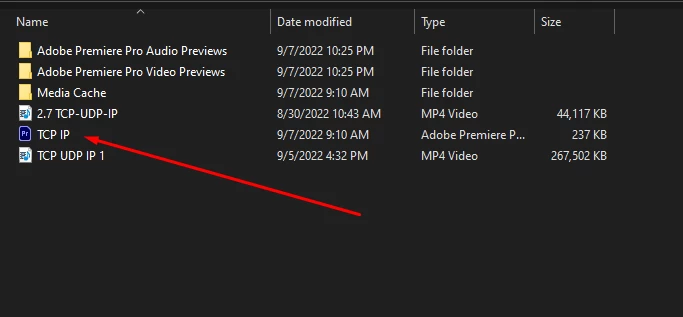
After handing over my previous project to my client, when I tried to open my saved project again the next morning to review revisions, I encountered this situation:



As you can see, no panel is visible. Also, I can't reset or otherwise interact with the pannels.
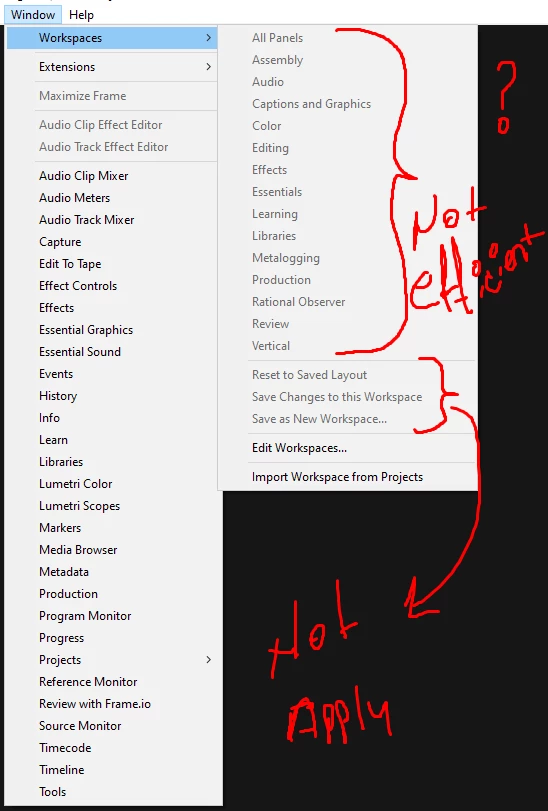


I opened the panels one by one from the "Window" tab to check if the project is open.
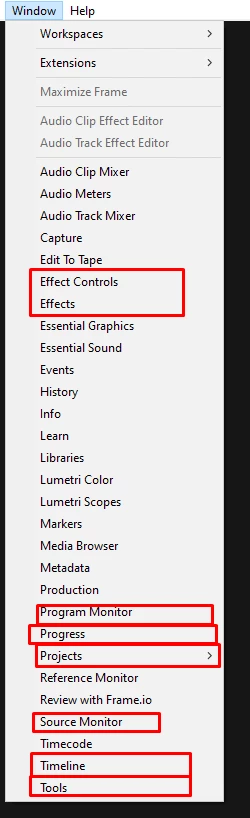
 

This is very frustrating. I don't want to come across such ridiculous and angry situations that waste my time Adobe. You should test your products before updating.


This topic has been closed for replies.
Correct answer Aargh

I just found out that if I start a new project then open the old one, It works. Not to happy about the. But it's a work around.

6 replies

Participant
November 8, 2022

Hey, did you find a solution for this?

jseery
Participant
September 10, 2022

I have the same issue.  So frustrating!  I remember when upgrading in the past it would ask you to rename the project file (essentially the same workaround we are discussing here with creating a new project and importing it).  I guess that functionality is broken in the update so we have to do it manually?

Participant
September 9, 2022

I'm having this EXACT issue right now, glad I'm not the only one. I've reset all my preference data in the Premiere Pro/22.0 folder, successfully opened a new project, but as soon as I open an old project again its back to being entirely blank.


I can't import my old projects into new projects, I have hundreds of projects and that would take days.


Am I correct reading that Premiere updated itself and I should roll back to restore functionality?

AarghCorrect answer
Participant
September 9, 2022

I just found out that if I start a new project then open the old one, It works. Not to happy about the. But it's a work around.

Participant
September 9, 2022

Okay, this worked for me, thank you! SOLVED (until the next upbrake)!

Peru Bob
Community Expert
Community Expert
September 8, 2022

Try this:

After you create a new project and import the old one into it, save it using a new name.


Some have found that it works.

Participant
September 9, 2022

Thank you for the help with this on the forum. I was able to get this working again. I am, however, going to be seeking other options looking forward. I cannot have my time wasted on stuff like this anymore. I have a hard enough job without software making it more difficult.  

Steve111
Participant
September 8, 2022

This happened on every one of my projects yesterday, Project loads and just presents a blank screen, workspace menu options are just greyed out. 

I noticed in the CC desktop app that Premiere Pro had just updated itself that morning, super frustrating. It wasn't just one project but every project that I was working on. Also, I was completely unable to use the undo/redo command too as it was just greyed out.


Disappointed that an update by Premiere Pro has wasted so much of my time.

The Rational Observer
Participating Frequently
September 8, 2022

So I restored the old version. Adobe should be careful about these issues.

We haven't time because world is rush to end.
Participant
September 9, 2022

Same here. Workspaces not working. Control Surfaces also broken. Better avoid this update for now.

Peru Bob
Community Expert
Community Expert
September 8, 2022

Try creating a new project and import the old one into it.

Steve111
Participant
September 8, 2022

I tried this, and it worked initially, however, when I closed the new project and then reopened I'm back at square one with a blank page, no workspaces.

Very frustrating.