Exit
  • Global community
    • Language:
      • Deutsch
      • English
      • Español
      • Français
      • Português
  • 日本語コミュニティ
  • 한국 커뮤니티
0

Premiere Pro will not import full length MP4 file

Community Beginner ,
Oct 07, 2022 Oct 07, 2022

Hello Adobe Community!
I have a question with trying to import the entire length of an MP4 file I was given.
The file is an MP4 and is 59 minutes long but when I pull or import into Premiere Pro it is only 20 minutes cutting out the rest entirely. 
Has anyone experienced this? What is the resolution?

TOPICS
Editing , Formats , Import
326
Translate
Report
Community guidelines
Be kind and respectful, give credit to the original source of content, and search for duplicates before posting. Learn more
community guidelines
Community Expert ,
Oct 07, 2022 Oct 07, 2022

What is the origin if this file?

Post screenshot of file in MediaInfo in treeview.

Translate
Report
Community guidelines
Be kind and respectful, give credit to the original source of content, and search for duplicates before posting. Learn more
community guidelines
Community Beginner ,
Oct 07, 2022 Oct 07, 2022

Thank you for your response 🙂
I recieved the MP4 from a client and I am almost certain it is from a zoom recorded meeting.
The original file is 59 mins but when loaded into Premiere, Media Encoder or even some of the free source conversion software I am trying it only shows or outputs 20 minutes worth of this video. What is going on here?
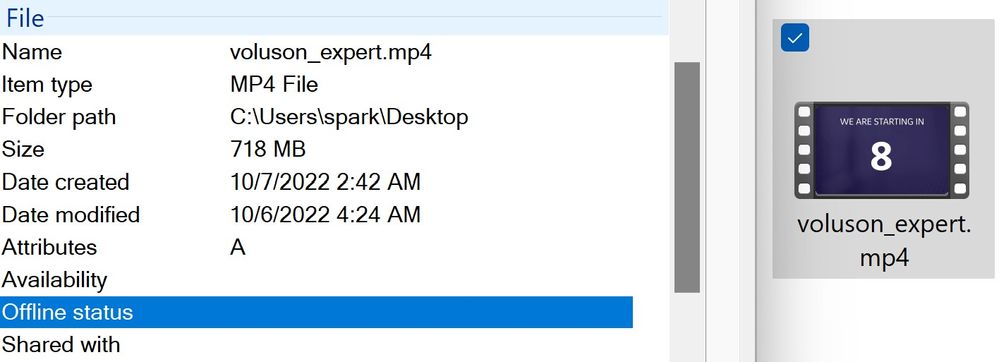

Screenshot 2022-10-07 041501.jpg

Translate
Report
Community guidelines
Be kind and respectful, give credit to the original source of content, and search for duplicates before posting. Learn more
community guidelines
Community Expert ,
Oct 07, 2022 Oct 07, 2022
LATEST

Please post parameters in Mediainfo in TREEVIEW as asked.


https://mediaarea.net/en/MediaInfo/Download


If its Zoom convert with Handbrake of Shutter Encoder and try again.

Translate
Report
Community guidelines
Be kind and respectful, give credit to the original source of content, and search for duplicates before posting. Learn more
community guidelines