
Participant
December 12, 2022
Question

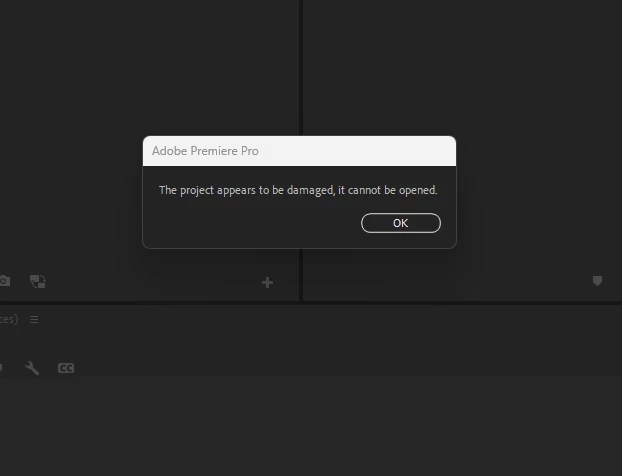
Premiere "The project appears to be damaged, it cannot be opened." HELP!

  • December 12, 2022
  • 2 replies
  • 2109 views

I'm going through every editos worst nightmare right now. I woke up this morning trying to export my project and it won't open at all. I've been searching for solutions and people are suggesting to open my previous auto-saves. That'd be nice if the ones it's only allowing to open weren't at the top of yesterday. So I'm losing like 10+ hours of work. Is there a work around to open the corrupted file anyways? I'm getting bummed out here. 
This topic has been closed for replies.

2 replies

Community Expert
December 12, 2022

Although it is not a solution, but you can try this:

Step 1: Copy your Project File and Rename it

Step 2: Download z-Zip (it FREE)

Step 3: Right Click on your Project File: 7-Zip\Extract Here – This will create a new File.

Step 4: Open the new File with the Notepad

Step 5: In line 4 you will find the value for the Premiere Pro Version. For example: …Version=”38″>
Change this number to a lower number like: …Version=”1″> and save the file.

Step 6: Right click on the saved file: 7-Zip\Add to archive…

Step 7: Change archive format to “gzip

Step 8: Change the name ending to *.prproj

Step 9: Open the Project in Premiere Pro and let the Project be converted. – Done

smsmafiaAuthor
Participant
December 12, 2022

I tried this just now and it won't even allow me to open the file as a archive. I got hit with this message here.

Participating Frequently
March 4, 2023

send the project file over maybe me or anyone who might chime in can try something


Hello there, i have the same problem 😞
Can i send you my file and you have a loot at it?

Hello there, i have the same problem? 😞

Thanks in advance! 🙂