


Premiere Sort by Creation Date Metadata Issue/Not reading Metadata Correctly ✅
Premiere is not reading the correct "creation date" metadata on certain video files (in this example, GoPro hero 9 & A7siii videos, even when it shows the correct date/time created in finder on a Mac). It's useful to sort by creation date so you can see all footage in chronological order (regardless of the camera used).
How to reproduce:
- On a Mac computer, download the zip file with video files from Google Drive link. Double-click on the zip file to extract video files.
- Open the extracted folder. If you don’t see the date created, right-click on the menu and select “date created”.
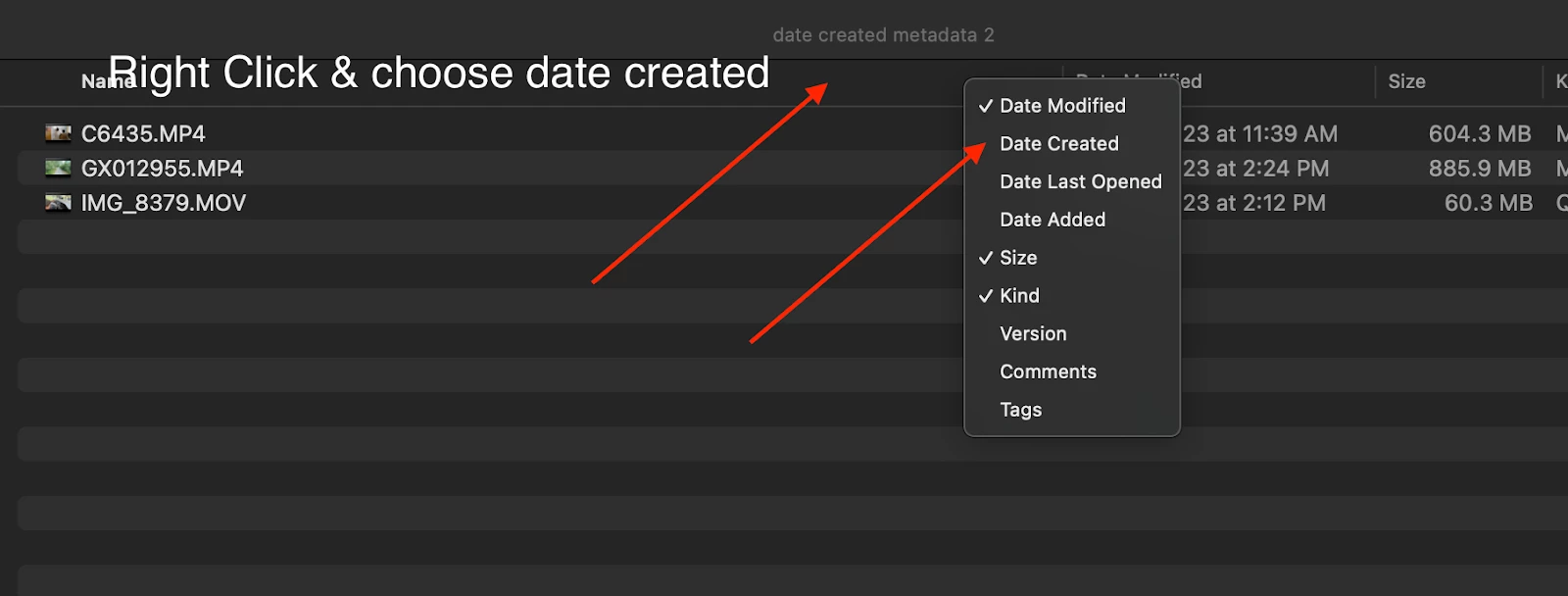
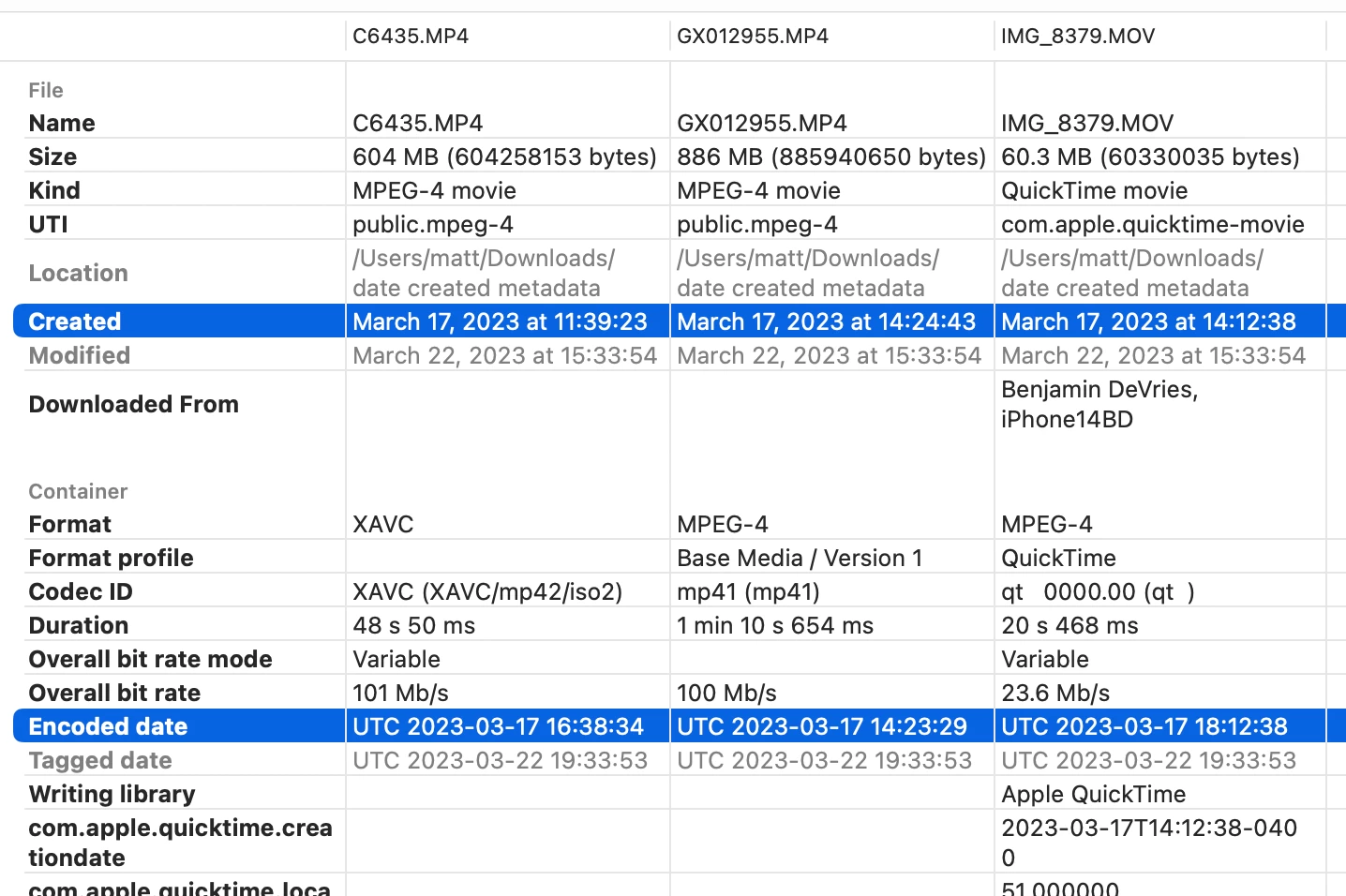
- In Finder Click on date created to sort by date created. You will see that file name C6435.MP4 (A7siii) was created on March 17th at 11:39 AM. IMG_8379 (iPhone video) was created on March 17th at 2:12 PM and GX012955 (GoPro Hero9) was created on March 17th at 2:24 PM.

4. In Premiere, open and create a new project and Import the video files you downloaded from Drive into Premiere. In the bin where the files are located, Right-click the menu in list view and select metadata display. Search for and choose “Creation date” and “Date Time Digitized”. Click OK and sort by date created.
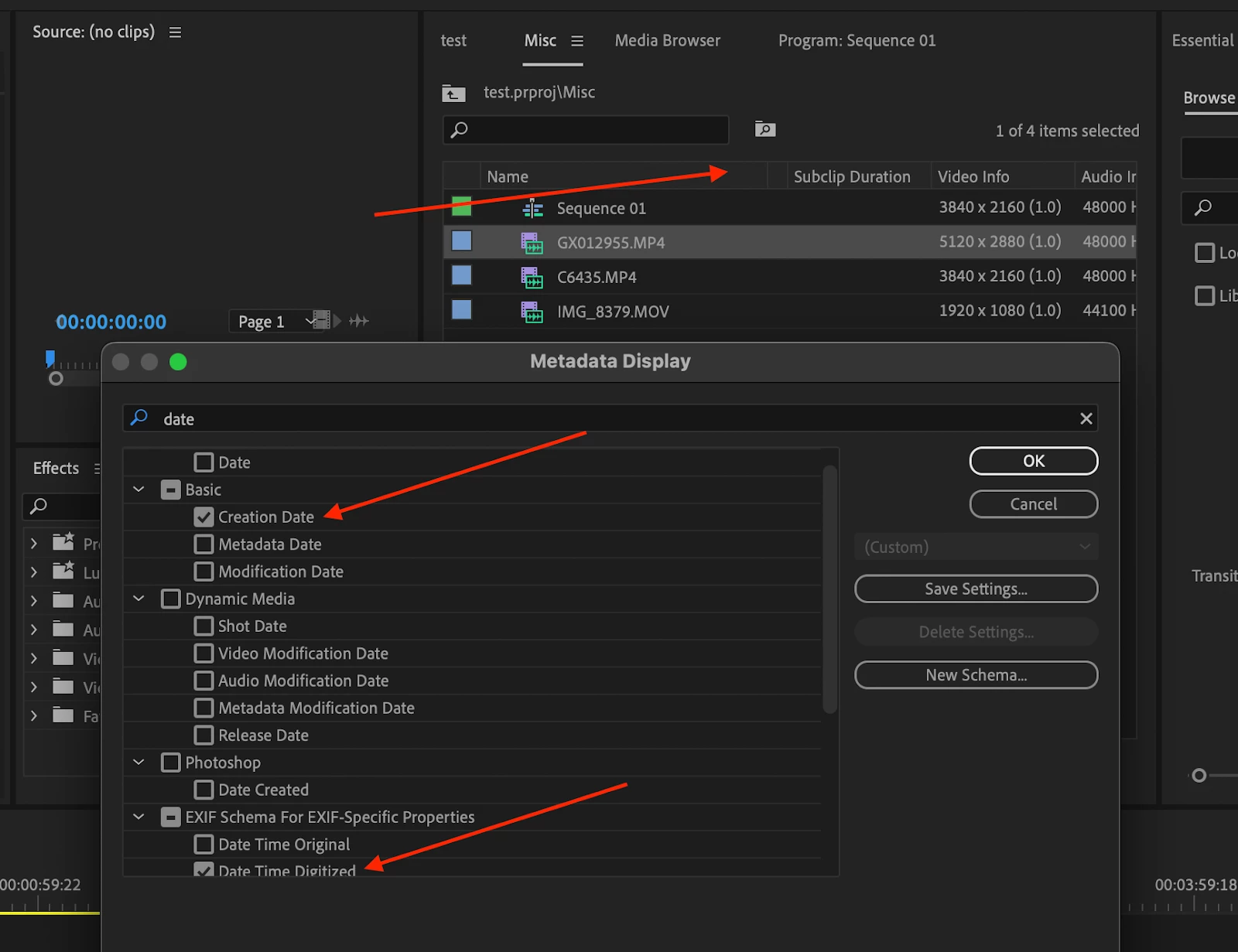
5. Review if the metadata creation date matches what finder on Mac shows. It doesn’t display correctly compared to the finder creation date metadata. Sort by “Creation Date” and notice that file C6435 now has an incorrect metadata date/time of March 17th at 12:38 PM, IMG_8379 shows the correct date/time of 2:12 PM and GX012955 now shows an incorrect creation date as 10:23 AM instead of 2:24 PM. Date Time Digitized and Creation Date seem to have the same metadata.
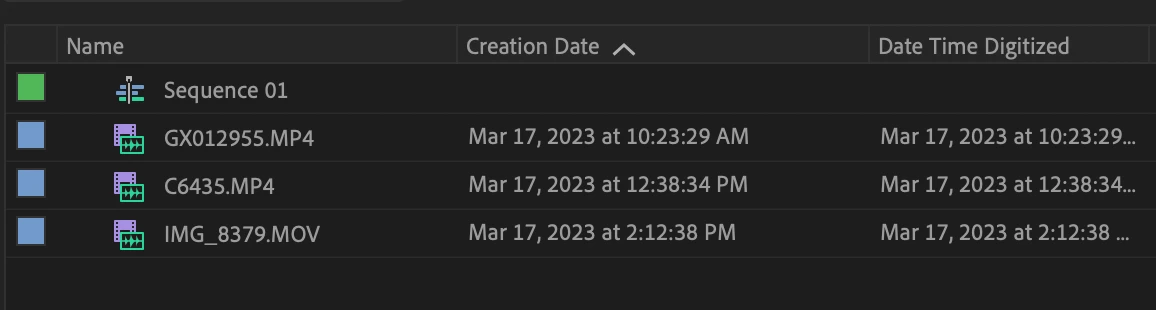
The way it should work is to sort all video files by the date/time created and have them listed in order of date/time created chronologically. Also, ensure they are not grouped by the device (unless specified). If I add, iPhone, GoPro, and A7siii videos in a bin and choose “creation date”, it should list them all chronologically based on date/time.
Mac M1 Max (Ventura 13.2.1)
Premiere Pro 23.2.0
Sony A7siii 422 10 bit
Gopro Hero 9
Gopro Hero 11
You can also watch this video to see how the metadata is being displayed correctly in Davinci Resolve and Final Cut Pro allowing you to sort by date/time created. Premiere currently is changing metadata on import which does not give me the ability to accurately sort by creation date.

 AdChoices