


Participant
June 10, 2018
Question

Problem: Roll credits cutting on the edge

  • June 10, 2018
  • 3 replies
  • 1126 views

Hello!

I'm doing some roll credits for my movie but I don't know what's the reason, they cut on top of the video, as if there was some hidden black bar on the footage.

The best way to show is with a picture:
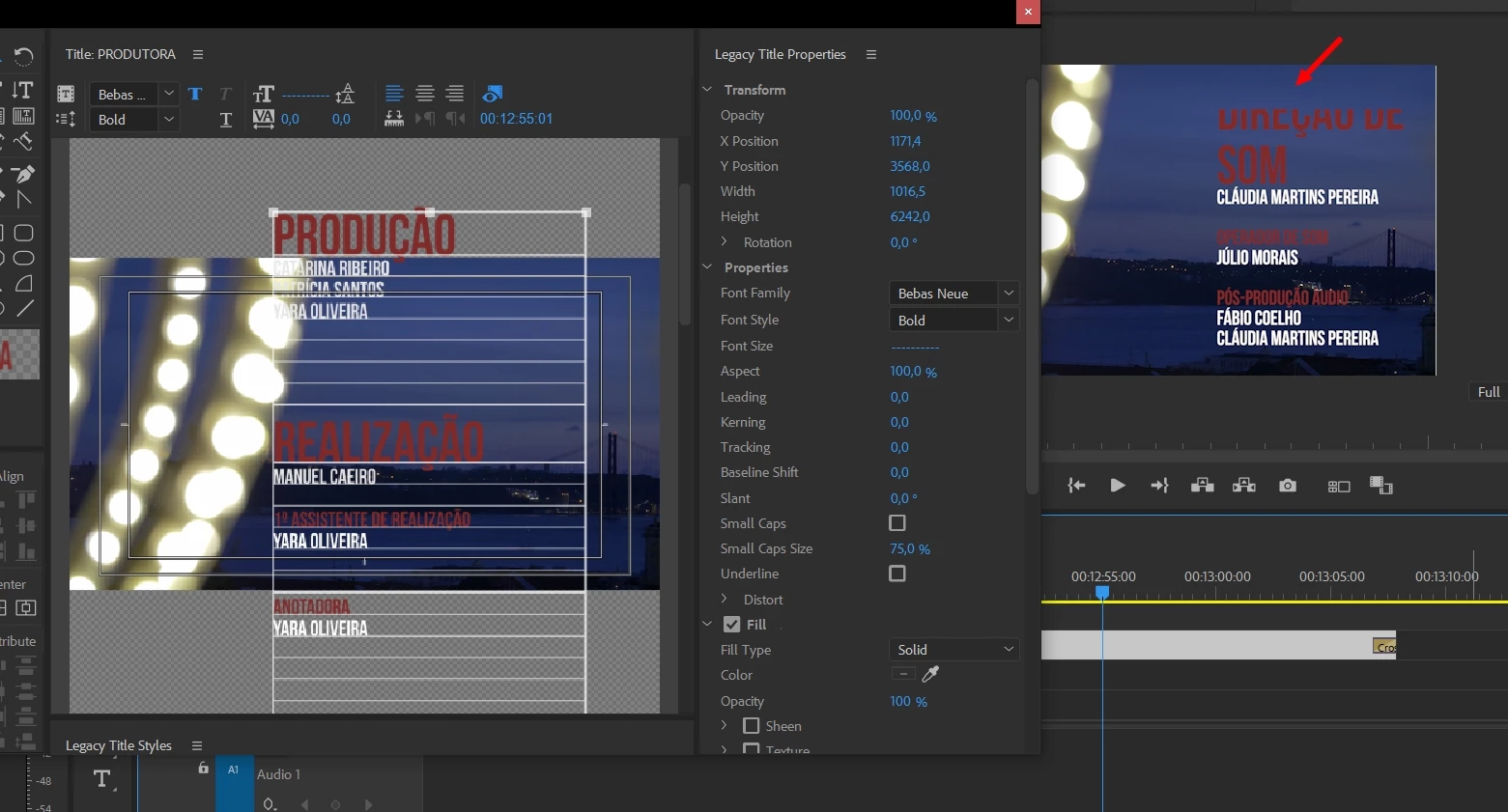
Do you know how can I solve this?

    This topic has been closed for replies.

    3 replies

    Kevin-Monahan
    Community Manager
    Community Manager
    June 27, 2018

    Squalexy,

    Did Brandon's advice help?

    Thanks,
    Kevin

    Kevin Monahan - Sr. Community & Engagement Strategist – Pro Video and Audio
    Brandon Loshe
    Legend
    June 10, 2018

    Hi Squalexy,

    What is the dimension size of the credits title that you created? Without being able to see your motion settings in the Effects Controls Panel, it looks as if the title is either not the same size as your sequence, or that maybe you repositioned or resized the text in the Effects Panel. If that doesn't solve your problem, can you include a screen shot of the size of your title, and another screenshot of your Effects Controls Panel?

    Legend
    June 10, 2018

    I find this is better achieved by creating the title in Photoshop and keyframing the vertical Position to simulate a roll.