


New Participant
November 27, 2021
Question

Problem with apple M1 and GPU acceleration

  • November 27, 2021
  • 3 replies
  • 3954 views

Hi, 

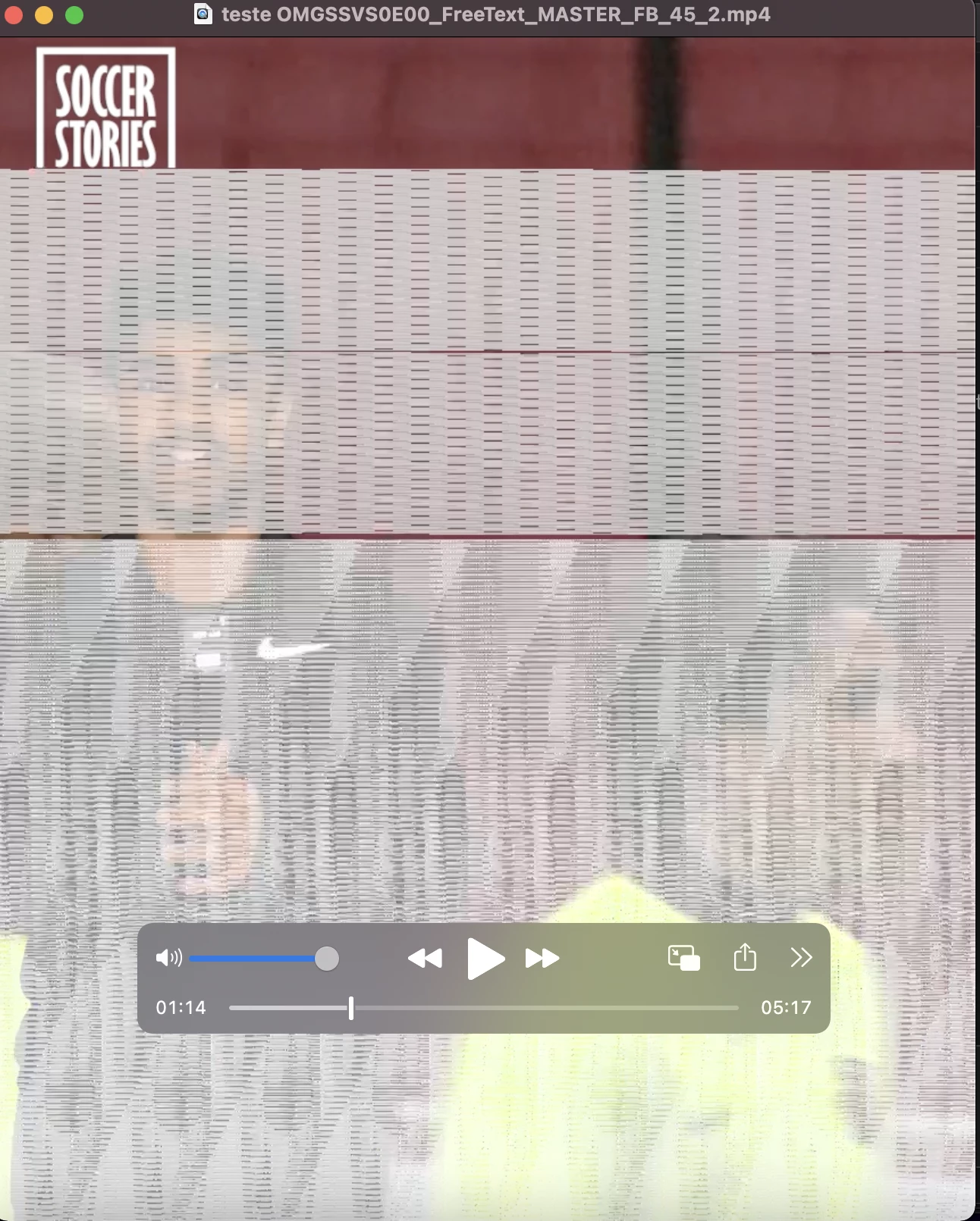
I am using a Macbook air M1 2020, and whenever I get premiere pro (22.0.0 built 169) to export a video using GPU accelarion, the final result is a video full of glitches. However, when I export the same video, but this time using engine software only, the result is perfect.

Anyone know how to get a prefect glitch free video export using GPU accelartion? Engine software only is too slow. 

Thanks 

This topic has been closed for replies.

3 replies

New Participant
May 20, 2022

I have an M1 Ultra, and Media Encoder crashes every time I try to export using GPU acceleration.  

New Participant
May 23, 2022

Render and replace all the clips... Then export  IT worked for me on Mac mini m1

New Participant
February 24, 2022

I'm also having this same problem on my M1 Macbook Air with the latest Premiere Pro. However, my machine doesn't allow me to switch the renderer. Does anyone have more info on this?

Community Expert
May 20, 2022

The Apple native version of Premiere Pro is always using Metal (GPU acceleration).


We have to open Premiere Pro using Rosetta in order to switch to Software Only.  While Premiere Pro is not running, Get Info on the application and check "Run using Rosetta".


Without knowing any details about your source footage, I'd recommend doing a Render and Replace of the Individual Clips in your Sequence to QuickTime, Match Source - Apple ProRes 422 LT, and then adjust your Sequence Video Previews to QuickTime ProRes 422 LT as well.  Assuming those transcode without any distortion to the picture, try exporting that at the desired settings.  If that still has unexpected distortions in the picture, export to ProREs 422 LT as well and then try transcoding that in Media Encoder or in the Finder.

R Neil Haugen
Brainiac
November 27, 2021

Some M1 users are having this, and many aren't. What the hay is the difference, I've got no clue.


Do also post over on their UserVoice about this. Search for M1 GPU issues, and pile on a vote to several of the I'm sure available threads there. That's the system that both goes directly to the engineer's system and to the upper managers who use metrics to determine what needs work.


Neil

Everyone's mileage always varies ...