Participant
March 20, 2025
Answered

Problem with export of transparent webm video

  • March 20, 2025
  • 2 replies
  • 1521 views

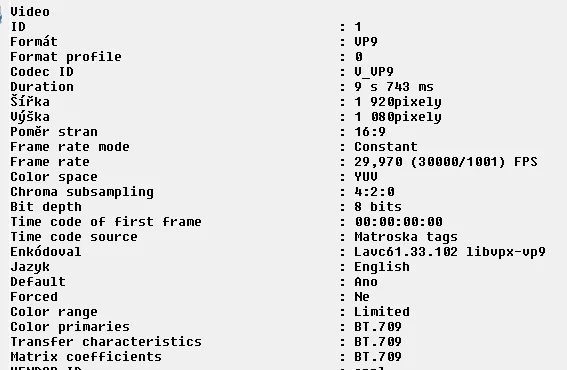
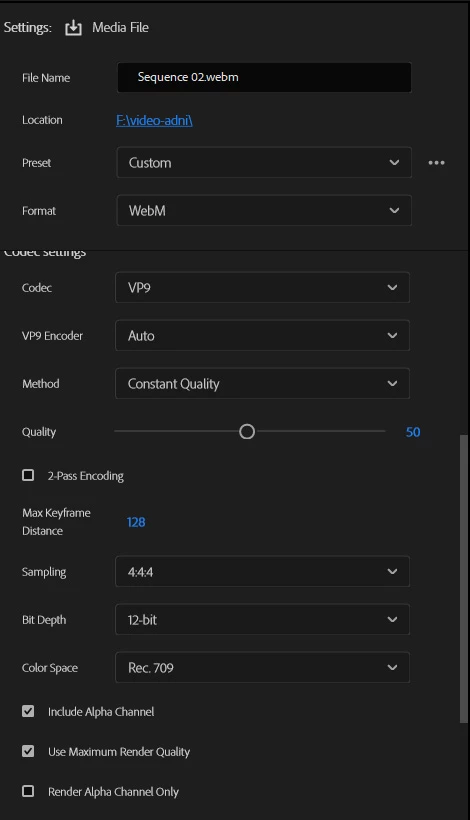
Hey. I have a problem with exporting a transparent video to webm format. I used the webm plugin from fnord (version 1.5.0) for export, set the export with alpha channel, but the result is a video without transparency (yuv instead of yuva). Export to .mov (quicktime) is without problem. I have Adobe Premiere Pro 2025@windows11. Does anyone know what to do with this please?
Correct answer Andreas338193729wne

How did you solve this?

Might be useful to other users with the same problem.


Disable GPU decoding and filtering in Shutter Encoder. The exported .webm file has its transparency preserved.

2 replies

Participant
March 20, 2025

So no option to export or transparent webm from Adobe Premiere? In 2025?

Ann Bens
Community Expert
Community Expert
March 20, 2025

You can export a file with alpha with Prores or cineform.

Maybe Shutter encoder can do the rest.

Ann Bens
Community Expert
Community Expert
March 24, 2025

Disable GPU decoding and filtering in Shutter Encoder. The exported .webm file has its transparency preserved.


Good for you!

Ann Bens
Community Expert
Community Expert
March 20, 2025

Dont think we can help you as its a 3rd party codec.