


Copy link to clipboard
Copied
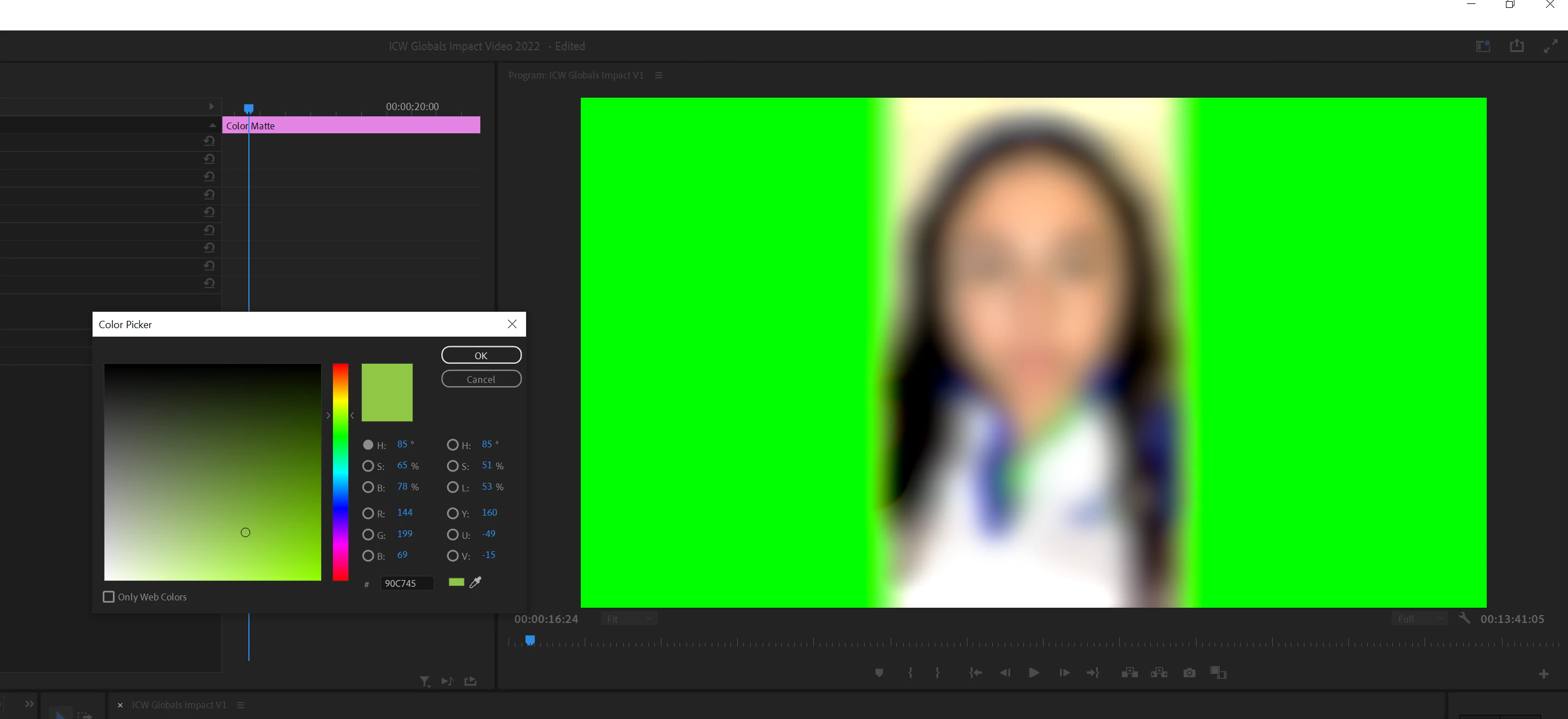
I'm having an issue with the program monitor not reflecting the true colors of my video and color mattes. See the example below with the green color matte. I do have "Display Color Management" enabled in my general preferences tab. And haven't been able to find other solutions. So not sure if it's related to graphics card? There are also no effects applied to the color matte.
I'm working in PP version 22.5.0; Windows 10; NVIDIA MQuadro 4000 graphics card.
 
Hi Nishu,
It turned out that it was just that project I was working in. I checked my sequence settings and the color space was set to Rec 2100HLG, which was causing the issue.
Thank you for your help,
Amber
Copy link to clipboard
Copied
Hi Amber23635970fqrp,
Sorry for your issue.
Could you share some details about your project and footage (frame size, format/codec)? Which effects are you using? Are you having this issue in all projects or a particular one? Could you try changing the Renderer to Software Only? Here's how: https://community.adobe.com/t5/premiere-pro-discussions/faq-how-to-change-the-video-renderer-in-prem...
Let us know if it brings any change.
Thanks,
Nishu
Copy link to clipboard
Copied
Hi Nishu,
It turned out that it was just that project I was working in. I checked my sequence settings and the color space was set to Rec 2100HLG, which was causing the issue.
Thank you for your help,
Amber
Get ready! An upgraded Adobe Community experience is coming in January.
Learn more