
Participant
November 8, 2021
Answered
Proxies - no automatic relink i 2022-update.
- November 8, 2021
- 21 replies
- 20148 views

Ok so I just figured out a quick enough work around for this!
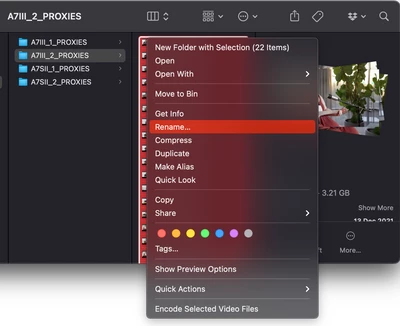
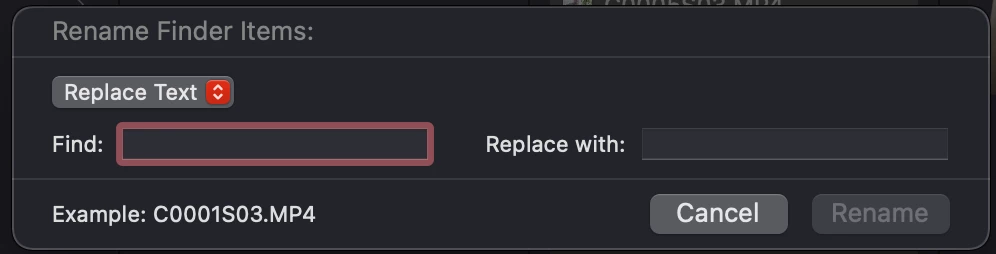
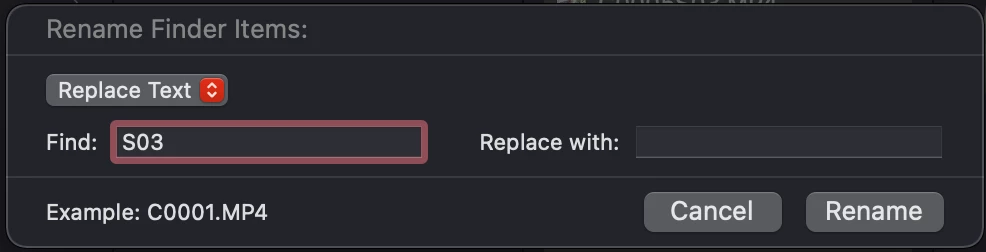
If you're on a Mac it's as easy as selecting all your proxy files in the Finder window, right clicking and selecting [Rename...] then in the "Find:" box add the extra letters or numbers you want to remove from the file name and don't add anything extra in the "Replace with:".
Give it a minute to update, then go back into Premiere and relink proxies using the "File Name" option and it should work now!
Hope this helps anyone else 🙂
Already have an account? Login
Enter your E-mail address. We'll send you an e-mail with instructions to reset your password.
 AdChoices