


"error compiling movie/export error/error completing render" exporting in premiere, "Encode failed because the source duration is nil." exporting with media encoder
Hello all,
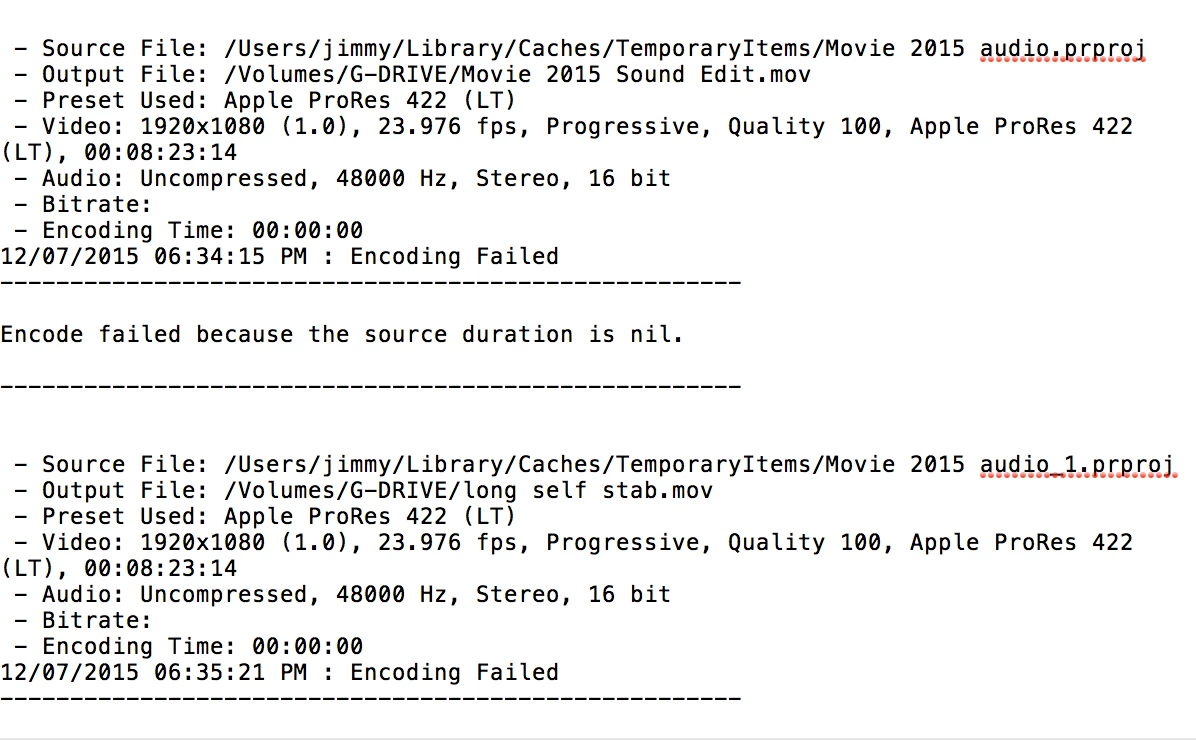
I am all of a sudden unable to export from a Premiere project. If I export from Media Encoder, my usual preferred method, it stops and says "failed" about 10 minutes in. When I click "failed", I get this error message in my textedit:
When I try to export from Premiere, I get this pop up error message:
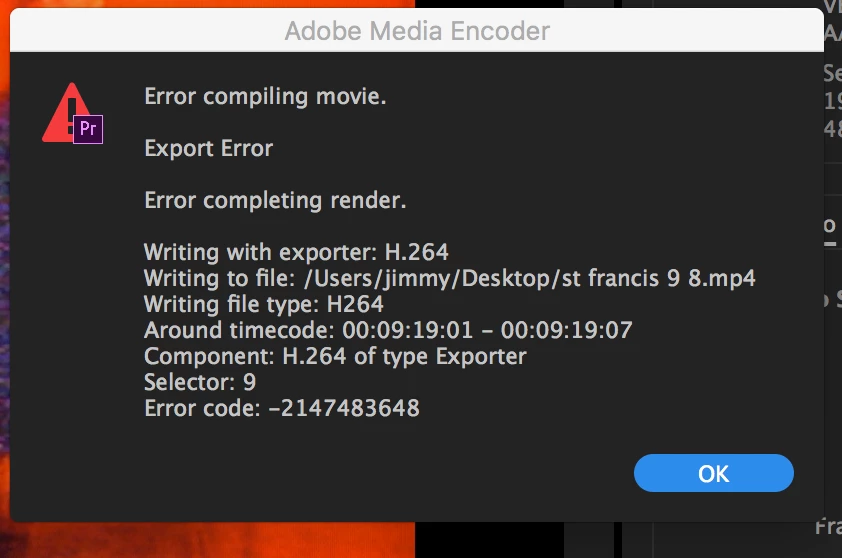
The media in the project is all transcoded to ProRes 422 (LT), and I am exporting H264 files with the Vimeo 1080p HD preset (as I have always done). I have never seen these exporting errors before, and have exported iterations of this project countless times. It has been about two months since I had last opened the project. All of my other projects (most of which are also transcoded to ProRes 422 LT codec before editing, but not all) export just fine.
I am suspicious of the "source file" line in the Media Encoder error message, which is from a cache folder and is just a folder that contains audio? What is the source file? What should my source file be? Could this have changed without my knowing it?
I am completely baffled, any help is greatly appreciated as I am under a quickly approaching deadline.
thank you.
 AdChoices