



"No content in sequence In/Out range" error, urgently need help :(
Hi all,
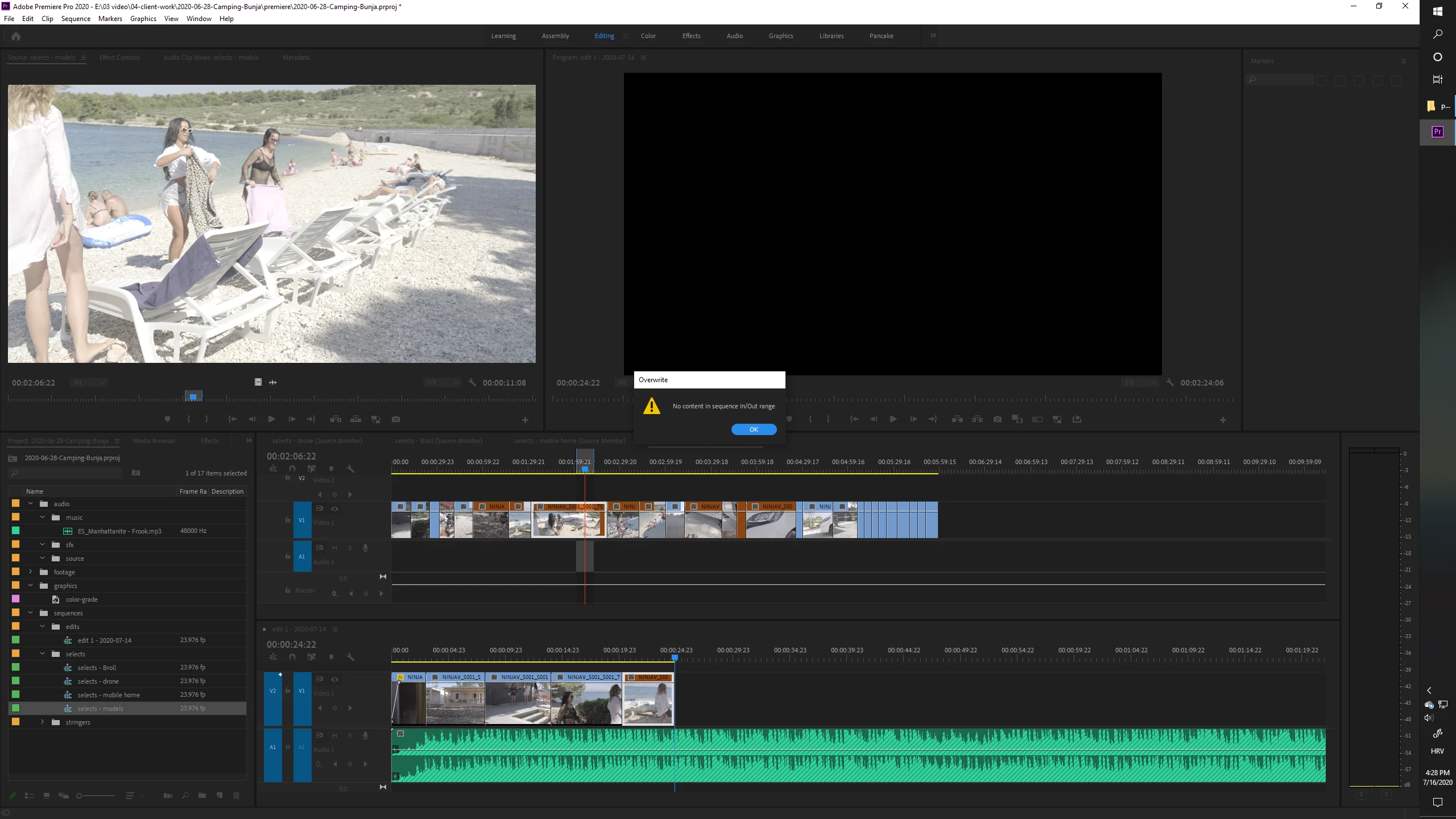
all of a sudden I started getting a weird error in Premiere. When I try to do an insert/overwrite edit, either by pressing the dot key on my keyboard "." OR dragging the little film-strip icon under the image in Source mnitor, this message pops up: "No content in sequence In/Out range".
My set up is shown at this screenshot but let me explain a bit further. I use what is called "pancake editing":
- all of my clips go into timeline 1: Stringer timeline;
- I load this timeline into the source monitor and open it in Timeline panel so that I can pull selects from it;
- underneath the Stringer, I create timeline 2 which is my Selects timeline, this one plays in the Program monitor;
- I scrub through the Stringer timeline (watching it in the Source monitor), setting IN and OUT points as I see fit and hitting the dot "." key on my keyboard (This inserts the selected segment of the Stringer timeline into my Selects timeline);
Usually this works, but today in the middle of my editing process it just started throwing the error message from the title of this post.
I HAVE toggled proper source patching/track targeting and I have DISABLED "Insert overwrites as nests". These are not the culprits since the error started appearing all of a sudden and these have not changed.
It DOES help if I restart Premiere which is a HUGE pain in the a** since I have to then set up my whole workspace again. (No, saving it does not keep the proper timelines loaded and open in appropriate monitors).
Many thanks for any help, of course the deadline is approaching.
[Moderator note: please do NOT force users to download strange files to see images, drag/drop them directly into your reply box text area please. I fixed this for you.]
 AdChoices