


Answered
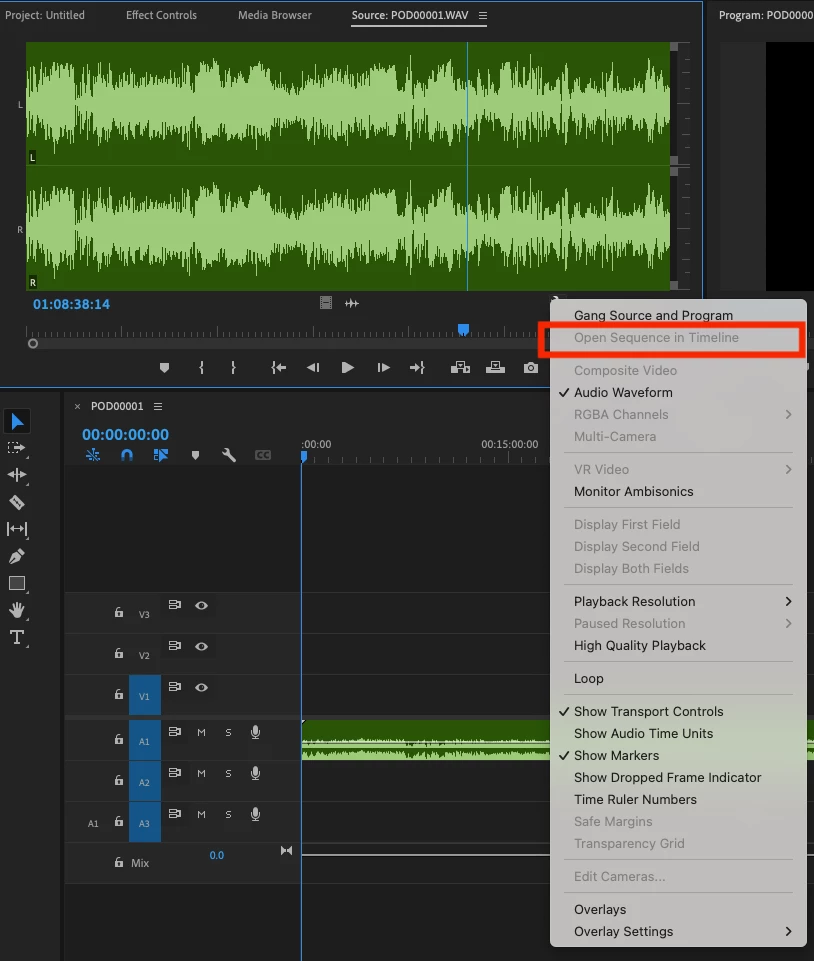
"Open Sequence in Timeline" button not working from Source Window
New to Premiere Pro, Avid User.
Hey Guys, I'm still new to premeire pro and I was following a youtube video on how to get my source window media sequence up. The video kept telling me to click on the wrench however when I do click on the wrench icon to select "Open Sequence in Timeline" button this is greyed out? Not sure how to get this button active? I'm editing audio only so no clips are loaded and currently there is audio loaded in the Source Window. Am I missing something here?
To report a bug, please provide:
- Version of the app - 24.6.1
- Platform and OS version - Macbook Pro Ventura 13.0.1
 AdChoices