


Participating Frequently
September 15, 2025
Question

Random freezes during rendering using AMD Ryzen 5700X 8-Core

  • September 15, 2025
  • 2 replies
  • 336 views

So whilst this could be a bug, for the time being I'm gonna mark this as a discussion as it's mostly a question.
A while back I made a two and a half hour recording of something that I had to split into several parts.
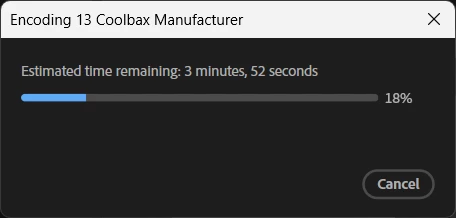
The first eleven parts went just fine, but any other parts sometimes just get stuck in the rendering process, the window does NOT go into the "Not Responding" state, but also NEVER progresses any further.
When this happens I can try killing Premiere all I want, but doing so makes me unable to reopen it until I restart my entire PC.
Running this on Windows 11 Home (64-bit) with 32 GB RAM,
an AMD Ryzen 5700X 8-Core Processor (3.40 GHz)

This issue doesn't occur consistenly either, I can restart my PC right now and when I try again it can easily do several renders before running into this issue but it can just as easily run into it immediately.

2 replies

Ishan Y
Community Manager
Community Manager
September 15, 2025

Hey ict-opr,

Sorry for the trouble. Could you share some more details on your project so I can better understand the issue?


1. Do you have any effects on that part of the Timeline that you suspect might be causing issues with the export? Please also let me know if you have any graphics or dynamically-linked compositions on your timeline.


2. Which GPU are you using? If you have an NVIDIA GPU, please install the most recent Studio Drivers.


3. If you export using Media Encoder, does it still get stuck?


4. Please share a screenshot of your export settings. If you export in another format (like Quicktime Prores 422), does it still get stuck?


In case we find that this is a bug, we can move this post to the bug section.

Thanks,

Ishan

Please tag me (@) in your replies so that it notifies me and helps me respond promptly.
ict-oprAuthor
Participating Frequently
September 16, 2025

My timeline couldn't be more basic, it just has several MP4 files, which I've then cut into segments and made a subsequence of each segment. Those subsequences is what I'm rendering, there's no special effects or any fancy elements like that.
The GPU is AMD Ryzen 5700X 8-Core Processor (3.40 GHz)
The issue also happens with Media Encoder, the only notable difference is that Media Encoder seems to be encoding a tad slower than premiere does, but it doesn't impact this issue.

The export settings are just the default "Match Source - Adaptive High Bitrate" options

Brainiac
October 9, 2025

My GPU is an "NVIDIA GeForce RTX 5060 Ti"
I've tried exporting to different locations which didn't make a difference.

I've also got enough space yeah


I'm afraid to tell you this, but the available drivers for the GeForce 50 series GPUs still suffer from occasional issues when running content creation apps.

ict-oprAuthor
Participating Frequently
September 15, 2025

Some extra info, after killing Premiere whilst it's in this state, it remains in the task manager which prevents me from restarting the application without first restarting the whole PC.
When using taskkill it says there is no running instance of the task....... even though there clearly is