Inspiring
May 8, 2023
Answered

Rendering uses all of my RAMs

  • May 8, 2023
  • 2 replies
  • 6400 views

Hello everyone. 

I have a issue with Premiere Pro and Media Encoder while rendering. I set my memory settings to 18GB (My Computer has 32GB) for Premiere Pro and Media Encoder but they both use all of my Ram. And everytime I render, it alwasys shows me an error screen that says "Out of Memory".  Sometimes my computer crashes, sometimes Encoder shows that my renders are failed. I test my Rams with Memtest86 and there was no error on that test. I hope you can find me a sollution. 


My Computer Specs:
GPU: MSI RTX 3060Ti 8GB
CPU: i7-11700K 3.60Ghz (16CPUs)
RAM: Corsair 32GB Ram 3200Mhz
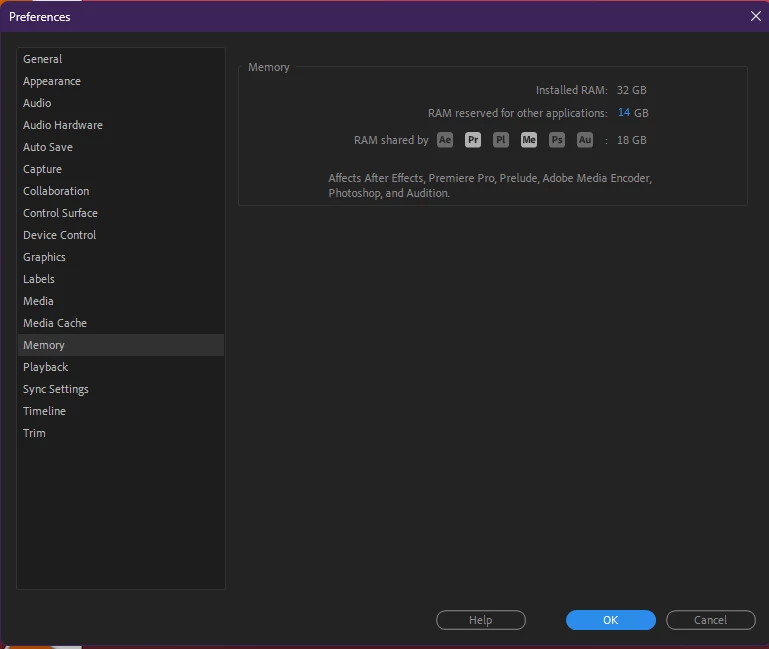
 

This is my settings for memory usage.
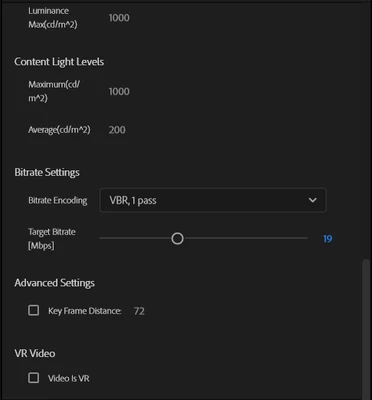


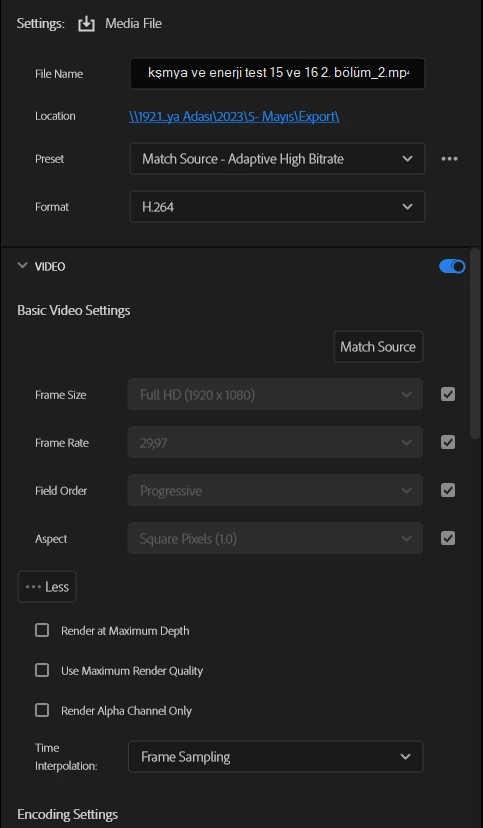
These are my render settings. 
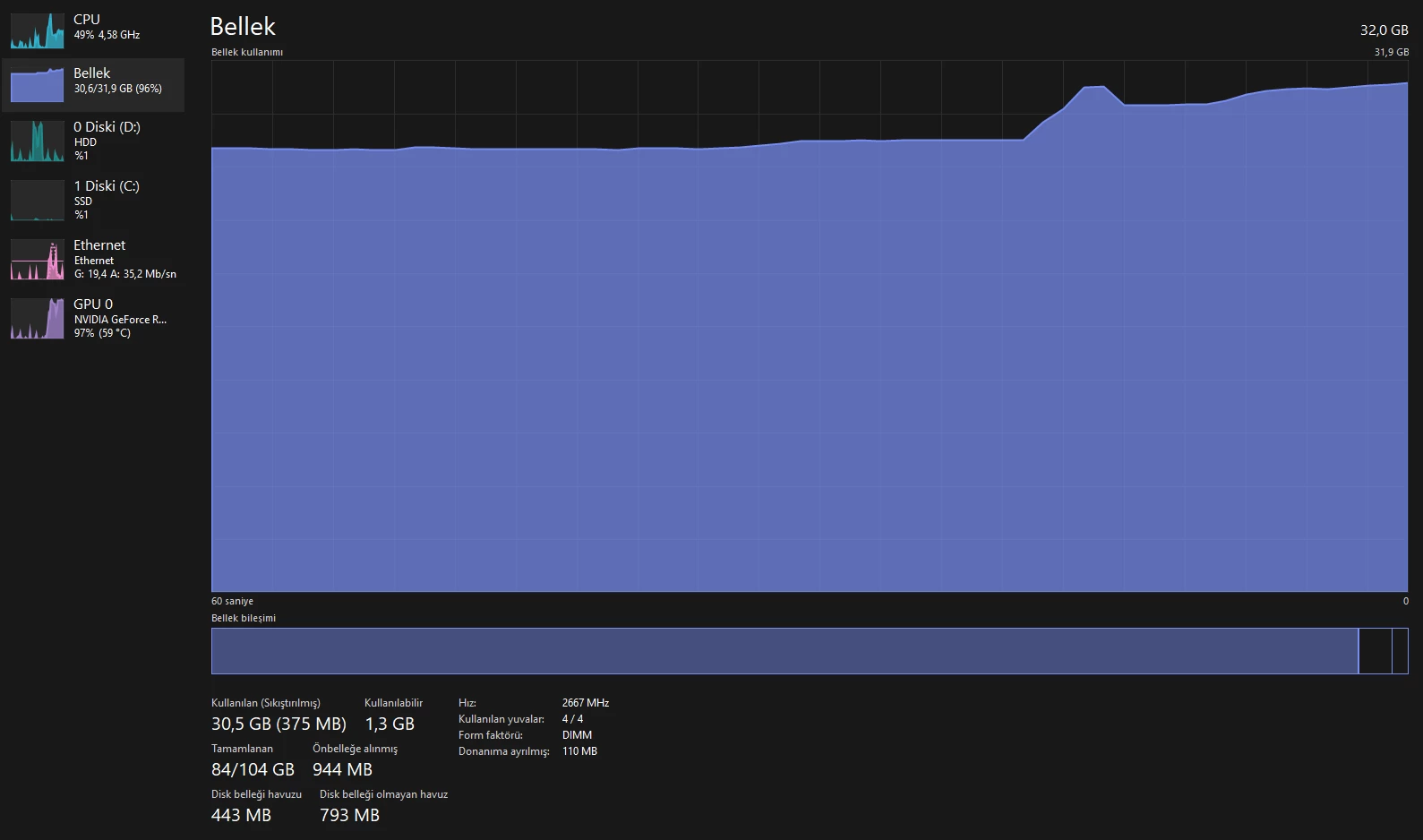
These are my CPU, GPU and Memory usage (Bellek = Memory) 


Thanks.

Correct answer EgitiMCN

Yup. I just changed my MOV videos to MP4 and now, Media Encoder only using 5GB of my RAMs. When I try to Export the same video With MOV Codec, Media Encoder uses all of my RAMs. And then failed to export. That's really strange and bad for me because most of the times I have to use MOV videos for editing (Alpha Channel thing). I hope Adobe will find a solution for this 😞 

2 replies

EgitiMCNAuthor
Inspiring
May 10, 2023

I think I solved the problem. It's because MOV videos that I'm editing. When I export only MP4 videos there is no problem. When I use MOV videos, problem occurs. 

EgitiMCNAuthorCorrect answer
Inspiring
May 10, 2023

Yup. I just changed my MOV videos to MP4 and now, Media Encoder only using 5GB of my RAMs. When I try to Export the same video With MOV Codec, Media Encoder uses all of my RAMs. And then failed to export. That's really strange and bad for me because most of the times I have to use MOV videos for editing (Alpha Channel thing). I hope Adobe will find a solution for this 😞 

Kevin-Monahan
Community Manager
Community Manager
May 10, 2023

Interesting, Egit. Sorry you are experiencing such issues with .mov files. What codec are you using? I'd love to get at the heart of the problem and see if we can remedy that by letting the product team know more.


Thanks,
Kevin

Kevin Monahan - Sr. Community & Engagement Strategist – Pro Video and Audio
Inspiring
May 8, 2023

Do you have any other applications open and using RAM when you start your renders? If you allow Premiere to use 18 GB of RAM, but other apps and the OS are already using more than 14 GB then I can see this issue happening. 


With Premiere and AME closed, what's your RAM usage? If it's negligible and Premiere and AME are taking all of your RAM, are you running the latest versions of each? Perhaps there was a memory leak that was fixed in a recent version.

EgitiMCNAuthor
Inspiring
May 8, 2023

Hi David! Thanks for the reply. I'm using the latest versions of both Premiere Pro and Media Encoder. I'm only using Chrome, Slack and Spotify as other applications. When Premiere Pro and Media Encoder closed (Chrome, Slack and Spotify is still open) , my RAM usage is about 6GB. My Renders usually takes 15 minutes. First 5 minutes everything is alright but then, it's incrasing to full usage.   

Inspiring
May 8, 2023

That's some good info, thanks. First, have you checked to see if there's an update for Premiere and AME? If so, I'd install that and try again.

Next, is it pretty consistent when this memory explosion happens? If so, can you narrow down exactly where it might be happening in your timeline? If you render your timeline in Premiere (not export, but actually render previews in the timeline) do you notice a similar issue? 

Also, instead of exporting directly to H.264, what happens if you export an intermediate file, like ProRes 422 first. Still the same issue? I'm also guessing by your GPU usage in the Task Manager that you're using Hardware Encoding, but that setting is below where your screenshot ends.