KazuT
Inspiring
December 23, 2016
해결됨

Replace with After Effects Composition - what folders is AE looking for?

  • December 23, 2016
  • 1 답변
  • 1530 조회

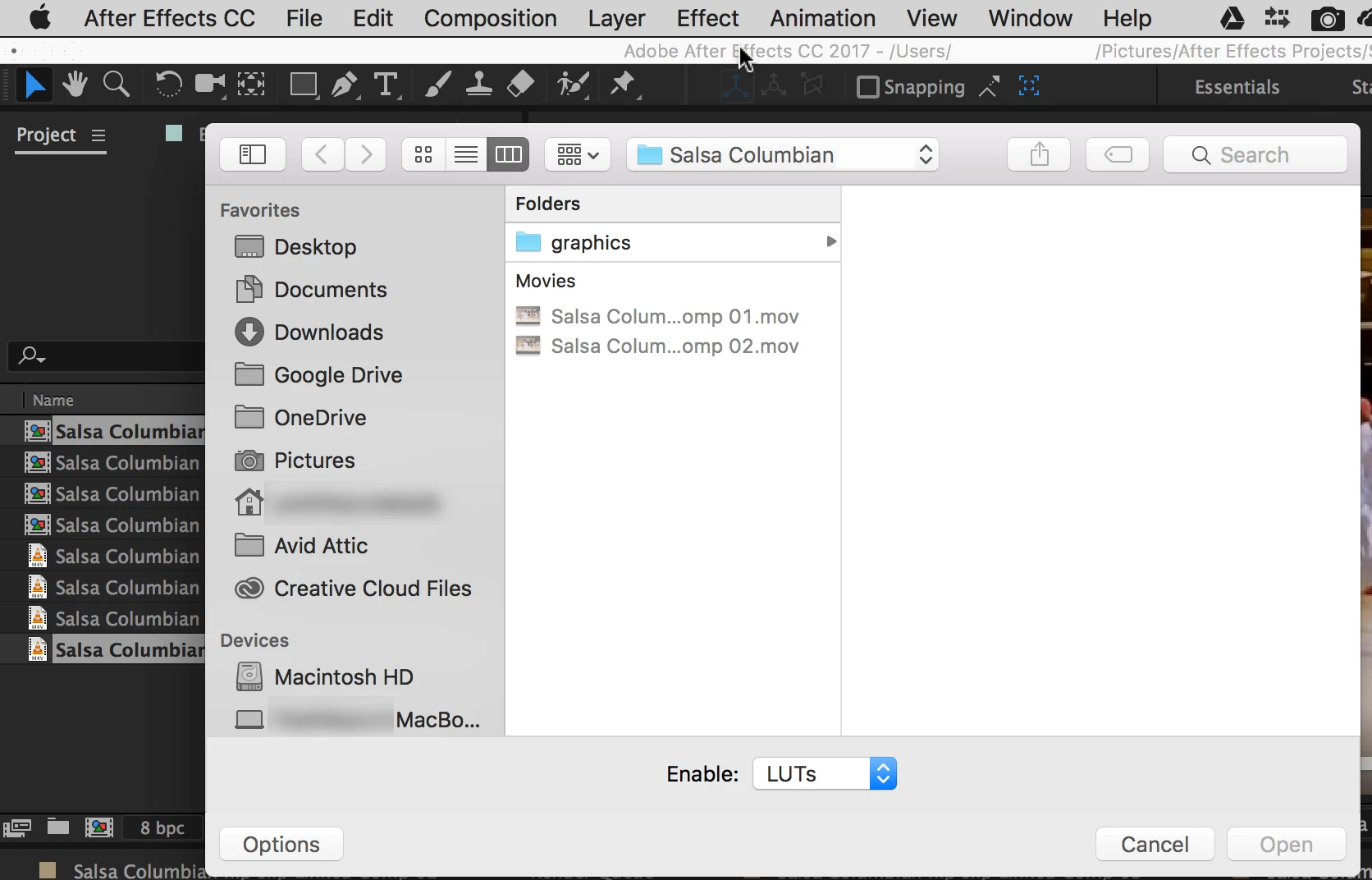
In Premiere Pro CC 2017.0.1, when I select "Replace with After Effects Composition", AE launches, then the below window pops up.

Is AE looking for its LUT presets? Or for something else?

I can click on "Cancel" twice, then it'll let me proceed. I'm just wondering what it's looking for? 
    이 주제는 답변이 닫혔습니다.
    최고의 답변: KazuT

    What all effects you are using in your Premiere Pro project?

    Thanks,

    Kulpreet Singh


    kulpreet singh​:

    I figured it out. I was using a LUT.

    For some reason, my After Effects CC 2017.0.1 doesn't know where my LUTs and Looks are.

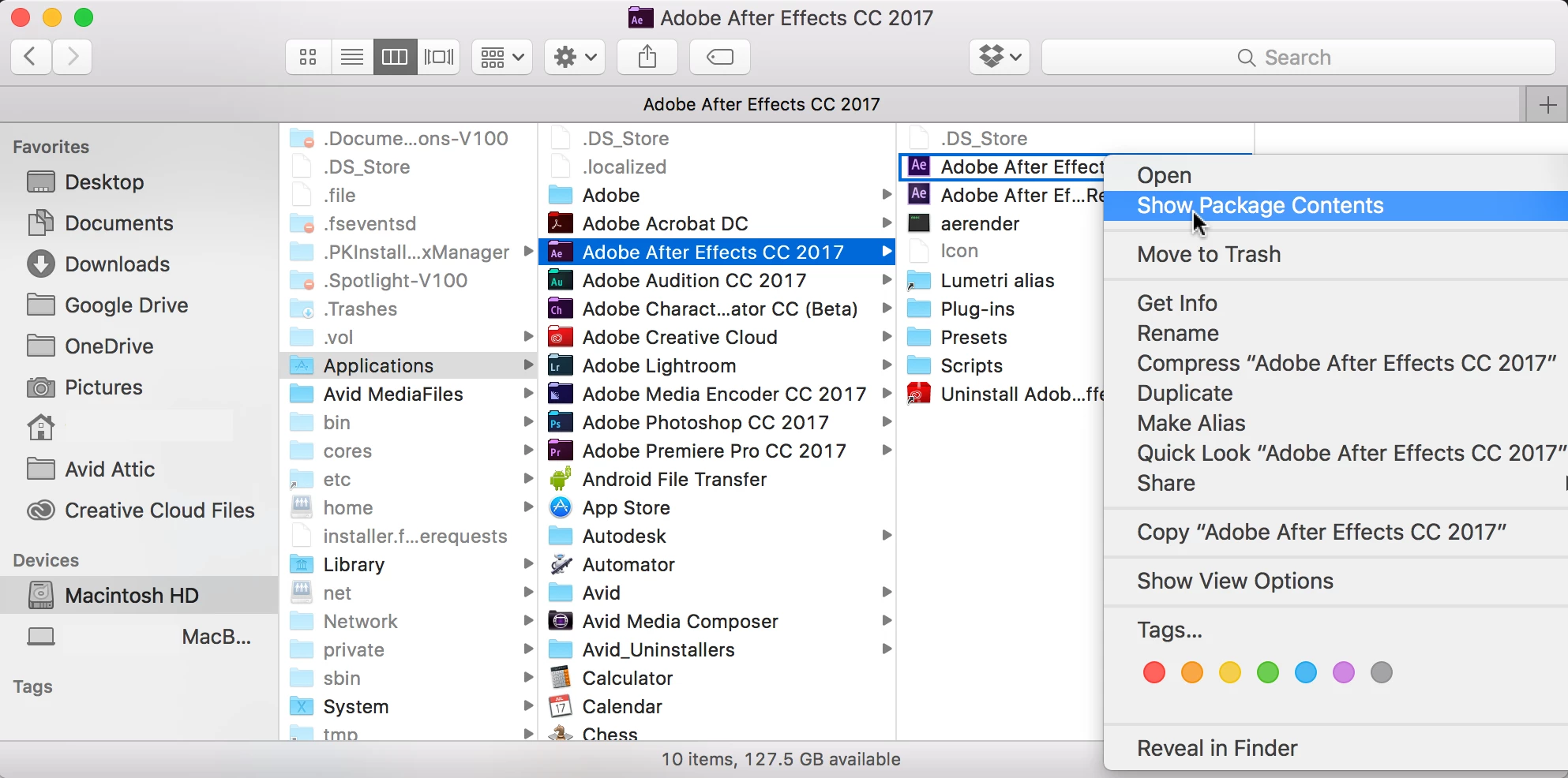
    I found them when I right-clicked on my After Effects app and selected "Show Package Contents":

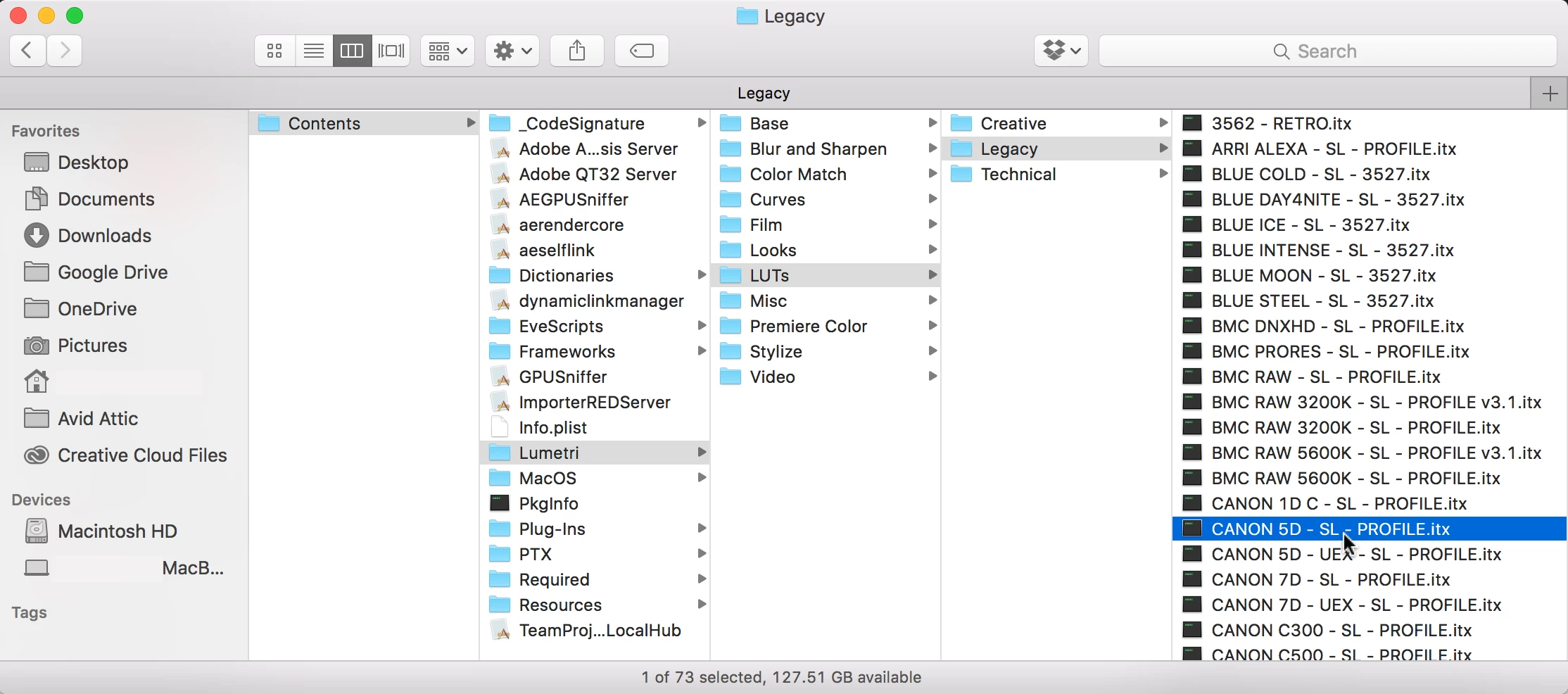
    AE was looking for 1) the LUT

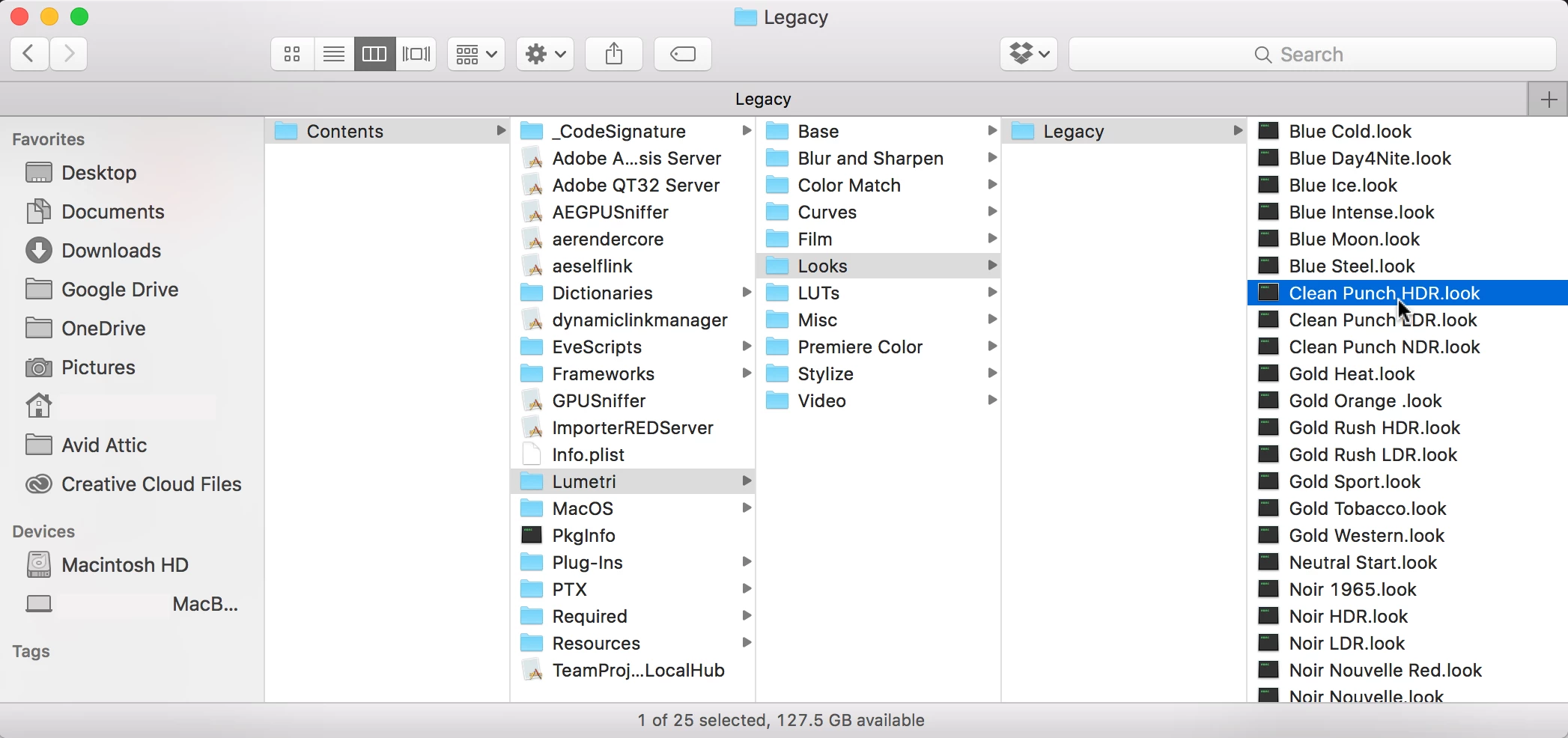
    And 2) the Look

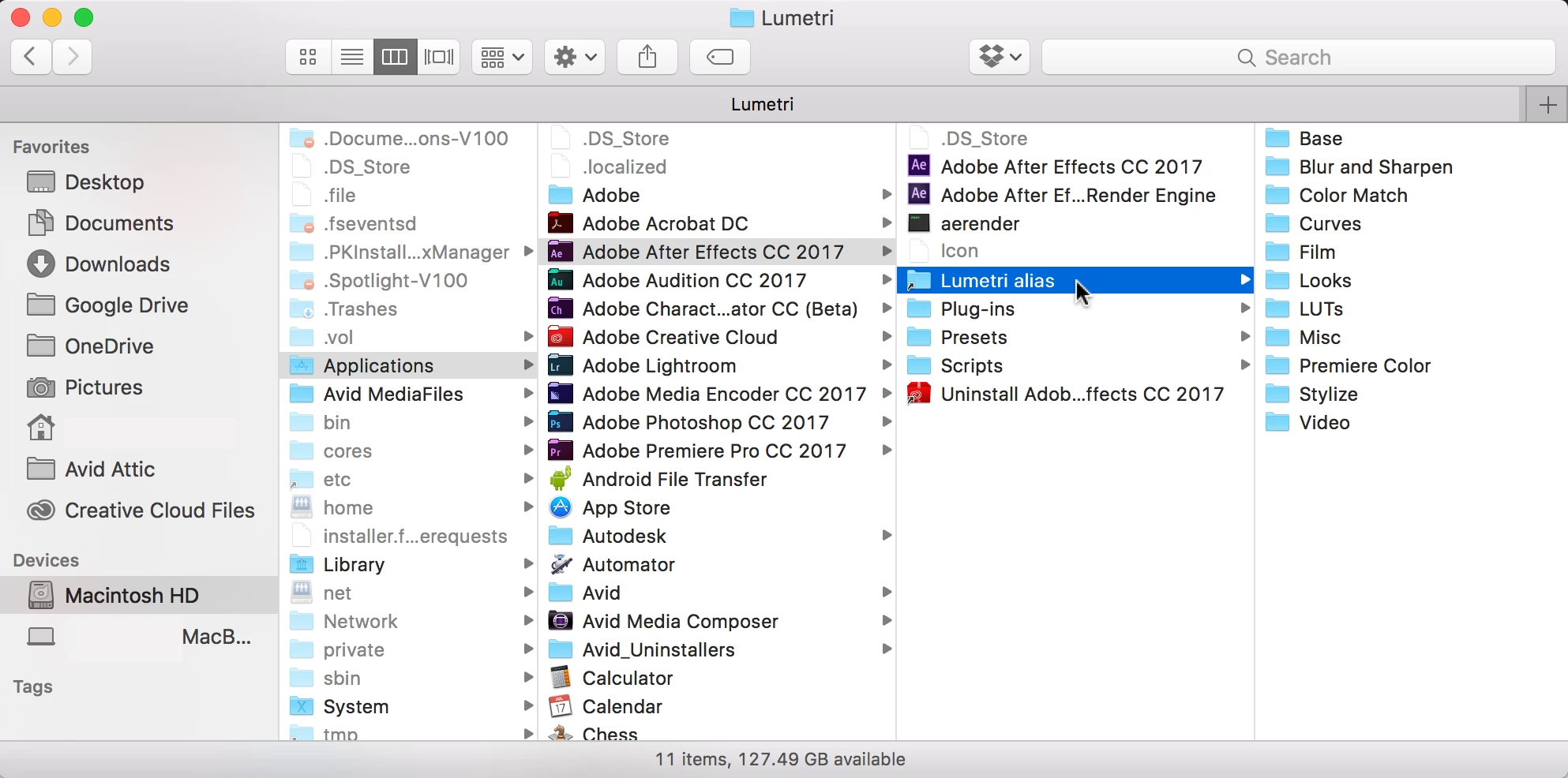
    I had to "Make an Alias" of my Lumetri folder so I could "Browse" in AE to the LUT and Look I was using:

    1 답변

    kulpreet singh
    Inspiring
    December 23, 2016

    Hi KazuT,

    That window is to save you rAfter Effects project.

    Check this: Use Dynamic Link with After Effects

    Thanks,

    Kulpreet Singh

    KazuT
    KazuT작성자
    Inspiring
    December 23, 2016

    kulpreet singh​:

    It's not for saving my AE project. I already have an AE project open, and PP is populating it.

    kulpreet singh
    Inspiring
    December 23, 2016

    What all effects you are using in your Premiere Pro project?

    Thanks,

    Kulpreet Singh