


Scale jump issue appearing in frame on Program feed, in Premiere
I'm experiencing a glitch of sorts in my edit project in which the video suddenly scales up/zooms in on the footage, then jumps back out to the set scale size. The issue shows up in the Program monitor during playback and appears even when I scrub through the timeline frame-by-frame. The scale jump lasts for about 8 frames before scaling back to normal. Here's a screenshot of before the jump (#1) and during the jump (#2):
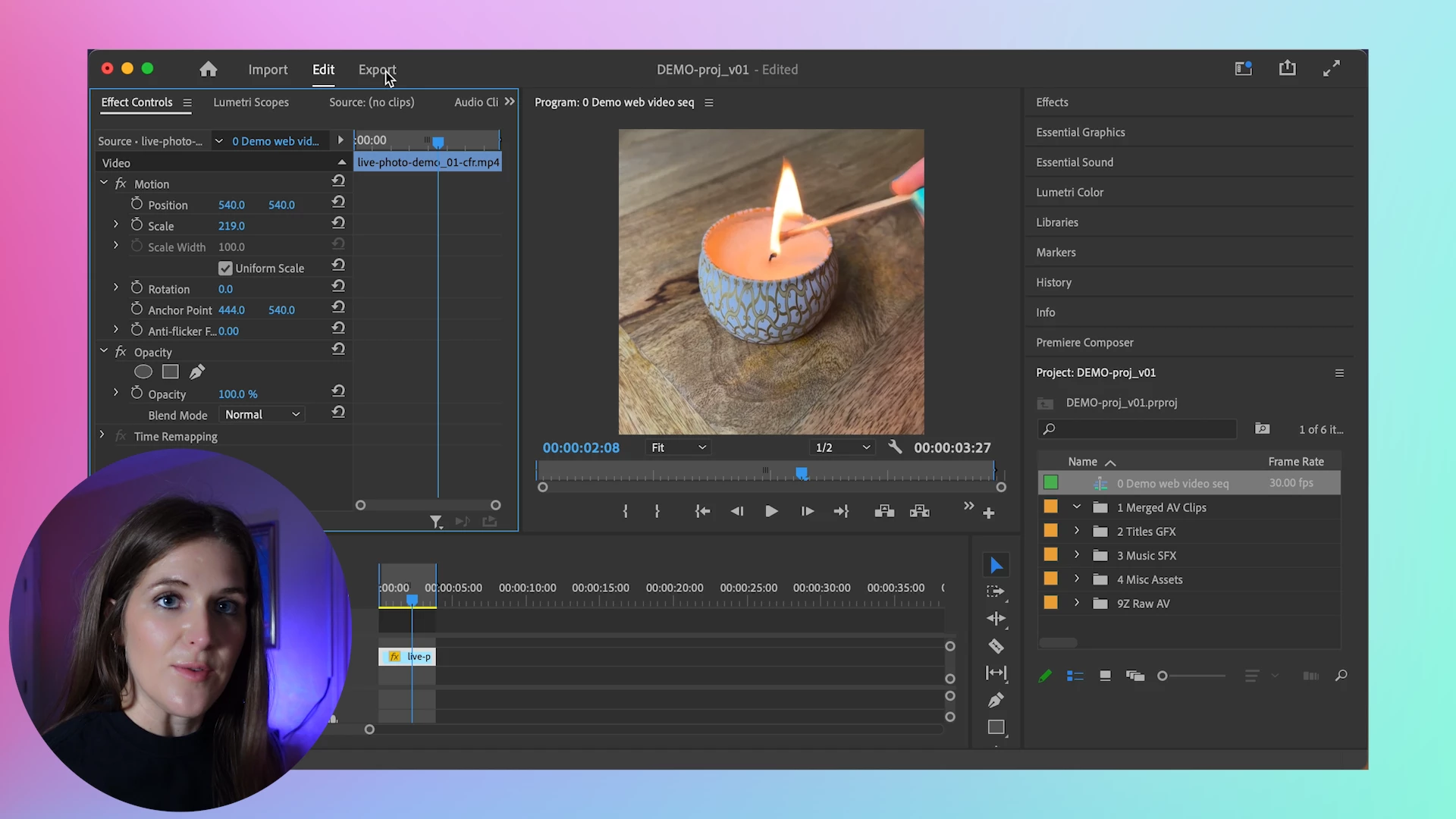
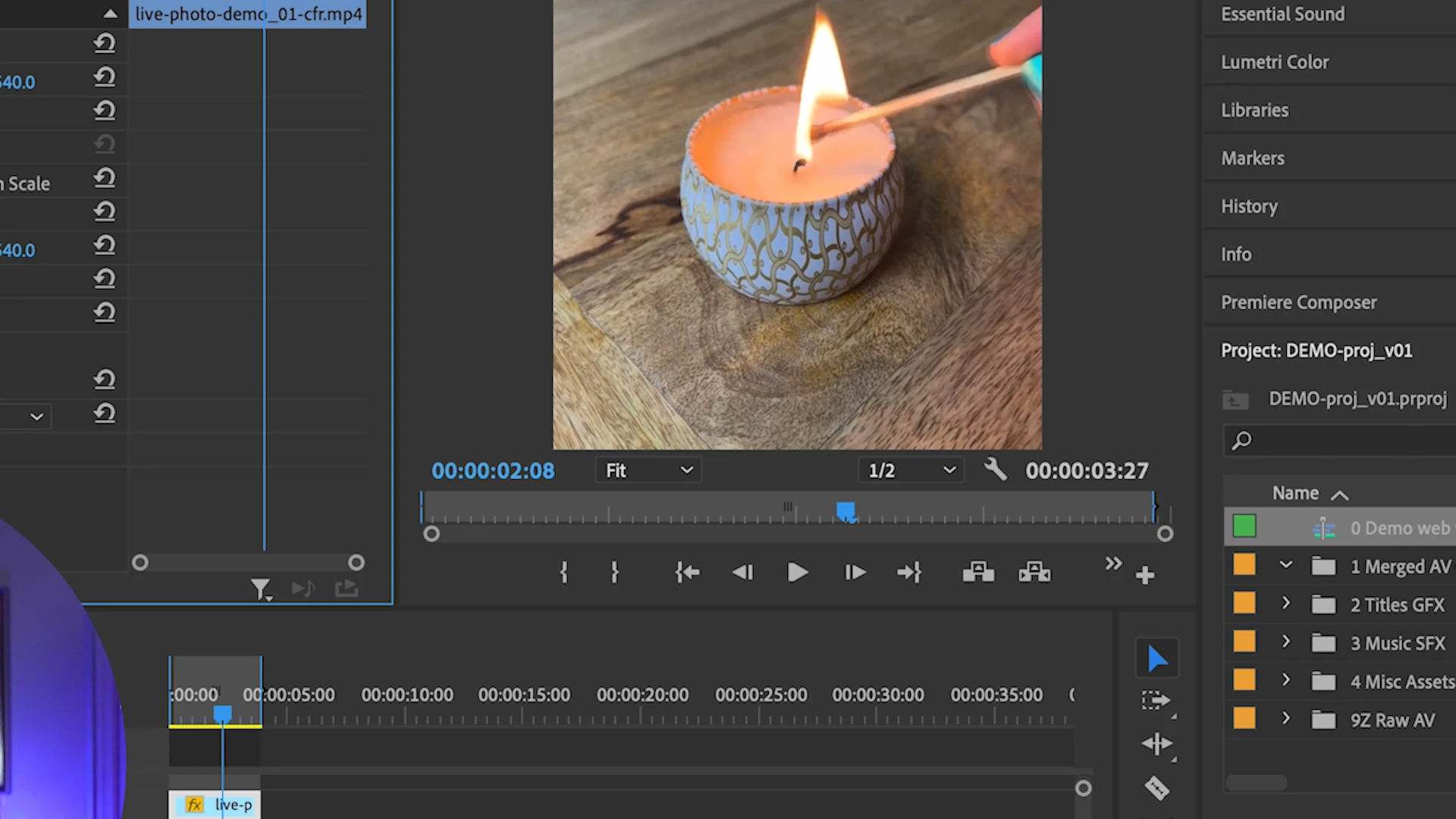
Notice the purple shape in the corner of picture #2, which is the edge of the masked video layer, meaning the scale jump is affecting the timeline as a whole rather than an individual clip. My initial thought was that something was wrong with my transcoded screen recording, but that does not seem to be the case. I'm not sure where the issue is occurring exactly—within the software or within the hardware...or somewhere else.
For additional context:
- I transcode all my video clips (including the screen recording) in Handbrake with the Production Standard preset (H.264), 30fps, CBR @ quality 10.
- I'm on Adobe Premiere Pro version 22.5.0 (Build 62), and my Premiere memory is optimized for performance. I cleared the media cache this morning and restarted Premiere, but the problem persists.
- My machine is a MacBook Pro running macOS Monterey version 12.5.1. It's got the 2.4 GHz 8-core Intel Core i9 processor and AMD Radeon Pro 5600M 8GB graphics.
- I have an external LG 4K monitor connected to my laptop via an OWC Thunderbolt 3 dock. Both screen displays are set to 60Hz refresh rate.
I've used screen recording clips captured on this same setup in the past and haven't run into this issue until now.
Any insight is greatly appreciated!
 AdChoices