


Sequence Not Showing in Project Panel
I used a shared file system for work. In there contains the folders of the videos. I created a video folder to start my project. Then I saved as into another video folder called Video Editing with the same file name. From there, I basically spent a few hours working on the video.
I organized the videos in the Project Panel in folders. However, I drag and drop videos into the timeline, hense autogenerates sequence files. I do not know where they are at. I have plenty of Auto-Saved files too, and cannot find them there.
There is no way the sequence files were deleted because the timeline was active the moment I closed the program.
What suggestions are there? I tried finding them in the original location - not there.
Current folder:

Original folder:

How do I find the sequence? There are zero sequences showing in the Project Panel, but there were plenty of edits and videos added to the timeline.
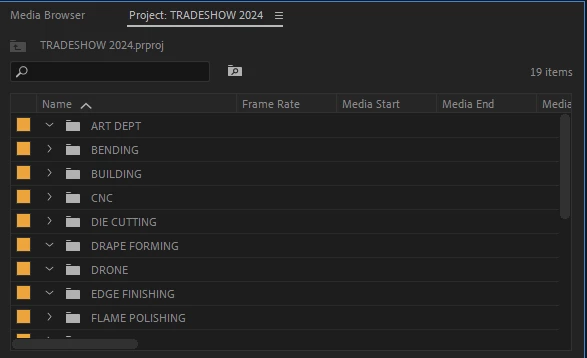
I tried expanding each folder but was not able to find a green solid square, or a seq file, nor the sequence icon.
Where are the sequence files at?
Keep in mind that I open the program from Creative Cloud. Also, I open it via clicking the file, but via its location which is on shared drive (not a local drive but network where other computers can see it and access it).
 AdChoices